


Key Takeaways
- Limited on YouTube usually indicates restricted monetization and reduced distribution.
- Limited on YouTube Shorts can be reduced in early algorithm testing stages
- Common triggers include reused content, hostile ad issues, and low retention.
- Limited YouTube Shorts reach can be improved by creating high-quality, original content.
In 2026, YouTube Shorts distribution is heavily driven by algorithmic signals. Hence, when you see a restriction in reach instead of unquestioningly fixing it, here’s how you can resolve it by understanding it properly first. Here’s the rundown:
What Does Limited Mean on YouTube Shorts?
For creators, it typically means your YouTube short has limited monetization and distribution. A yellow icon can indicate reduced advertising suitability, ad placements, and lower revenue potential. The censorship of sensitive topics and profanity causes it. Further, being limited on YouTube Shorts affects how much the algorithm pushes your content in the Shorts feed. During the initial stages, YouTube Shorts in small audience batches: if the system detects weak engagement and a lack of originality, the creators will notice a sudden drop in impressions.
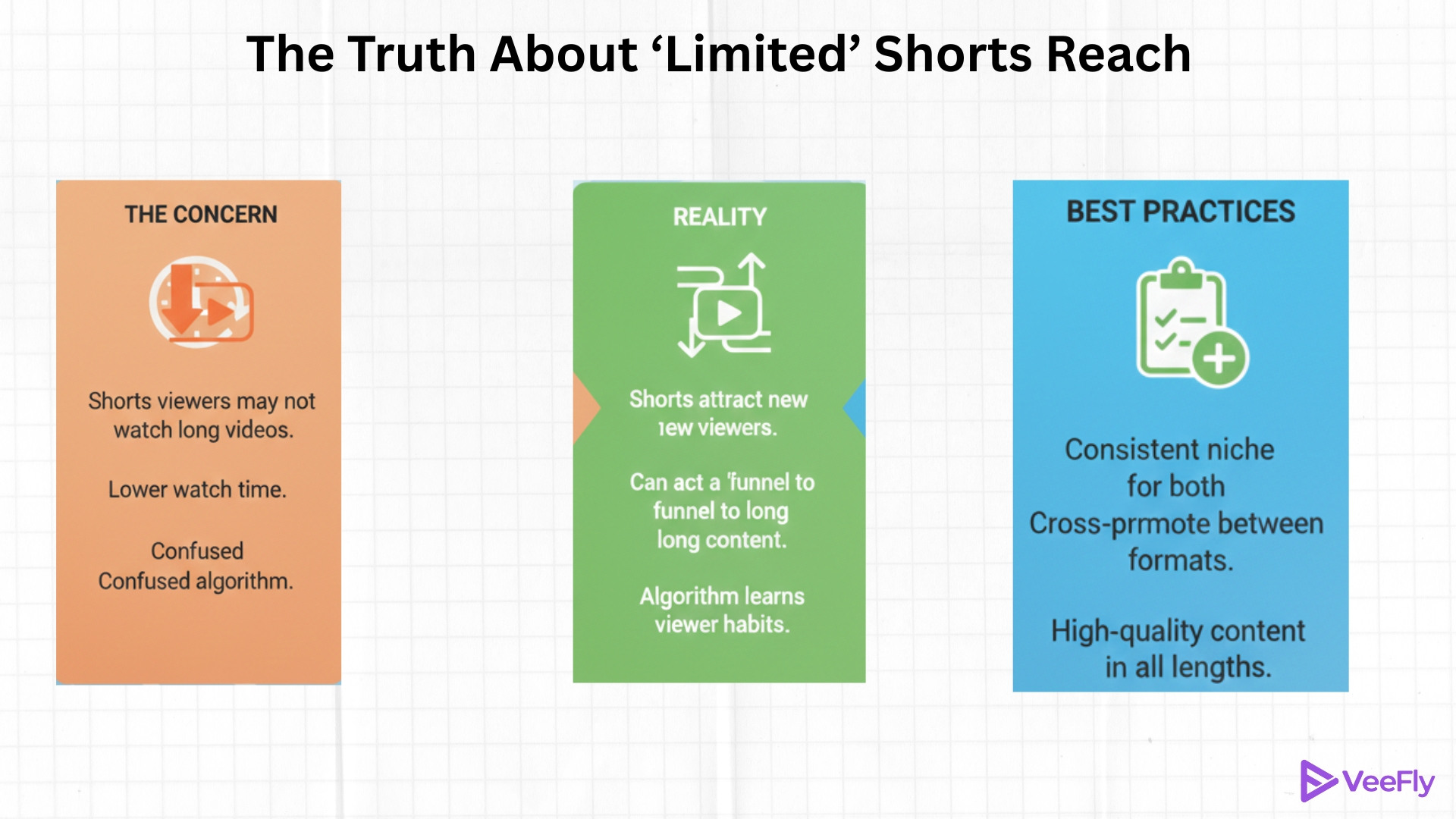
Do Limited Shorts Hurt Reach?
The first 72 hours are heavily important for any video. Hence, when a YouTube short is marked limited, it may receive a smaller testing pool with impression velocity that’s bound to slow down. However, limited doesn’t have to be permanent; in fact, if retention and engagement improve, the system can still scale.
How to Fix the YouTube Shorts Limit?
There are no quick fixes for the YouTube Shorts limit; however, it’s not irreversible if you focus on controllable factors. Here’s an action plan for you:
1)Strong Hook: YouTube shorts are designed for people who prefer snackable content that doesn’t take long to arrive at a point. Hence, the first 2 seconds are important, as they provide clear value and visually invite viewers.
2)Increase Completion Rate: The most important metric in YouTube Shorts is its completion rate. Any video with a score under 50% is considered weak. The algorithm prioritizes full watches and replays; aim for at least 90% completion.
3)Avoid Reused Content: Repurposing your own content is not the same as reusing. Clips from other creators, movie snippets, and references require commentary, editing, and context.
4)Check Monetization Tab: Inside YouTube Studio, there is a review of advertiser suitability from your end. Sometimes, the automated system can flag videos incorrectly. Make sure to submit an appeal.
5)Focus on Human Touch: Face presence, voice commentary, and a creator identity are heavily important to establish your authority on shorts; original content reduces the risk of being marked as limited.
Conclusion
Most creators panic when they see ‘Limited,’ but the real issue isn’t the label; it’s the signal behind it. On YouTube Shorts, the algorithm is about dynamic performance, and what matters is how quickly you diagnose the pattern and adjust. The creators who grow aren’t the ones who get limited; they’re the ones who understand why it happened and correct it quickly for YouTube growth.
Frequently Asked Questions
Q1)How do I remove limits on YouTube?
You can’t manually remove the limited status, but you can appeal it in YouTube Studio if it was mislabeled.
Q2)What to do if your YouTube Shorts says limited?
If your YouTube Shorts appear limited, review the content, improve the hook, and request a manual review if eligible.
Q3) What triggers limitations on YouTube Shorts?
YouTube Shorts limited triggers include reused content, sensitive content, and copyright claims.
Q4) Does limited affect monetization only?
No, some limitations restrict ads only, while others can also reduce distribution confidence.
Q5) How long does Shorts say it is limited?
There is no proper timeline for shorts’ limited status, but a review appeal takes 1-2 weeks.
