



Key Takeaways
- Verify your eligibility by ascertaining that the deletion happened within the 30-day window.
- Log in to that particular Google account that was originally connected to the channel.
- Use a desktop browser to access YouTube Studio to access the hidden settings for restoring your channel.
- Verify your account using two-step verification to authorize the channel restoration process.
- Keep an eye on your YouTube Studio for up to 24 hours as your content starts to reappear.
There’s nothing worse than realizing your YouTube channel has vanished into thin air. Whatever the reason – whether it was a mistake, a hacked account, or a lapse in judgment – the feeling of panic is very real. But there is good news – in most cases, your content can be restored with prompt action.
Read on to learn exactly how to recover a deleted YouTube channel, as well as the steps you need to take before your content disappears for good.
How to Recover a Deleted YouTube Channel: Step-by-Step
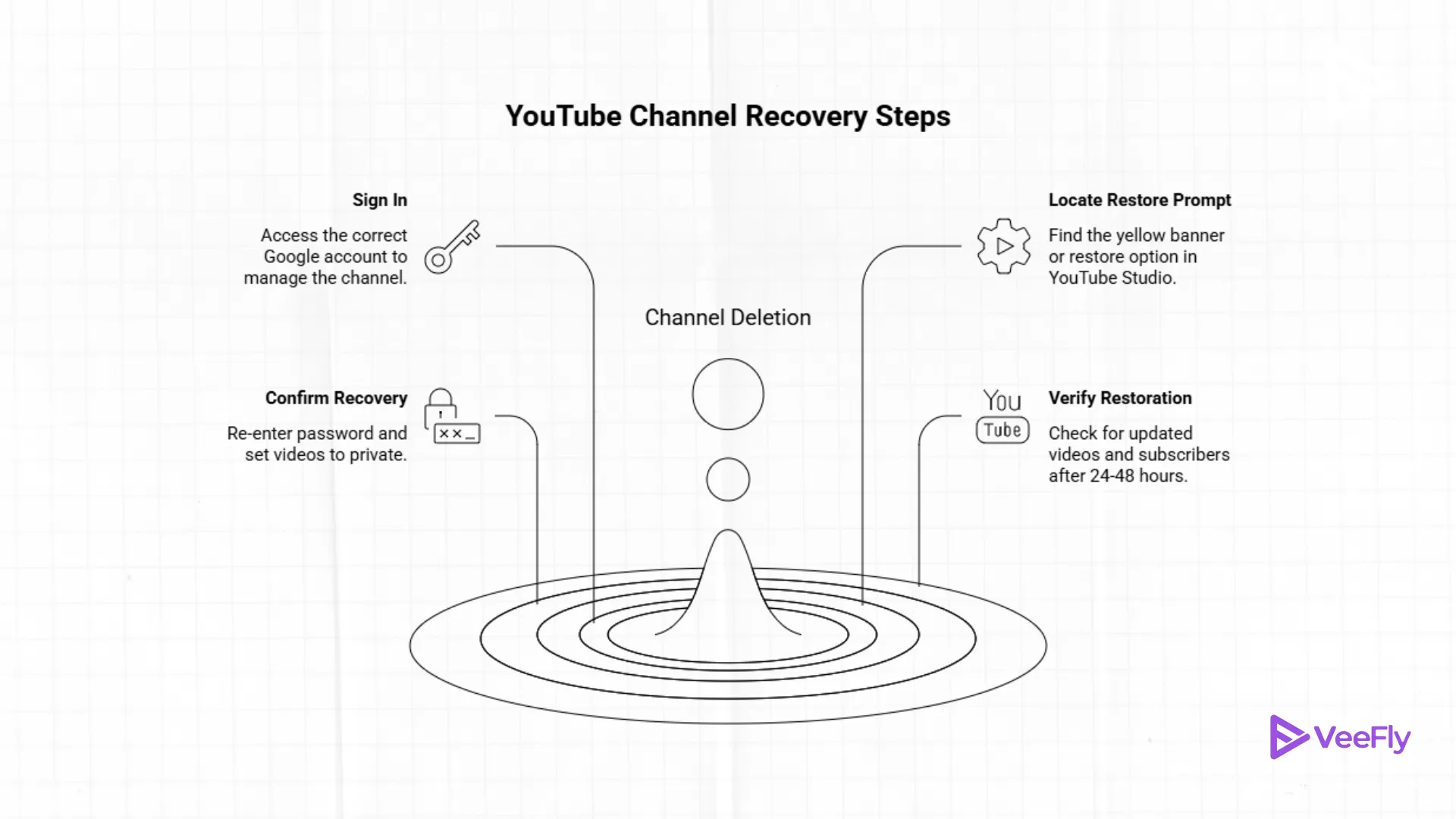
If you are within the recovery window, follow these steps. This process usually takes less than five minutes on a desktop computer.
1. Sign in to the Correct Google Account
To do this, go to “accounts.google.com”. It is vital to use the exact email address that managed the channel. If you are wondering how to recover deleted youtube channel without gmail, you must first use Google’s Account Recovery page to regain access via your backup phone number or recovery email. You cannot restore a channel if you cannot prove you own the parent account.
2. Open YouTube Studio and Locate the Restore Prompt
To do this, go to YouTube Studio. In many cases, if the channel was recently deleted, a yellow banner will appear at the top of the dashboard.
- Go to Settings (the gear icon).
- Select Channel > Advanced Settings.
- Scroll down to Remove YouTube Content. Frequently, this section will offer a “Re-enable” or “Restore” option if the 30-day limit hasn’t passed.
3. Confirm Channel Recovery and Privacy Checks
After you click the button to restore, Google will most likely ask you to re-enter your password. This is to protect your account from a hacker trying to reverse a deletion you intended. Note that your videos will be set to “Private” by default, so you will need to change them back to “Public” after the restoration.
4. Verify Video & Subscriber Restoration
Do not worry if your subscriber count displays “0” after you click the button to restore your videos. It may take up to 24 hours for the database to update your videos, playlists, and subscriber list. If your videos are still not visible after 48 hours, you will need to contact YouTube Partner Support.
Understanding Why YouTube Channels Get Deleted
In order to get back deleted YouTube channel access, you first have to understand why the channel was deleted in the first place. There are two primary reasons why YouTube channels are deleted:
1. Manual Deletion: In this case, you or the person with access to the YouTube channel intentionally deleted it.
2. Account Termination: In this case, YouTube deleted the YouTube channel due to “Terms of Service” violations.
3. Hacking of Accounts: In this case, a third party hacked the account and deleted the YouTube channel in order to avoid detection.
However, most deleted YouTube channels are not deleted in the real sense, but are merely hidden from the general public eye and are in a state of “limbo” or “stasis” mode while a 30-day clock ticks away.
Are You Still Eligible to Recover Your YouTube Channel?
To find out if you can you restore a deleted YouTube channel, you need to fulfill certain requirements. First and foremost, you need to consider:
- The 30-Day Rule: You need 30 days from the moment of deletion to start recovering.
- Email Access: You need access to your Gmail account.
- Account Status: If you deleted your entire Google account, you need to recover it first before you can recover your channel.
If you receive a “Channel Deleted” email, you need to look at the timestamp. This is your “Day 0.”
Recover Your Google Account First (If Needed)
Most times, the reason for the disappearance of a YouTube channel is that the entire Google account has been deleted. In order to recover a recently deleted YouTube channel, follow the following process:
- Answer the security questions.
- Use a previously recognized device/Wifi network.
- After your account comes live again, the “YouTube deletion clock” will pause or reset. Then you can go into YouTube settings to bring your channel back.
What If Your Channel Was Deleted Over 30 Days Ago?
If you are trying to figure out how to recover permanently deleted YouTube channel information past the 30-day window, the bad news is that YouTube starts a hard purge of its servers to clear out space on its hard drives.
In this case, there are a few things that can be done:
- Partner Support: If you are a member of the YouTube Partner Program, you may have a dedicated support agent who can search for “ghost” backups.
- Wayback Machine: In this case, you can sometimes see the titles and descriptions of old videos.
- Third Party Backups: This is why it is so important to make sure that you have the original video files on an external hard drive.
Tips to Prevent Permanent Channel Loss
After seeing just how hard it is to restore a deleted YouTube channel, take these steps to protect your future:
1. Google Takeout: Use this tool once a month to download a copy of all your channel data.
2. Enable 2FA: Two-factor authentication will stop hackers from deleting your hard work.
3. Use Brand Accounts: This allows you to make managers, but not give them “Delete” access.
The Reality of Channel Deletion: Data and Stats
For those who have digital accounts, the term “deleted” is often thought to mean “instantly gone.” But Google has a specific data retention policy in place. According to Google’s Transparency Report, millions of channels are deleted every quarter due to violations of their policies. But for those who delete their own accounts, Google has a “soft delete” buffer in place.
For those unfamiliar, data from Statista indicates that YouTube has more than 2.7 billion monthly active users. Because of this high volume, YouTube has a 30-day retention policy in place. This means that your data is not immediately deleted from the server the minute you hit delete.
Instead, it is marked as “pending deletion.” This means that, within this 30-day period, you can restore a deleted YouTube channel with nearly 100% data integrity. But if you wait any longer than this, such as until day 31, the chances of successfully restoring your channel drop to nearly 0%.
Final Thoughts
It is like losing years of your life, but this 30-day safety net is just in case this happens. If you react fast, using the right Google account, and Studio is guiding you, you can recover from this. The most important thing is to have a good plan of action in case things go wrong, and this is why you should start using Google Takeout right away.
Frequently Asked Questions
Q1. How long does it take to get my videos back?
Your metadata should return immediately, but your high-definition videos should return within 24 hours.
Q2. Will I lose my subscribers?
If you recover your channel within 30 days, your subscribers should return. However, if they unsubscribe because they think you “quit,” your subscriber count might drop slightly.
Q3. Can I recover a channel on my phone?
It is much harder to know how to restore a deleted YouTube channel on mobile. It is highly recommended to use “Desktop Mode” on your mobile device, accessing your YouTube Studio through your mobile device’s browser.
Q4. What if my channel was deleted for copyright?
If your channel was terminated, you cannot recover your channel through your account settings. Instead, you should file a Copyright Counter-Notification through the YouTube help center.
Q5. Can I use the same name for a new channel?
Yes, but avoid creating a new channel with the same name before recovering your old channel, as this can cause database problems during the restoration process.