


Key Takeaways
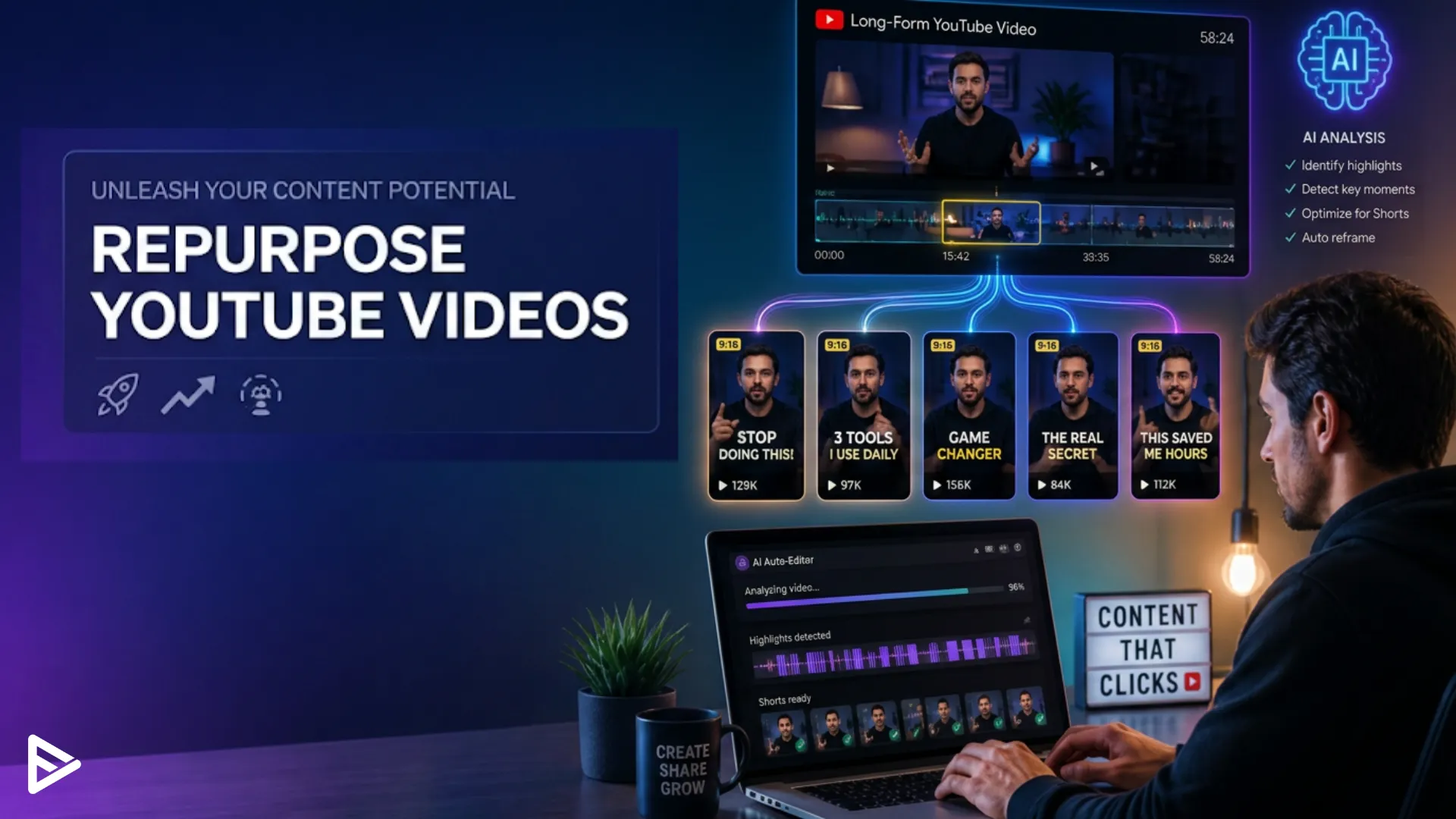
- Use AI tools to analyze long-form YouTube videos and automatically identify high-impact 15–60 second clips for Shorts, Reels, and TikTok.
- Workflow: plan with repurposing in mind, upload to AI, accept/edit suggested clips, add captions, reframe for vertical, and schedule platform-specific posts.
- Key AI features to prioritize: smart highlight detection, accurate transcripts, auto-cropping, batch processing, and branding templates.
- Metrics to track: short-specific views and watch time, referrals to full videos, subscriber conversion, and overall ROI from time saved versus growth.
- For faster scaling, outsource to a service like Veefly to handle AI-assisted repurposing, scheduling, and optimization so you can focus on creating.
If you’re a YouTuber, you know the grind: planning, scripting, filming, editing, and promoting long-form videos that showcase your best ideas. But what if a single long video could become a steady stream of attention-grabbing short content? With the right AI tools and a little strategy, you can repurpose long-form content into high-yield shorts that grow views, subscribers, and watch time, without doubling your workload.
Why Repurpose Long Videos?
Creating fresh content takes time. Repurposing saves time and amplifies reach by turning one long-form video into multiple short clips for YouTube Shorts, Instagram Reels, TikTok, and other platforms. Shorts help you surface highlights, tease full episodes, and reach audiences who prefer bite-sized content. For creators who want consistent posting and more entry points to their channel, repurposing is one of the highest-return strategies.
What Is AI Video Repurposing?
AI video repurposing is the process of using artificial intelligence to transform long videos into shorter, platform-ready content. A repurpose video AI tool studies your video transcript, audio, and visuals to find moments that may perform well as short-form content. It can help creators turn podcasts, tutorials, webinars, interviews, and YouTube videos into multiple clips.
This approach allows creators to produce more content without spending as much time manually editing each video.
How to repurpose YouTube videos with AI?
Manual clip-finding and editing are tedious. AI-powered video repurpose tools analyse hours of footage and automatically identify moments that perform well as short-form content. They can detect:
- High emotional intensity (laughs, gasps, shout-outs)
- Topic shifts or succinct explanations
- Snappy answers or quotable lines
- Visual cues (gestures, face close-ups) that attract attention
Using AI-powered video repurposing tools lets you scale this process: batch-create clips, auto-generate subtitles, pick thumbnail frames, and even optimise captions and hashtags for each platform.
Benefits of Long Video Repurposing AI Tools
Long video repurposing AI tools help creators:
- Save hours of editing time
- Create more content from existing videos
- Find hidden high-performing moments
- Improve posting consistency
- Reach audiences across multiple platforms
- Test different hooks and formats
Step-By-Step Workflow to Repurpose YouTube Videos With AI
1. Plan your long-form content with repurposing in mind.
- Record sections that contain standalone points, stories, or demonstrations.
- Keep a few concise takeaways or one-liners ready; they turn into catchy shorts.
- Add verbal timestamps, such as “Here’s the main tip…,” to help the AI segment the clip.
2. Upload the raw long-form video to an AI tool.
- Choose tools that support long video repurposing AI workflows: automatic chaptering, highlight detection, and transcript generation.
- Some tools let you connect to your YouTube account for direct imports.
3. Let AI identify candidate clips.
- The tool will use audio, transcript, and visual cues to propose short clips (typically 15–60 seconds).
- Review suggestions quickly: accept the best, tweak the timestamps when needed, and discard irrelevant cuts.
4. Auto-generate subtitles and captions.
- Accurate captions boost watch time and accessibility.
- Many AI tools let you edit the generated transcript in-line to fix misheard words.
5. Optimize for the platform.
- Crop or re-frame for vertical formats (9:16) to make Shorts or Reels.
- Add on-screen text, punchy opening lines, and a hook in the first 2–3 seconds.
- Consider multiple versions of a clip: a 15s “hook,” a 30s “teaser,” and a 60s “deep highlight.”
6. Batch export, schedule, and promote.
- Schedule uploads across platforms to maintain a consistent presence.
- Use different titles, thumbnails, and captions tailored to each audience.
- Link back to the long video with a short call to action (watch the full video, playlist, or channel).
Which AI Features Matter Most
- Smart highlight detection: Finds emotionally engaging moments and clear takeaways.
- Transcript accuracy and editing: Clean text helps with captions, SEO, and search.
- Auto-cropping and reframing: Keep faces and action centred in vertical formats.
- Batch processing saves a massive amount of time when working with multiple videos.
- Custom templates and branding: ensure consistent thumbnails, fonts, and lower-thirds.
- Multilingual support: Great if you want to repurpose content for non-English audiences.
How Creators Use AI to Repurpose Content?
The Educator: Records a 25-minute tutorial and uses AI to pull five 45-second tips. Each tip becomes a Short with captions and a pinned comment linking to the full lesson.
The Interviewer: Uploads a 60-minute interview; AI extracts the top 10 quotable moments and auto-generates quote cards for Instagram.
The Vlogger: Turns a day-in-the-life video into a series of 20–30-second highlights that tease the full video and drive subscriber growth.
Metrics that improve with short-form repurposing
- Views per video: Shorts tend to have viral potential and can rack up views quickly.
- Subscriber growth: Shorts can attract new viewers who then watch long-form content.
- Watch time distribution: Well-placed shorts can send traffic to full videos, increasing session watch time. A key YouTube ranking signal.
- Content velocity: Posting consistently with repurposed clips increases channel activity, which helps recommendation algorithms.
Common pitfalls and how to avoid them
- Over-relying on raw AI output: AI speeds things up, but human judgment keeps clips on-brand and accurate. Always review generated clips and captions.
- Ignoring platform norms: Each platform rewards different styles; what works on TikTok may need pacing or text changes for YouTube Shorts.
- Poor hooks: If the first 2–3 seconds aren’t compelling, viewers swipe away. Edit the opening to start with a question, visual surprise, or bold claim.
- Not linking to the long-form: Shorts are a top-of-funnel tool; use them to guide viewers to the full content with a clear call to action.
Tool categories to consider
- All-in-one repurposing platforms: Offer import, clip detection, captioning, and export. Ideal for creators who want an end-to-end workflow.
- Transcript-first tools: If your content is dense with answers or tips, pick a tool that excels at accurate transcription and keyword search.
- Editing suites with AI assistants: Provide creative control plus AI suggestions for trimming, framing, and phrasing.
- Social scheduling tools with repurposing features let you plan multi-platform rollouts once you’ve generated clips.
A mini toolkit recommendation
- Use an AI clipper to detect highlights and create 15–60s clips.
- Use a subtitle generator with easy caption editing.
- Use a vertical reframe tool to ensure important visuals stay in view.
- Use a scheduler to distribute the clips across platforms with tailored captions.
How to Measure Success
- Track short-specific metrics: view count, average view duration, and engagement rate.
- Monitor referral traffic: how many viewers click from a Short to the long-form video.
- Watch subscriber conversion: how many new subscribers come from repurposed clips.
- Evaluate ROI: time saved vs. additional views and revenue or conversions (sponsor clicks, memberships).
Repurposing Strategy for YouTubers with Limited Time
- Prioritize high-performing long videos: Start with videos that already have good watch time and engagement.
- Set a weekly repurposing cadence: Turn one long video into 4–6 shorts each week.
- Automate the boring parts: Use AI for clip selection and subtitles; spend your creative energy on thumbnails and hooks.
Quick checklist to start repurposing today
- Pick one long video with strong engagement.
- Upload it to an AI repurposing video tool or send it to a service like Veefly.
- Review AI-suggested clips, add captions, and craft engaging hooks.
- Export vertical versions, schedule posts, and link back to the full video.
- Track performance and adjust based on top-performing clips.
Final Thoughts
AI isn’t a replacement for your creative voice. It’s a force multiplier. By combining your content instincts with AI-powered long-video repurposing tools, you can extract more value from every upload and build momentum faster. Repurpose smarter, not harder, and let your best moments do more of the heavy lifting.
Frequently Asked Questions
Q1. How can I repurpose YouTube videos with AI?
You can paste your YouTube link into AI tools like Vizard.ai, Opus Clip, or VEED.io, which automatically transcribe the video, detect highlights, and cut multiple short-form clips optimised for TikTok, Instagram Reels, and YouTube Shorts. These tools also auto-resize clips, add captions, and let you export ready-to-publish content in minutes.
Q2. What AI tools are best for turning one YouTube video into multiple content pieces?
Top AI repurposing tools include Opus Clip, Vizard.ai, VEED.io, and Descript for short clips; ChatGPT or Claude for converting transcripts into blog posts, newsletters, and social captions; and ElevenLabs for generating AI voiceovers from written content. Together, they can transform one long video into 10–30 assets across platforms.
Q3. Can AI convert YouTube videos into blog posts and social media content?
Yes. Download the YouTube transcript (via YouTube Studio or tools like Notta.ai), paste it into an AI writing tool like ChatGPT or Claude, and prompt it to create a blog post with headings, bullet points, and image suggestions. The same transcript can be used to generate Twitter threads, Instagram carousels, email newsletters, and punchy captions.
Q4. How do I make short-form videos from YouTube using AI?
Upload your YouTube video or link to AI clipper tools like Opus.pro, Vizard.ai, or VEED.io, select your desired video length and focus area, and the AI will automatically generate several short, engaging clips with captions and vertical formatting. These clips are optimized for Shorts, Reels, and TikTok and can be downloaded or published directly from the platform.