


Key Takeaways
- Choose beginner-friendly tools like Canva, Adobe Express and CapCut to create watermark-free animated intros in minutes.
- Keep your intro short to prevent viewer drop off and improve retention rates in 2026.
- Top performing YouTube creators now place their intro after the first 5 seconds of value delivery.
How to Make an Animated YouTube Intro (Step-By-Step)
Creating a high-quality intro in 2026 requires a strategy that deflects viewer drop-off offers. Here’s an optimized workflow to understand how to make an animated intro:
- Step 1: Choose a reliable free intro maker with trusted tools that offer pre-animated templates, brand kits, and 1080p exports.
- Step 2: Select a template that matches your niche
- Step 3: Apply strategic branding, add your logo, and use consistent fonts to maintain visual consistency.
- Step 4: Limit the intro to 3-7 seconds for strong retention.
- Step 5: Use copyright-free music to avoid content ID claims.
- Step 6: Export in optimal settings for maximum compatibility and fast loading speed.
Top Free Tools for Animated YouTube Intros
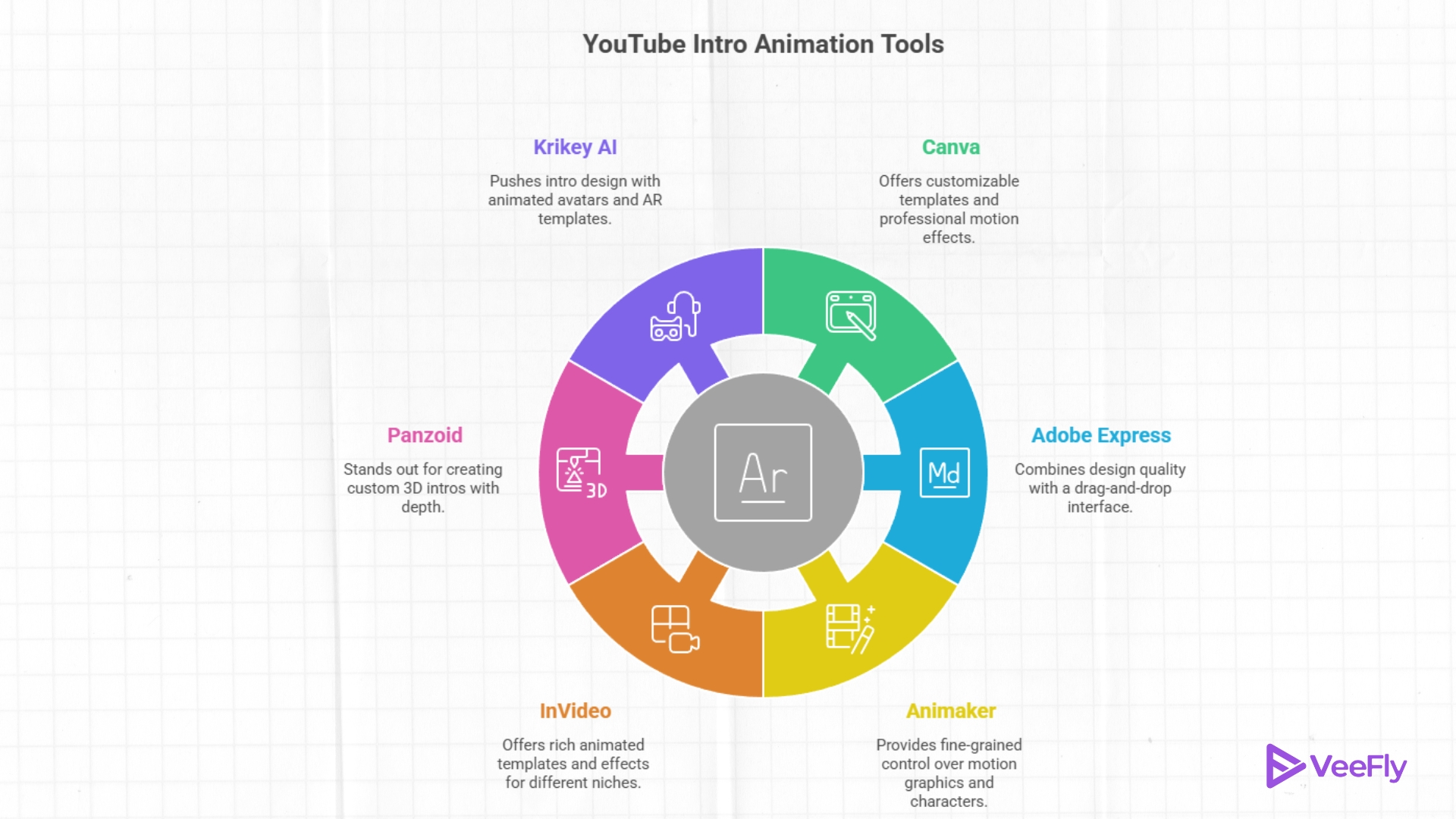
Opting for the right tool for an animated YouTube intro can improve retention and viewer perception. Moreover, it helps build brand consistency across your channels. Hence, here are 6 tools to help you understand how to create a YouTube intro animation:
1)Canva
It offers an extensive library of animated YouTube intro templates that are customizable for beginners.
Key Benefits:
- Professionally designed motion effects
- A brand kit for visual consistency
- Watermark-free exports on most free plans
- Exports in 1080p
2)Adobe Express
It combines Adobe’s design quality with an easy drag-and-drop interface.
Key Benefits
- Motion effects and transitions built into templates
- Library of free music and motion elements
- Export up to 1080p resolution
3)Animaker
It provides fine-grained control over motion graphics and animated characters, therefore making it ideal for basic template tweaks.
Key Benefits
- Thousands of sticker collections and effect libraries
- Auto captions, music sync, and motion keyframes
- Easy direct export to YouTube
4)InVideo
It offers a rich set of animated intro templates and effects, even on the free tier.
Key Benefits
- Professional intro templates for different niches
- Custom animation controls
- Built-in media library
- Export with minor branding on free tier
5)Panzoid
It stands out for its accessibility to creating custom 3D intros, with depth that rarely appears in free editors.
Key Benefits
- 3d scene customization
- Particle effects and keyframe control
- Export upto 1080p
6)Krikey AI
It pushes intro design into a more impressive territory with animated avatars. Further, it brings out the professional output even for beginners.
Key Benefits
- AR animated templates
- interactive animated characters
- export for YouTube compatibility.
Free Animated YouTube Intro Tools Comparison in 2026
Here’s how to make animated YouTube intros with the help of the 6 best tools:
| Tool | Best For | Key Features | Watermark (Free Version) |
| Canva | Beginners & quick branding intros | Thousands of templates, stock footage, text animation, drag-and-drop editor | No (most free templates) |
| Adobe Express | Simple animated intro creation | Animated templates, music library, trimming tools, branding options | No |
| Animaker | Cartoon-style animated intros | Character animation and intro templates, Further music integration is available. | Yes (free plan) |
| Panzoid | 3D intro animations | Community templates, 3D animation editor, customization options | No |
| InVideo AI | AI intro generation | 6,000+ templates, AI video creation, text-to-video | No (limited exports) |
| Krikey AI | 3D character animation intros | AI-generated animations, avatars, storytelling tools | Limited free export |
Tips For Creating an Effective Animated YouTube Intro
A strong animated YouTube intro does more than build visual prowess; it enables brand recall and impacts viewer retention. Follow these expert-backed practices to ensure your intro enhances your videos:
- Keep it Short: Attention spans are shorter than ever; intros longer than 7 seconds may result in early drop-offs. Aim for 3-7 seconds for fast-paced niches.
- Maintain Brand Consistency: Your intro should visually match your channel identity to build recognition. Hence, use consistent colours and fonts. Further, ensure the fonts used are easy to read.
- Avoid OverAnimation: Don’t overkill it; keep it professional with subtle text and smooth logo transitions. Hence, clean motion signals production quality and keeps the focus on the channel.
- Optimize for Technical Performance: YouTube recommends 1920×1080 in MP4 (H.264) format. Hence, ensure smooth playback and platform compatibility.
What Are the Optimal Settings for an Animated YouTube Intro?
Use the correct technical settings for your animated YouTube intros to ensure professional quality playback. Here’s the recommended intro export settings:
- Best YouTube Intro Length: The ideal length is 3-7 seconds since shorter intros protect average view duration
- Resolution and Aspect Ratio: It’s recommended to use 1920 x 1090 full hd in a 16:9 aspect ratio to prevent compression issues and quality loss during uploads
- Best File Format: Mp4 with h.264 delivers the best balance between quality and file size while ensuring fast video upload
- Ideal Frame Rate: Match your main video’s frame rate to 24fps for cinematic style videos.
- Audio and Loudness Settings: Target integrated loudness is -14 LUFS; add a short fade-in and fade-out. Further, balanced audio improves perceived production quality.
Final Thoughts
Making an animated YouTube intro is now easier than ever, but the effectiveness depends on strategy, length, and branding. Hence, make sure to use trusted tools, keep your intro short, and match your frame rate. In 2026, high-performing creators on YouTube are prioritizing clean motion, fast pacing, and brand consistency over flashy transitions.
Frequently Asked Questions
Q1)How much does it cost to animate a YouTube intro?
You can create an animated YouTube intro for free using tools like Canva and Adobe Express. However, paid tools with greater accessibility can cost $20-$1000+ depending on the features.
Q2) What is the best animation style for YouTube beginners
The best animation style for beginners is a simple 2d motion graphic, such as animated text reveals and logo fade-ins.
Q3) What are the five stages of animation production?
The 5 main stages of animation are concept development, storyboarding, asset design, animation, and rendering. Further, the process transforms an idea into a full fledged video.
Q4) What is the cheapest type of animation for YouTube?
The cheapest form of animation is a template-based 2D intro animation created using free online editors.
Q5) How long should a YouTube intro be in 2026?
The ideal YouTube length in 2026 is 3-7 seconds; videos longer than 7 seconds impact early viewer retention and average watch time.
