



Key Takeaways
- Downloading a YouTube thumbnail from a video is easy: copy the video URL to quickly download the image.
- Paste it into a free YT thumb download tool to generate sizes.
- Use a simple URL trick to extract thumbnails without tools.
- Download the highest resolution for editing or design flexibility.
- Respect copyright when reusing thumbnails publicly or commercially.
How to Get Thumbnail From YouTube Video? (3 Ways)
Learning how to download YouTube thumbnail images can save time and help spark ideas for your next project. Whether you need a thumbnail for a presentation, design reference, or channel inspiration, there are three simple methods to get it: online tools, a quick URL trick, or mobile solutions. This guide explains how to save a YouTube thumbnail in high resolution, including 1080p and 4K, while following basic copyright guidelines.
Method 1: Use a Free YT Thumb Downloader Tool
Online thumbnail downloader tools are the easiest way to download YouTube thumbnails.
Many tools offer multiple resolution options, including SD, HD, and sometimes even 4K. Popular options include:
- youtube-thumbnail-grabber.com
- youtubethumbnaildownloader.com
- thumbload.net
Most creators prefer this method when they need to know how to get thumbnail from youtube video files quickly without memorizing code. These sites pull the data directly from YouTube’s servers, ensuring you get the exact image the creator uploaded. Just be aware that some free tools may show ads or ask for browser permissions before displaying the final image.
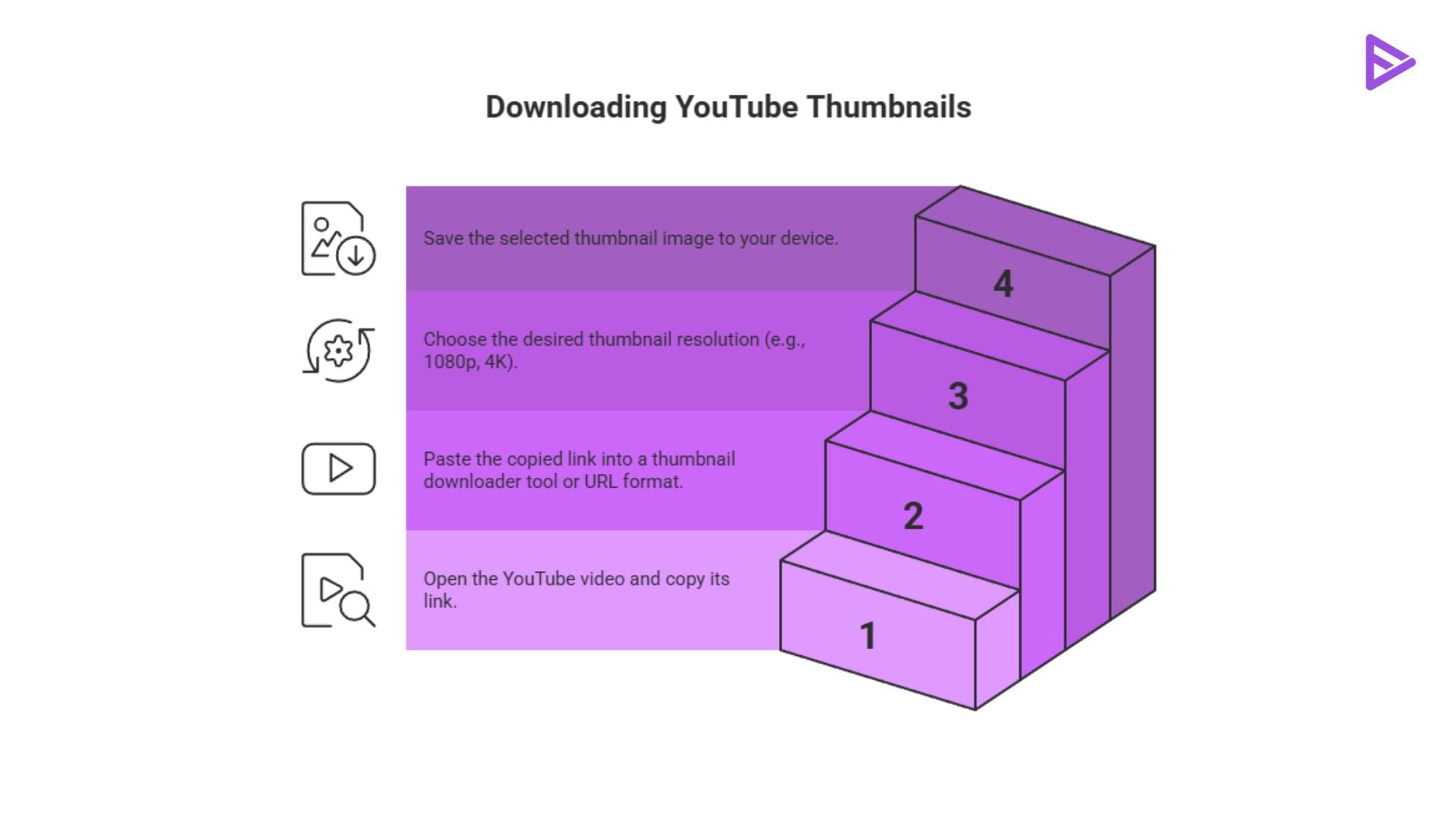
Step 1: Copy the YouTube Video URL
Open the YouTube video and copy its link from the browser address bar. On mobile, tap Share → Copy Link. Keep in mind that thumbnails from private or unlisted videos cannot be downloaded using public tools.
Step 2: Paste Into the Downloader
Paste the copied URL into the tool’s input box. Most downloaders automatically detect the video and generate available thumbnail sizes. You will usually see buttons like Get Thumbnail or Download to preview the images.
Step 3: Pick a Resolution and Download
Select the resolution that suits your needs. Options often include SD, HQ, HD, and sometimes 4K. Choosing the highest resolution gives you better quality for editing or resizing later.
Method 2: Grab the Thumbnail With a Simple URL Trick
If you prefer not to use external tools, you can download YouTube thumbnails directly using a simple URL format. YouTube stores thumbnail images using the following structure:
First, you need the Video ID, which is the string of characters following “v=” in the video’s web address. Once you have that ID, paste it into this format: img.youtube.com/vi/[VIDEO_ID]/maxresdefault.jpg.
First, locate the video ID in the video link. For example: https://www.youtube.com/watch?v=abcd1234
Here, abcd1234 is the video ID.
Replace it in the URL formula above and open it in your browser. The thumbnail will appear, and you can right-click to save it. Common thumbnail variations include:
- maxresdefault.jpg – highest quality
- hqdefault.jpg – high quality
- sddefault.jpg – standard quality
If the max resolution version does not load, try the HQ version instead. This method is quick and useful if you want to extract a thumbnail from a YouTube video without relying on external tools.
Method 3: Save Thumbnails on Mobile (iOS and Android)
Mobile users can also download YouTube thumbnails easily using browser tools or lightweight apps.
The simplest method is to open a thumbnail downloader website in your mobile browser. Paste the video link and tap the download button.
Android users can install small utility apps that allow direct thumbnail downloads to the device gallery.
For iPhone users, long-press saving usually does not work inside the YouTube app preview. Instead, use Safari with a downloader website or create an iOS Shortcut that fetches the thumbnail URL.
Always remember that downloading a thumbnail does not mean you own the content. Respect the creator’s copyright before sharing or reusing the image.
Is it Legal to Extract a YouTube Thumbnail from a Video?
While we showed methods and steps on how to save a YouTube thumbnail, you must understand the legal risks. Thumbnails are original works of art owned by the creator and protected by copyright law. If you plan to reuse a thumbnail publicly or commercially, you should request permission from the creator. Educational or commentary uses may sometimes fall under fair use, but this depends on context and local laws. Always seek written permission if you plan to use someone else’s work in a way that generates revenue or represents your brand publicly.
Final Thoughts
Learning how to download YouTube thumbnails is simple once you know the right methods. Online tools, the direct URL trick, and mobile download options all work in seconds. Use these methods responsibly, respect copyright rules, and experiment with different resolutions to get the best image quality for your projects or videos. If you want to create completely original thumbnails instead of reusing existing ones, you can also generate custom designs using VeeFly’s AI thumbnail maker.
Frequently Asked Questions
Q1. Can I use someone else’s YouTube thumbnail?
You can download YouTube thumbnail images for inspiration or personal use, but using them publicly requires permission. Since thumbnails belong to the original creator, commercial reuse without credit or approval may violate copyright.
Q2. Can I download thumbnails from private videos?
No. Most tools used to download YouTube thumbnails or perform a YT thumb download only work for public videos. Private or restricted videos cannot be accessed to extract thumbnails.
Q3. What should I export my thumbnail as?
The best format is JPG or PNG when creating or saving a YouTube thumbnail. JPG is ideal for smaller file sizes, while PNG works better if your thumbnail includes text, graphics, or transparency.
Q4. How do I download a YouTube playlist thumbnail?
To download a YouTube thumbnail from a playlist, open the first video in the playlist and copy its URL. Then use a thumbnail downloader or the URL trick to extract the thumbnail from the YouTube video.
