



Key Takeaways:
- You can build a complete YouTube production pipeline using entirely free AI tools for YouTube, covering everything from ideation to post-production.
- Dedicated AI tools for YouTube SEO can instantly analyze competitor metadata and generate high-ranking titles and tags.
- AI should do 80% of the heavy lifting, leaving the creator to spend 20% of their time injecting human personality and expertise.
- While many tools are free, they often come with limitations, such as usage caps or watermarks. Strategic creators use a stack of different tools to bypass individual restrictions.
Top 10 Free AI Tools for YouTube
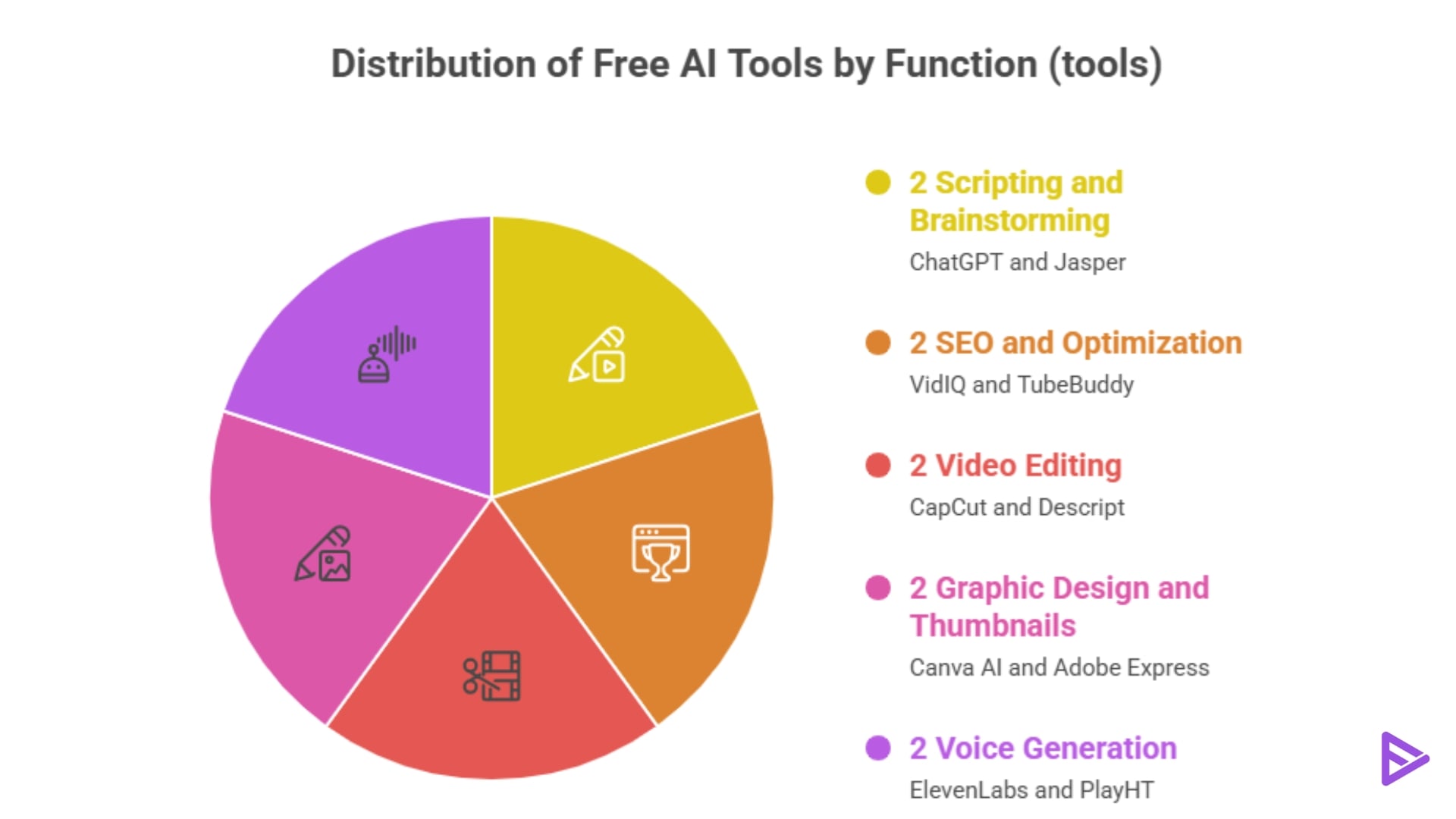
Rather than overwhelming you with dozens of random applications, here is a curated list of the best-in-class free AI tools, categorized by their specific role in the video production pipeline.
1)ChatGPT
- What it does: ChatGPT is a conversational AI that excels at brainstorming, outlining, and writing video scripts.
- Key features: Can analyze competitor transcripts, adopt specific brand voices, and generate variations of video hooks.
- Free plan details: The standard tier is free and provides access to powerful text-generation models.
- Use case for YouTube: Paste a competitor’s transcript into ChatGPT and ask it to identify content gaps, then ask it to write a superior 10-minute script outline based on those gaps.
2)Jasper (Limited Free Trial)
- What it does: Jasper is an AI marketing co-pilot specifically trained on high-converting copywriting frameworks.
- Key features: Includes specific templates for YouTube video scripts, titles, and engaging hook structures.
- Free plan details: Jasper is a premium tool, but it offers a robust 7-day free trial that lets creators generate a month’s worth of scripts at no cost.
- Use case for YouTube: Best used for creating highly persuasive, sponsor-integrated scripts or educational content where pacing and marketing psychology are critical.
3)VidIQ
- What it does: VidIQ is the premier AI tool for YouTube SEO, operating directly inside your browser to analyze algorithmic performance.
- Key features: Daily AI-generated video ideas, competitor tracking, keyword score analysis, and an AI title generator.
- Free plan details: The Basic plan is free forever and includes basic video analytics, keyword research tools, and a limited number of AI title recommendations.
- Use case for YouTube: Use VidIQ to validate your video idea before you film it, ensuring there is high search volume and low competition for your chosen topic.
4)TubeBuddy
- What it does: TubeBuddy is a browser extension that streamlines channel management and metadata optimization.
- Key features: AI title generator, bulk processing tools, and a highly accurate SEO keyword explorer.
- Free plan details: The free tier offers basic keyword research, upload checklists, and comment management filters.
- Use case for YouTube: TubeBuddy is exceptional for optimizing older videos. Use its keyword explorer to find better tags and rewrite descriptions to revive dead content.
5)CapCut
- What it does: CapCut is a powerhouse AI video editor available on mobile and desktop, built originally by the creators of TikTok.
- Key features: One-click auto-captions, AI background removal (no green screen needed), auto-reframe for Shorts, and audio noise reduction.
- Free plan details: The vast majority of CapCut’s most powerful AI features are completely free, with a paid “Pro” tier reserved for advanced transitions.
- Use case for YouTube: Drop your raw footage into CapCut, use the auto-caption tool to generate dynamic subtitles, and use the AI audio enhancement to make a cheap microphone sound like a studio setup.
6)Descript
- What it does: Descript edits video by editing text. It generates a transcript of your footage, and when you delete a word in the text, it cuts the video.
- Key features: Studio Sound AI, auto-removal of filler words (um, uh), and AI voice cloning (Overdub).
- Free plan details: The free tier includes 1 hour of transcription per month and one watermark-free export per month.
- Use case for YouTube: Perfect for talking-head videos and podcasts. Use Descript to instantly cut out all dead air and filler words in seconds rather than hours.
7)Canva AI
- What it does: Canva is a graphic design suite that has heavily integrated generative AI into its interface.
- Key features: Magic Eraser, AI background generation, Text-to-Image generation, and thousands of YouTube thumbnail templates.
- Free plan details: The free tier is incredibly generous, offering standard background-removal plugins and basic AI image-generation credits.
- Use case for YouTube: Take a screenshot from your video, use Canva to erase the messy background, replace it with an AI-generated neon studio, and add high-contrast text.
8)Adobe Express
- What it does: Adobe’s browser-based design tool is powered by its Firefly generative AI model.
- Key features: Generative Fill, text-to-image capabilities, and premium typography options.
- Free plan details: The free plan includes basic AI generative credits and access to a massive library of royalty-free assets.
- Use case for YouTube: Use Adobe Express when you need highly specific, photorealistic objects added to your thumbnail that you didn’t capture on camera.
9)ElevenLabs
- What it does: ElevenLabs is the industry standard for ultra-realistic, emotionally expressive AI-generated voices.
- Key features: Voice cloning, multiple language dubbing, and a massive library of pre-made character voices.
- Free plan details: The free tier offers 10,000 characters of text-to-speech generation per month (attribution required).
- Use case for YouTube: Essential for faceless channels. Paste your ChatGPT script into ElevenLabs to generate a professional, human-sounding voiceover in minutes.
10)PlayHT
- What it does: Another leading AI voice generator focused on conversational pacing and realistic intonation.
- Key features: Real-time voice generation, phonetic pronunciation tweaking, and custom voice cloning.
- Free plan details: The free plan provides 12,500 characters per month for non-commercial use.
- Use case for YouTube: Ideal for creating short, punchy voiceovers for YouTube Shorts or documentary-style b-roll segments.
Final Thoughts
The era of struggling through a 20-hour editing workflow is over. By leveraging free AI tools, you can eliminate the tedious, repetitive tasks that cause creator burnout and focus entirely on what actually matters: your ideas. However, remember that AI is a tool, not a creator. The most successful channels in 2026 will use AI to streamline production and optimize SEO, but they will rely on their unique human perspective to build community loyalty. Start experimenting with this AI workflow today, find the balance between automation and authenticity, and watch your YouTube channel scale faster than ever before.
Frequently Asked Questions
Q1. Does YouTube Monetize AI-generated Videos?
Yes, YouTube does monetize videos generated with free AI tools. The videos will be eligible for monetization if they comply with YouTube’s policies and guidelines.
Q2. Does YouTube Detect AI Content?
Yes, YouTube can detect AI content. Using AI and human moderation, YouTube detects any policy violations from creators.
Q3. Can I Use AI To Create YouTube Videos?
Indeed, several free AI tools can be used to create YouTube videos. AI-powered tools like Movavi, Adobe Premiere Pro, Lumen5, and Magisto help generate YouTube videos quickly and efficiently.
Q4. Do AI-generated videos make money?
Yes, AI-generated videos can qualify for ad revenue. As long as your videos reveal what information within the video was outsourced from AI tools, you are in the safe zone. Additionally, it’s expected that you won’t create deepfakes using AI.
Q5. Is it safe to use AI for YouTube content?
It is completely safe as long as you add human value. YouTube’s policies permit AI-generated content (such as voiceovers or scripts), provided the final video is highly transformative, entertaining, and accurately labeled when synthetic media is used.
