


Your YouTube homepage is not for aesthetics. The visuals need to be paired with effective strategies to engage viewers. Before subscribing to a channel, every viewer explores the YouTube homepage. That’s why it needs to be personalized and optimized to enhance the viewers experience. You need to understand how to customize your YouTube homepage.
So that you build metadata that the algorithm understands and pushes your channel to more viewers, resulting in more clicks. In this blog, we’ll see how to set up the YouTube homepage layout and then discuss optimization tips.
Steps to Customize Your YouTube Homepage?
Before we jump into tips and tricks, let’s see what you actually need to do in YouTube Studio. This will provide context, and your brain will visualize things according to the YouTube homepage layout.
Add Image
1. Go to YouTube Studio
2. From the left sidebar, choose Customization
3. Click on Home Tab
4. Toggle on the home tab option below.
As you can see in the image, there are many options; you can adjust the layout according to your content strategy.
Why Optimize Your YouTube Homepage?
Let’s understand why optimization of the channel homepage is crucial and how it impacts growth.
New Viewer Mentality
Whenever a user wants to subscribe to your channel, they will review your channel homepage. You need to turn viewers into subscribers, and for that, you need the strongest bait. The bait can be aligned with the theme, such as channel icon, banner image, thumbnails, and layout arrangement.
You can show your most popular videos or Shorts at the top. Arrange playlists, for example, vlogs with numbers (e.g., Vlog24, Vlog25), or Morning Workout day 7, and so on.
Increase in sessions
There are two important metrics to consider: watch time and sessions. When a user watches your video for a long period, it contributes to watch time. When a user spends time on the channel homepage, reviewing it deeply, it contributes to sessions.
The significance is that watch time will help a particular video, whereas the session time metric will help the overall channel, which involves your other videos. So, if a creator wants an algorithmic push, they need to analyze the CTR-to-session ratio or reach to sessions. Create a strategy to increase your YouTube homepage sessions.
Impressing algorithm
Before acquiring a YouTube audience or community, you need to explain to the algorithm what your channel is trying to do. The overall structure of the homepage, the video metadata, the layout of the channel, your oldest videos, popular ones, the playlist you have arranged, etc. Explains to the algorithm your intent.
This helps the algorithm suggest your videos and have them appear in YouTube search results. The AI search is becoming increasingly dominant, so the models are also retrieving your video. Your playlist appears in search results or when relevant queries are made. Additionally, it also helps establish a niche-based community.
How to Customize Your YouTube Homepage?
Let’s see how you can turn the YouTube homepage into an engagement boosting tool.
Customizing based on watch intent
YouTubers often treat the YouTube homepage layout as a static one-time arrangement. Instead, you need to change the layout according to the viewer’s behaviour. For example, Shorts perform well during the day, while long-format videos tend to perform better in the evening and at night.
Mornings and afternoons are busy; people look for quick updates, quick scrolling during breaks, or summarized information. During nights, people lean back and binge-watch longer videos and playlists.
You can check analytics and look for the Device type, the most-watched hour of the day, watch preference, etc. You can update the layout accordingly. During the day, you can keep Shorts at the top, and evenings are for long videos. Additionally, the algorithm will also notice and push it.
Channel Trailer, Intro Video, or Featured Video
You can create an intro video for your channel that explains the type of content viewers can expect from it. People can learn about the channel and jump straight to the playlist, relevant or popular videos.
Although adding an intro video is common, it needs to be implemented strategically. For example, if you are just starting your YouTube career, an intro will help. Once you reach 500 YouTube subscribers, you need to modify it, and it becomes standard practice for every milestone.
However, when you reach 10,000 subscribers or a million YouTube subscribers, you can add other videos to the intro section (new videos, popular ones, or personal favorites). Because at this point, you’re established, there is no need for an intro video.
Evergreen content
You might consider how uploading evergreen content contributes to YouTube homepage optimization. Analogy time! Let’s say you are a creator whose target audience is developers, and you have created videos or a playlist for the cloud niche between 2015 and 2019.
For the time being, the viewership will be limited because only a few people who are interested in learning will attend. Recently, in 2025, the AWS code was broken, and many renowned companies faced issues. The entire tech community began exploring the cloud niche content.
Here comes the best part: since you have already uploaded cloud niche content earlier, the algorithm will consider your videos as authoritative, and you can create further content on trending topics, keeping your evergreen content as a base. The evergreen content contributes to Reach.
Video Promotion as a Feedback
For enough data and feedback from the actual audience, you can do a YouTube video promotion for your channel. It does targeted campaigns to bring relevant viewers to your channel. You will have enough information to make the best YouTube homepage.
You can use this data for A/B testing of thumbnails and titles, helping increase the CTR of your video.
How to Customize Your YouTube Homepage: Must Do
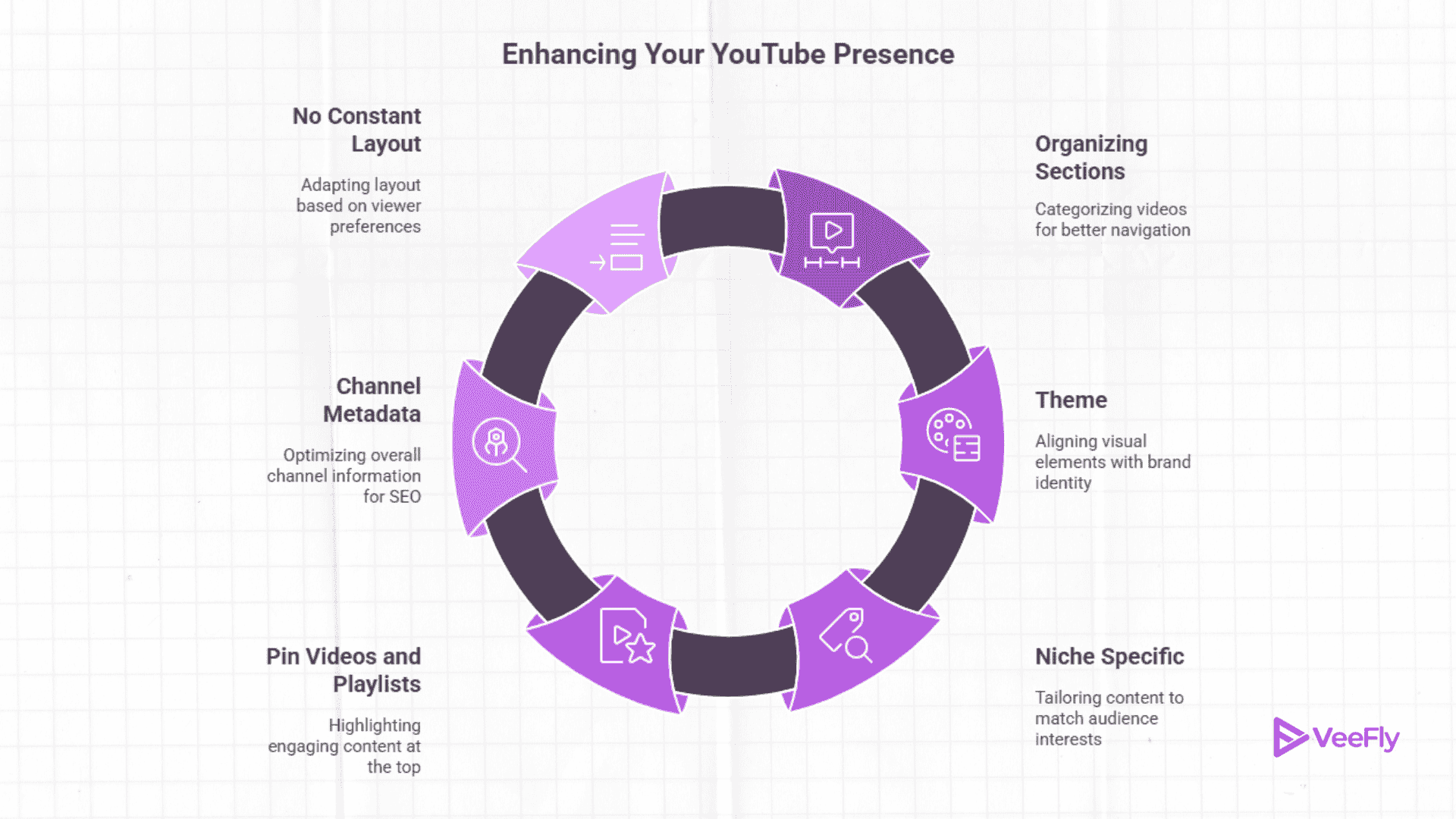
We have already seen how to customize your YouTube homepage, which contributes to a wide reach, increased sessions, longer watch time, and enhanced branding.
Organizing sections: Horizontally categorize videos in most popular, recent, playlists, Shorts, Sponsored, collaborations, etc.
Theme: The colour combination of your brand should resemble the channel icon, banner, thumbnails, other social accounts, watermark, etc.
Niche specific: The keywords, titles, descriptions, tags, chapters, metadata, video scripts, etc. All should complement your niche.
Pin videos and playlists: Add them at the top of the layout, which you think are binge-worthy, contribute to sessions, or can appear in search results.
Channel Metadata: When optimizing videos for YouTube SEO, consider optimizing the channel metadata as a whole, rather than focusing on the video itself.
No constant layout: An active channel means customizing the homepage layout based on watch preferences and content strategy.
Conclusion
The blog explained how to customize your YouTube homepage with relevant practices that contribute effectively to channel growth. Started with knowing the general steps to customize the layout in YouTube Studio. Followed by the need to optimize the homepage, such as viewers intent, metrics, and the role of the algorithm. The in-depth guide to customizing the homepage can significantly contribute to channel growth. Lastly, we mentioned must-dos that every YouTuber does for an active and well-optimized YouTube channel.
Frequently Asked Questions
Q1. How to customize your YouTube homepage layout?
Go to YouTube Studio, select “Customization” from the menu, and under “Layout,” drag or drop the layout to your preferred interest. Also, you can add new sections using the Add in the layout tab.
Q2. Can I personalize YouTube homepage recommendations?
Yes, YouTube algorithm notices what you watch, not interested marked, watch history, subscribed and liked channels, interaction, etc to personalize your YouTube homepage recommendations.
Q3. How to do YouTube homepage optimization?
YouTube homepage optimization can be achieved by analyzing viewing habits, niche competitor research, most engaging content, and content type, utilizing analytics data.
Q4. What are the best YouTube homepage tips?
Start with enabling channel customization, add a trailer, feature video, organize content, and theme-based elements (thumbnails, icon & banner). Optimizing the about section and maintaining consistent visual branding are also key YouTube homepage tips.