


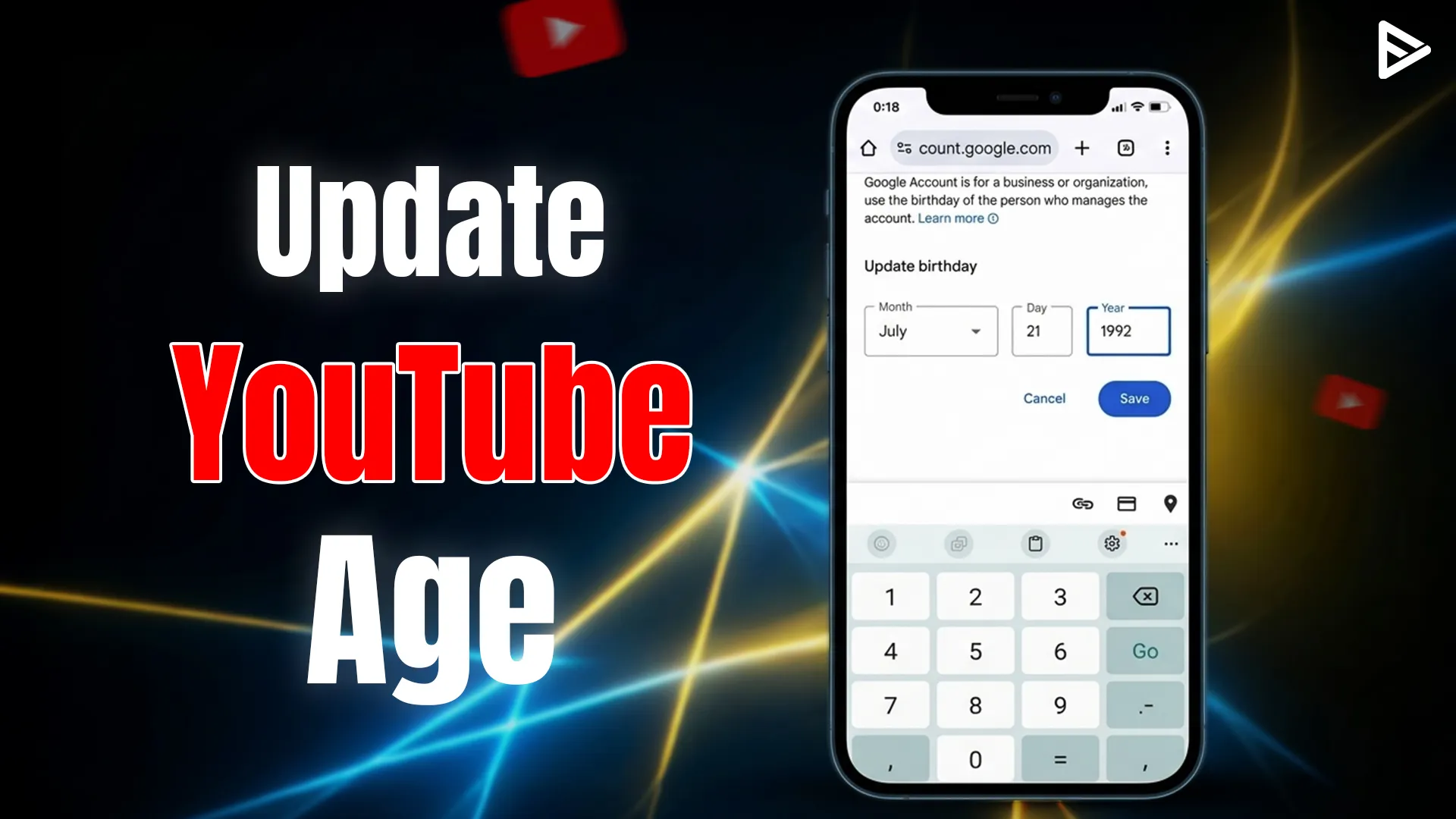
Key Takeaways
- Your YouTube age is actually your Google Account age.
- The fastest way to update your birthdate on mobile and desktop.
- How YouTube’s new AI estimation might override your manual settings.
- Use IDs or credit cards to prove your age for restricted features.
- The age settings affect your AdSense revenue and live streaming gifts.
Why Your Age Matters for Your Channel in 2026
In the current landscape, your age isn’t just a number; it’s a permission slip. YouTube has faced significant pressure (and massive $170 million fines) regarding child privacy laws like COPPA. Because of this, the platform is incredibly strict about who can see what and who can earn what.
If your account is accidentally set to under 18:
1. Personalized Ads are Disabled: You’ll earn less because advertisers can’t target your profile.
2. Live Stream Restrictions: You might be blocked from receiving “Gifts” or certain Super Chat features.
3. Content Access: You won’t be able to view or engage with “Mature” content, which is often necessary for competitive research in many niches.
Step-by-Step: How Can I Change My Age on YouTube?
Since YouTube is a Google product, you can’t actually change your age inside the YouTube app settings alone. You have to go to the source. Follow these steps to how to edit age on YouTube by updating your Google profile.
On Desktop (PC or Mac)
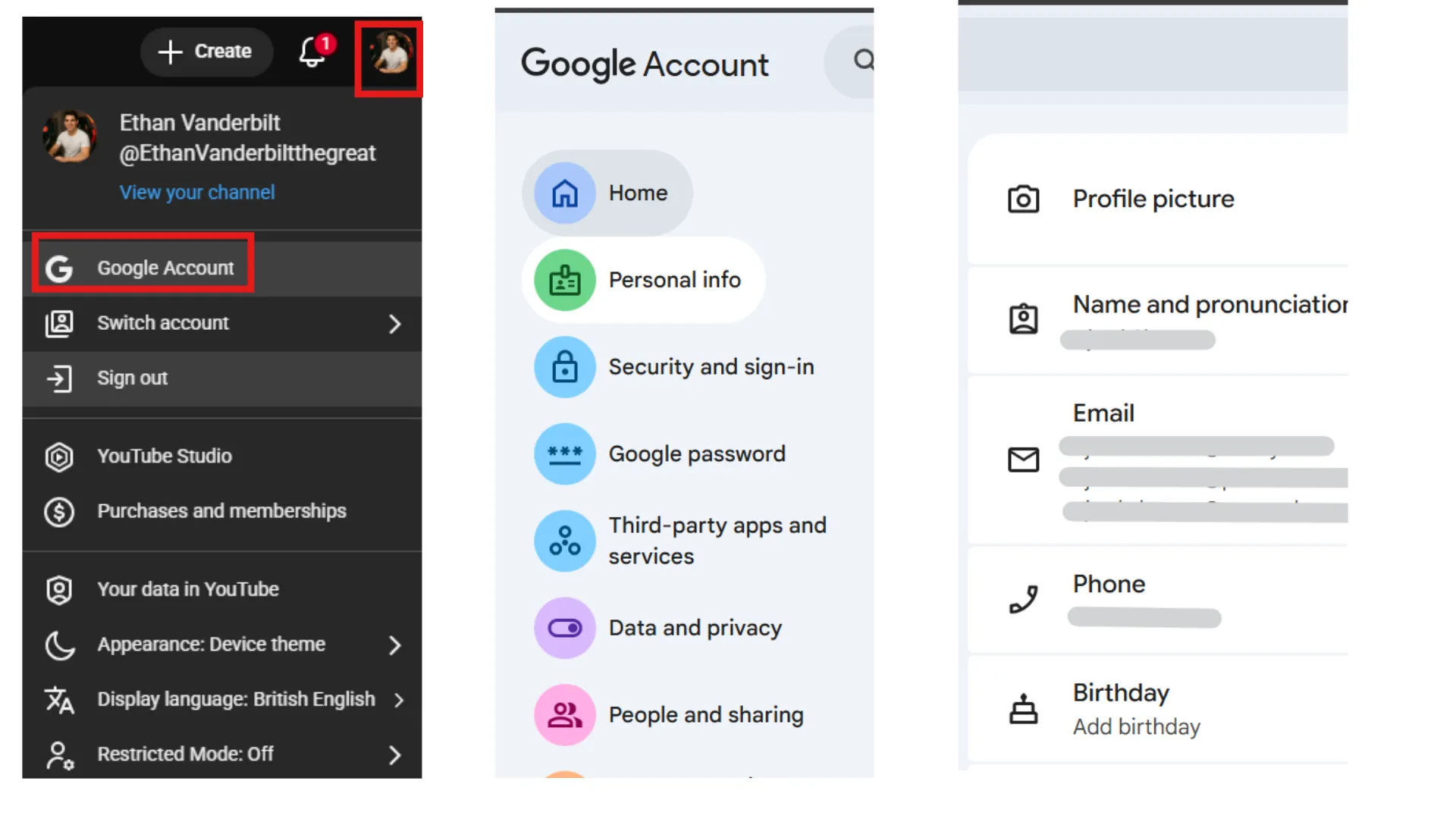
1. Open YouTube and click your “Profile Picture” in the top right corner.
2. Select “Manage your Google Account” from the dropdown menu.
3. On the left-hand sidebar, click the “Personal info” tab.
4. Scroll down to the “Basic info” section and click on “Birthday.”
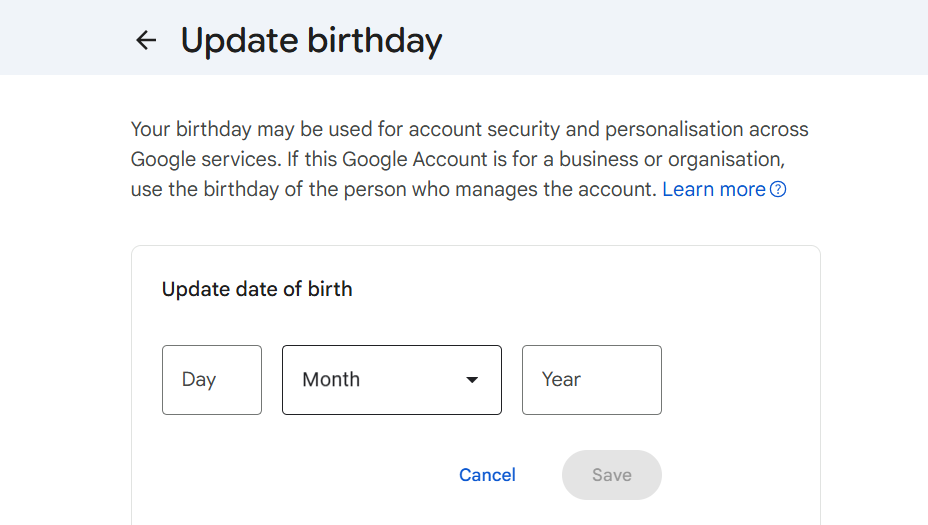
5. Click the pencil icon (or the arrow), enter your correct date, and hit “Save.”
6. A pop-up will ask you to confirm your age. Click “Confirm” to finalize the change.
On Mobile (Android or iOS)
1. Open the YouTube App and tap your profile icon at the bottom right.
2. Tap “Google Account” (or “Manage your Google Account”).
3. Navigate to the “Personal info” tab at the top.
4. Tap on “Birthday” under the Basic info header.
5. Update your Day, Month, and Year, then tap “Save.”
Pro Tip for Creators: After you save, log out of the YouTube Studio app and log back in. This forces the API to refresh your metadata, ensuring your creator features are unlocked immediately.
The Algorihtm Detected Your Age
YouTube is known for using advanced machine learning models to analyze user behaviour. The system looks at your watch history, interactions, account longevity, and engagement patterns.
Based on that data, YouTube knows who is using the account. If you are a parent, but the AI thinks you are a child, because your children might be watching their favorite content using your account. This gets flagged. That’s why it’s important to tell the YouTube algorithm that you are the primary owner and that others are not.
If how to change your age on YouTube via settings doesn’t work, you may be prompted to provide:
- Government-Issued ID: A scan of your driver’s license or passport.
- Credit Card: A temporary “hold” (not a charge) to verify adulthood.
- Selfie Scan: A live biometrics check to confirm you match your ID.
How Age Settings Affect Your Earnings
For those asking how do you change the age on YouTube to boost YT channel, the answer lies in the audience. If your own account is marked as a “minor,” YouTube may default your uploads to “Private” or restrict your ability to participate in the YouTube Partner Program (YPP).
Furthermore, if you are a creator who targets adult audiences but your account is mislabeled, the algorithm might struggle to place your content in front of the right viewers. Keeping your personal info accurate ensures your “Creator Identity” is seen as authentic by the platform’s automated systems.
Troubleshooting: Why Can’t I Change My Age?
Sometimes, you might find the birthday field “greyed out.” This usually happens if:
- Family Link is Active: If your account is managed by a parent via Google Family Link, only the parent can how to change age on YouTube account.
- Recent Changes: Google limits how many times you can change your birthdate in a short period to prevent fraud.
- Verification Pending: If YouTube has already flagged you for an ID check, you must complete the verification before the manual edit becomes permanent.
If you’ve updated your age but still can’t access certain creator features, check your YouTube Studio “Settings” under “Channel” > “Feature Eligibility” to see if there are additional requirements you need to meet!
Final Thoughts
Managing your digital identity is a huge part of being a successful creator. Knowing how can i change my age on YouTube isn’t just about bypassing filters—it’s about making sure your Google ecosystem is correctly calibrated for your business. Whether you’re fixing a typo from 2015 or navigating the new 2026 AI verification requirements, keep your info updated so you can focus on what really matters: making great content.
Frequently Asked Questions
Q1. Can I update my age without a Google Account?
No. To update your age, you need a Google Account because YouTube is directly linked to it.
Q2. How can I change my age on YouTube if I’m under 18?
If you are under 18, you generally need a parent or guardian to assist you through Google Family Link. However, if you are simply correcting a mistake, you can follow the steps in your Google Account settings under “Personal Info” to update the date.
Q3. How long does YouTube take to verify my new age?
Verifications are easy to complete. It can happen in minutes and get verified within an hour.
Q4. How does age affect personalized ads on my channel?
Your age influences the watching pattern on YouTube. This also influences the ads targeting.