


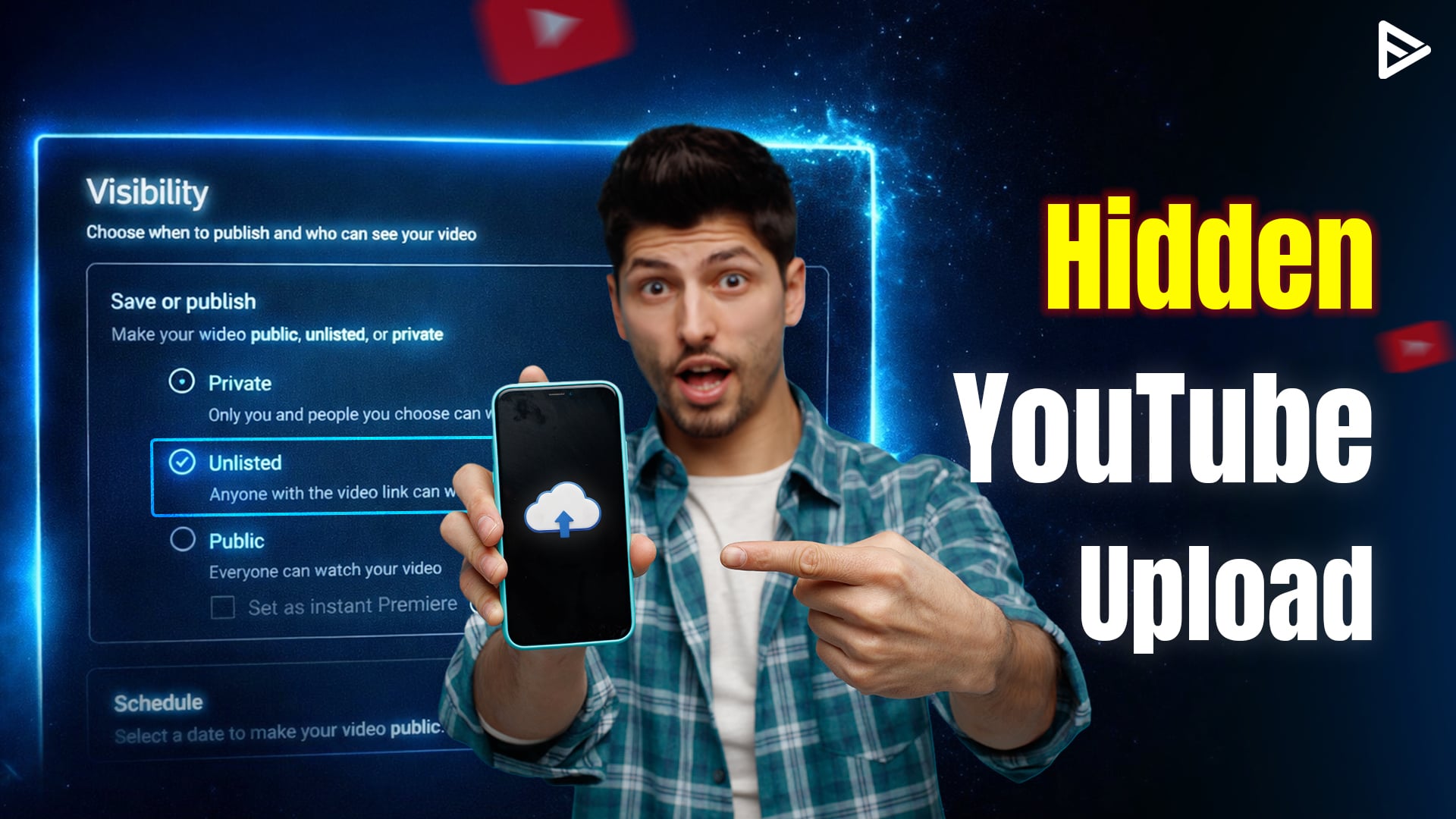
Key Takeaways:
- An unlisted video can be watched and reshared by anyone who has its URL. Still, it doesn’t appear on your channel’s Videos Tab, in YouTube search results, subscriber feeds, or recommendation surfaces.
- Unlisted videos allow anyone with the link to watch and reshare, but stay invisible in search results.
- Unlisted status enables comments, embedding, and link-based distribution for selective sharing.
- Switching from unlisted to public or private in YouTube Studio takes just a few seconds.
You want to share a video with specific people without broadcasting it to your entire subscriber base or making it searchable. Maybe you’re previewing content for a client, sharing a tutorial with a private group, or testing a new format before going public. YouTube’s unlisted setting solves this problem by letting anyone with the link watch your video while keeping it invisible to search engines and recommendation feeds. This guide walks you through uploading an unlisted YouTube video using the 2026 interface on both desktop and mobile.
How To Upload An Unlisted YouTube Video On Desktop?
Desktop uploads through YouTube Studio give you the most control over metadata, thumbnails, and advanced settings. The 2026 interface redesign moved the visibility selector into the Audience section, but the core workflow remains straightforward. Here’s how to upload unlisted YouTube video:
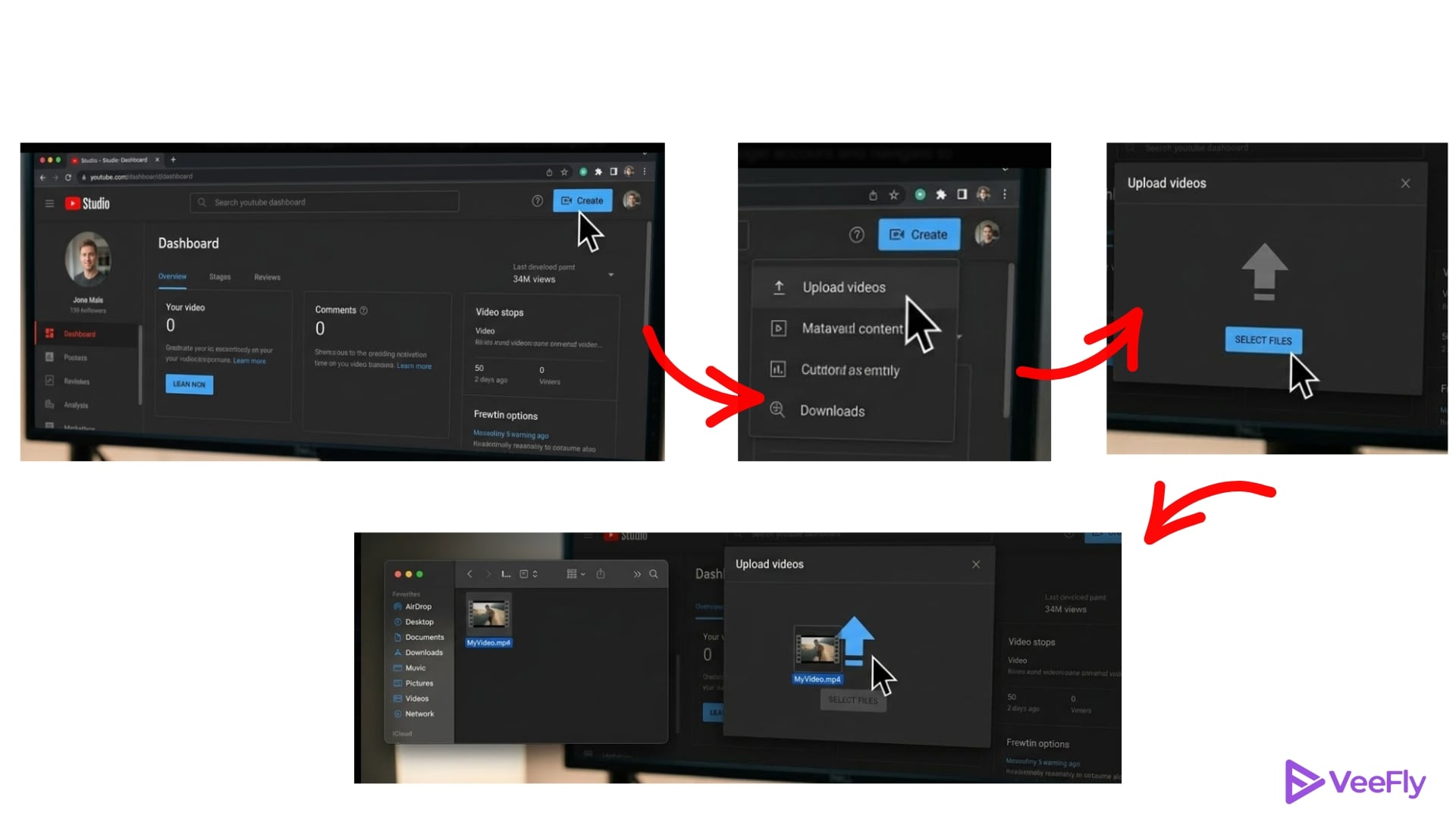
Step 1: Sign In And Access Upload
- Go to studio.youtube.com and log in with your Google account.
- Click the Create button in the top right corner (the icon resembles a video camera with a plus sign).
- Select Upload videos from the dropdown menu.
- You can drag and drop your video file directly onto the upload screen or click.
- Select files to open your file picker.
Step 2: Set Visibility To Unlisted
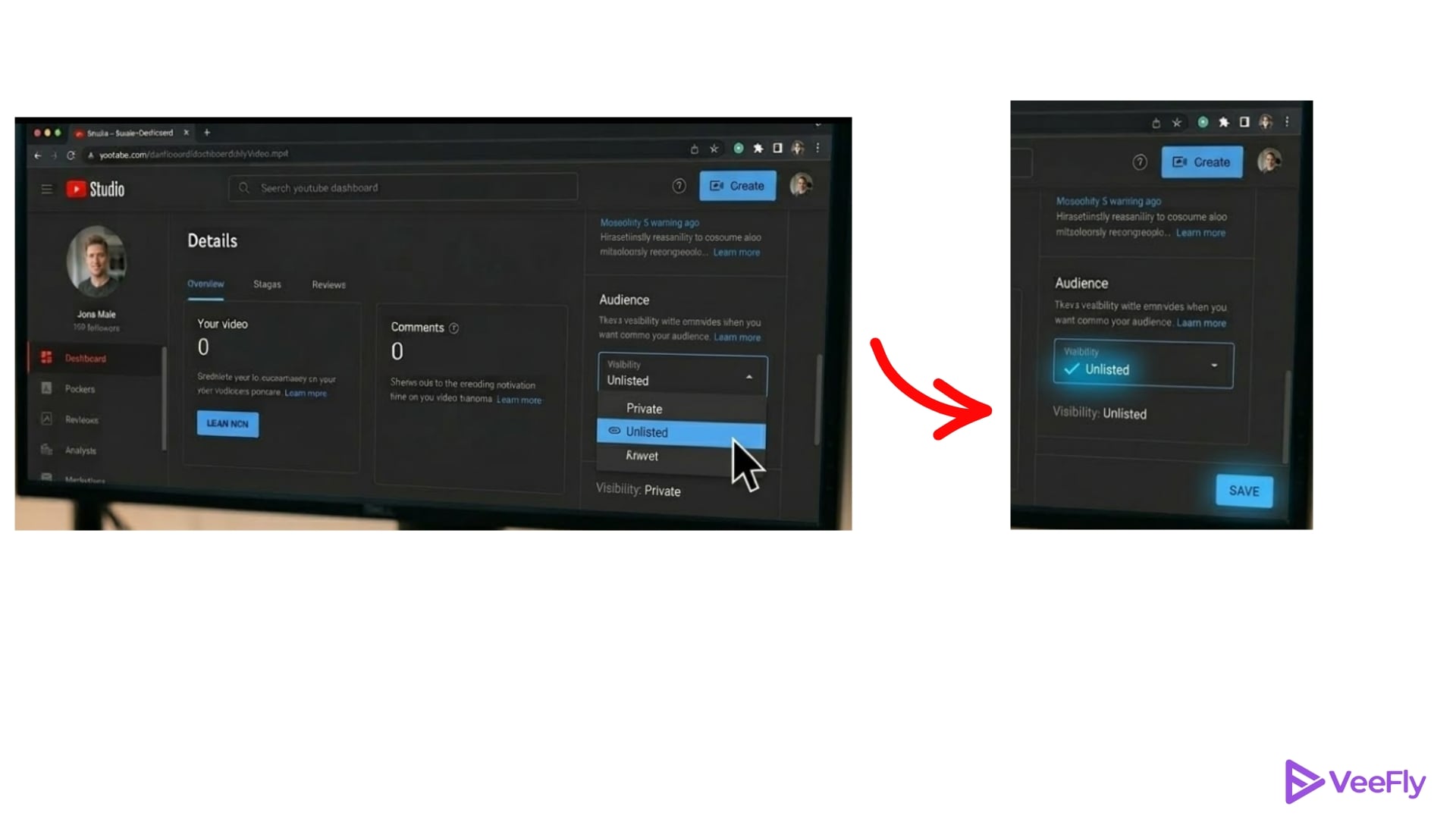
- Once your file begins uploading, the Details pane opens on the right.
- Scroll down to the Audience section (formerly labeled Visibility in older interfaces).
- Click the dropdown menu and select Unlisted.
- YouTube automatically saves your selection, and a small checkmark appears to confirm the setting.
Step 3: Add Details And Publish
- Fill in your video title, description, and tags in the Details section.
- Upload a custom thumbnail to replace the auto-generated options.
- Scroll to the Comments and ratings section and confirm that comments are enabled if you plan to allow viewer feedback.
- Click Done in the bottom right corner. YouTube processes your video and generates the shareable link instantly.
- Copy the URL from the Video link field at the top of the page and send it to your intended audience.
- The 2026 interface now auto-saves progress every few seconds, so you won’t lose metadata if your browser closes unexpectedly.
- Processing time varies by file size and resolution, but most videos under 10 minutes finish within 5 to 10 minutes.
- Use YouTube AI title generator can help you craft SEO-friendly titles even for unlisted previews. Keeping your metadata consistent between the unlisted test version and the eventual public release maintains continuity for viewers who watch both.
How To Post An Unlisted YouTube Video On Mobile?
Mobile uploads work on both Android and iOS through the YouTube app. The steps mirror the desktop workflow but use a simplified interface without advanced settings panels.
- Open the YouTube app and tap the + icon at the bottom center of the screen.
- Select Upload a video from the menu.
- Choose your video clip from your camera roll or gallery.
- Tap Next after selecting the file.
- On the upload screen, tap the Audience dropdown at the top (it defaults to Public).
- Select Unlisted from the options.
- Add your video title and description in the provided text fields, then tap Post in the top-right corner.
The mobile app lacks some desktop features, such as custom thumbnails during upload, end screens, and bulk tag editors. If you need those tools, start the upload on mobile and switch to YouTube Studio on desktop to edit metadata after processing completes.
You can upload the thumbnail and refine settings without re-uploading the entire video file. Mobile uploads use your cellular or Wi-Fi connection, so ensure a stable signal to avoid interrupted uploads. Videos upload in the background if you close the app, but switching networks mid-upload can cause errors.
How to Share And Manage Your Unlisted Link?
After publishing, YouTube generates a unique URL for your unlisted video. To copy the link:
- Go to YouTube Studio on desktop.
- Click Content in the left sidebar, and find your video.
- Click the three-dot menu next to the video thumbnail and select Get shareable link.
- Your clipboard now holds the link.
- Send the URL via secure channels, such as email, private messaging apps, or password-protected documents.
Anyone with the link can watch and reshare the video, so treat it as public if it reaches unintended viewers. If a link leaks, you can restrict access immediately by returning to YouTube Studio, opening the video’s Details page, changing the Audience setting to Private, and saving. It breaks the link without deleting the video. Adding an unlisted video to a public playlist makes it discoverable in search and recommendations. If you need playlist organization, create a private playlist instead or keep unlisted videos unassigned.
How to Fix Unlisted YouTube Video Issues?
Below are quick fixes for the most common problems creators face when uploading unlisted videos:
- File too Large or Wrong Format: YouTube accepts files up to 256 GB and 12 hours long, but older codecs can cause processing delays. Convert your video to MP4 using the H.264 codec with free tools like HandBrake or FFmpeg before uploading.
- Endless Processing Loop: Check your internet connection stability. If the upload hangs for more than 30 minutes, cancel and restart. Clear your browser cache or switch to Incognito mode to rule out cookie conflicts.
- Unlisted Link Doesn’t Work: Verify that viewers aren’t required to sign in. If you accidentally set the video to Private instead of Unlisted, only invited accounts can access it. Return to the Audience dropdown and confirm the setting.
- Visibility Reverts to Public: If your video keeps switching back to Public after saving, log out of YouTube Studio and log back in. This bug shows up occasionally in the 2026 interface and is resolved by refreshing your session.
- Mobile Upload Fails Mid-Process: Switch between cellular and Wi-Fi to stabilize the connection. Restart the YouTube app and resume the upload from the Uploads tab.
Final Thoughts
Uploading an unlisted video in 2026 takes under 10 minutes on desktop or mobile. The redesigned Audience dropdown in YouTube Studio makes visibility controls clearer, and the mobile workflow now matches the desktop experience for core upload steps. Unlisted videos give you the flexibility to share content selectively without sacrificing comment engagement or embedding options.
Experiment with unlisted uploads before committing to public releases. Preview your video with a small test audience, gather feedback, and refine your title, thumbnail, or description based on early reactions. When you’re ready to go public, switching visibility is a single click.
Frequently Asked Questions
Q1) Can Unlisted Videos Be Monetized?
Yes, unlisted videos remain eligible for monetization if your channel meets YouTube Partner Program requirements. Viewers will see ads when they access the video through the link.
Q2) Do Subscribers Receive Notifications For Unlisted Uploads?
No, YouTube doesn’t send push notifications or email alerts for unlisted uploads. Subscribers won’t see the video in their subscription feed unless you add it to a public playlist.
Q3)How Do I Change An Existing Public Or Private Video To Unlisted Status?
Go to YouTube Studio, click Content, select the video you want to change, click the Audience dropdown in the Details pane, choose Unlisted, and click Save. The change takes effect immediately.
Q4) Do Unlisted Video Watch Hours Count Toward YPP Eligibility?
Yes, watch hours from unlisted videos count toward the 4,000-hour requirement for YouTube Partner Program eligibility. Views appear in YouTube Analytics but don’t contribute to search rankings or recommendation signals.
Q5) Can Someone Find My Unlisted Video Through a Google Search?
No, unlisted videos don’t appear in Google or YouTube search results. The only way to access an unlisted video is through the direct link or an embed on a website.
Q6) What Happens to Comments When I Make an Unlisted Video Public?
All existing comments remain visible when you change an unlisted video to public. Viewers who commented while the video was unlisted keep their comments, and new viewers can add their own.