



Key Takeaways:
- Members only videos are accessible only to paying subscribers.
- Memberships start from around $0.99 per month.
- It creates a recurring income stream beyond ads and brand deals.
- Content includes early access, bonus videos, and live streams.
- Viewers can cancel memberships at any time, so value delivery is important.
If you have been growing your YouTube channel, you may have noticed the lock icon on certain videos. This represents members only content, a feature designed to help creators earn directly from their audience.
For YouTubers, this is not just about restricting content. It is about building a stronger relationship with your most engaged viewers while creating a steady revenue stream. This guide breaks down how members only videos work and how you can use them effectively as a creator.
What Are YouTube Members Only Videos?
YouTube members only videos are exclusive uploads that are accessible only to viewers who pay for your channel membership. These videos remain visible to everyone on your channel, but only members can actually watch them.
This visibility works in your favor. Non-members can see what they are missing, which can encourage them to join.
From a creator’s perspective, this feature allows you to turn your most loyal audience into paying supporters without relying entirely on ads or sponsorships.
Types of Content You Can Offer
- Behind-the-scenes footage that shows your creative process.
- Extended versions of your main videos.
- Early access before public release.
- Members only live streams or Q&A sessions.
- Exclusive tutorials or niche content.
- Private community updates and posts.
The focus should always be on offering something that feels worth paying for. This approach allows creators to reward their audience while adding another revenue stream beyond ads.
Why Members Only Videos Matter for Creators?
Many creators depend heavily on ad revenue, which can fluctuate due to algorithm changes or seasonality. Members only videos provide more control over your income.
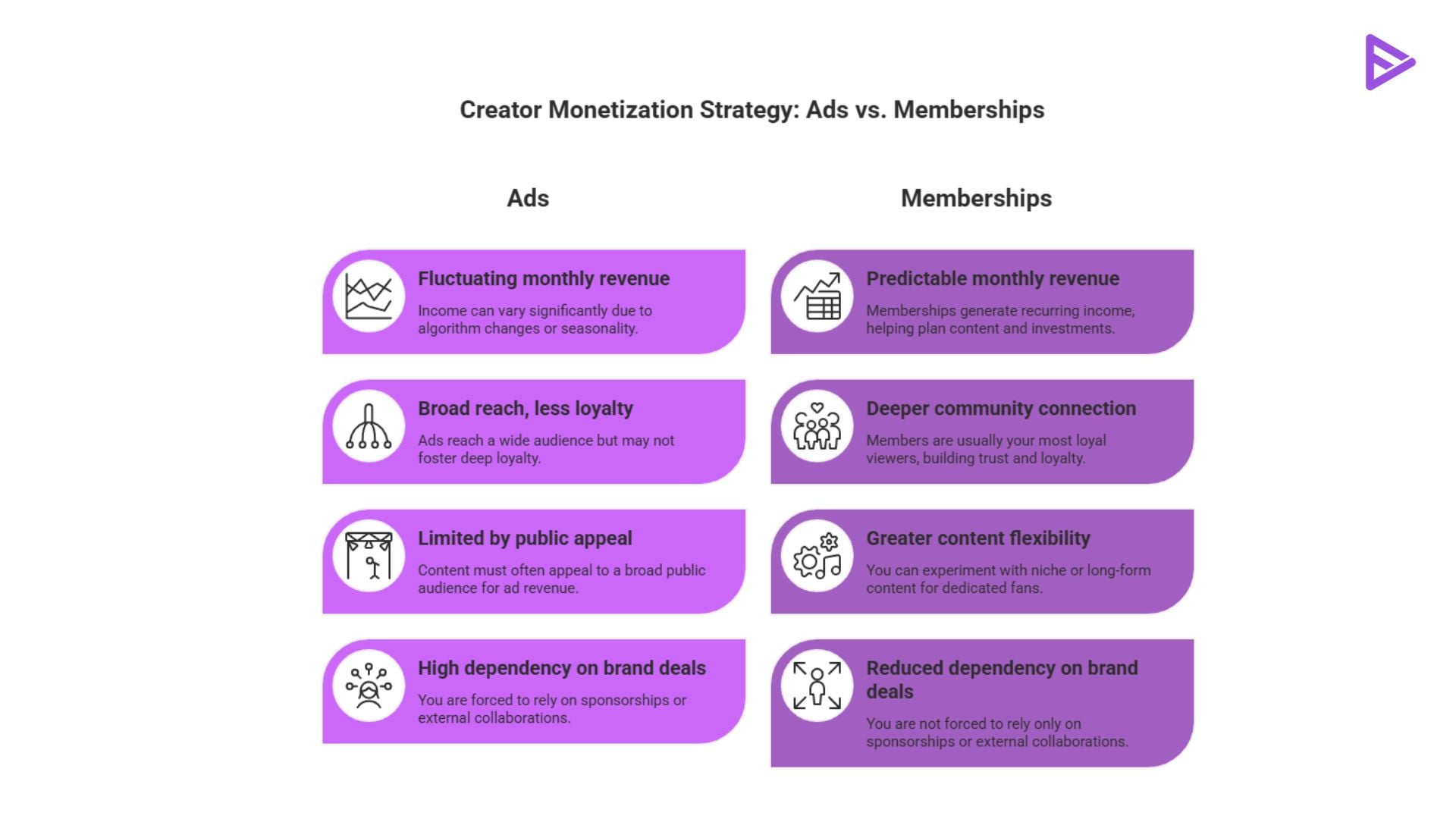
Some key Benefits for creators are:
- Predictable monthly revenue: Memberships generate recurring income, helping plan content and investments.
- Stronger community connection: Members are usually your most loyal viewers. Giving them exclusive content builds trust and loyalty.
- Better content flexibility: You can experiment with niche or long-form content that may not perform well publicly but adds value for dedicated fans.
- Reduced dependency on brand deals: You are not forced to rely only on sponsorships or external collaborations.
For growing creators, this can become a stable foundation for long-term monetization.
How Does Members-Only Content Work?
Members’ only content is structured around tier-based access. Each tier can offer different perks depending on how you design your membership.
When a viewer joins your channel, they choose based on the following criteria: the membership tier, the monthly cost, and the exclusive perks unlocked at that tier.
You can decide which videos are available to which tier. For example, basic members may get early access, while premium members may get full access to exclusive videos. This flexibility allows you to build multiple levels of value within your community.
Setting Up Members Only Videos As A Creator
Before you can start using this feature, your channel must meet certain eligibility criteria.
- Active uploads
- At least 500 subscribers on YouTube
- Enrolled in the YouTube Partner Program.
- No policy violations.
Once eligible, you can enable memberships through YouTube Studio.
Turning Memberships On In YouTube Studio
- Open YouTube Studio and select Monetization from the left menu.
- Click the Memberships card and review the requirements checklist.
- Click Get Started and follow the prompts to set up tiers and perks.
- Set your pricing tiers and perks
- Submit your application for review and wait up to 24 hours for approval.
- Once approved, you can start uploading members-only videos immediately.
- If your application is denied, YouTube provides feedback on which requirement you have not yet met.
How To Price Your Membership Tiers?
| Tier Level | Typical Price Range | Common Perks Included |
| Entry Tier | $0.99 to $4.99 | Badges, emoji, exclusive posts |
| Mid Tier | $4.99 to $9.99 | All entry perks plus early video access, live chat |
| Premium Tier | $9.99 to $24.99+ | All mid perks plus members-only videos, Q&A sessions |
Tips for Better Pricing
- Start with a low entry point to attract more members
- Keep perks simple and easy to understand
- Add more value as the price increases
- Avoid creating too many tiers that confuse users
The goal is to make joining feel like an easy decision.
Best Practices To Grow Membership Revenue
Simply enabling memberships is not enough. You need a clear strategy to make it work.
- Promote Memberships: Mention your membership in videos, descriptions, and pinned comments on YouTube. Many viewers will not notice it unless you highlight it.
- Be Consistent With Exclusive Content: Irregular uploads can lead to cancellations. Set a schedule and stick to it.
- Deliver Clear Value: Make sure members know exactly what they are getting. Avoid vague promises.
- Engage With Members: Reply to comments, host live chats, and acknowledge members. This builds a sense of belonging.
- Use Early Access Strategically: Giving members early access to videos is one of the easiest ways to add value without extra production effort.
Consistency and communication are key to retaining members over time.
Final Thoughts
Are members only YouTube videos worth it? Like any paid feature, YouTube members-only videos come with both benefits and drawbacks.
If you offer exclusive content that your audience genuinely wants to watch, memberships can help you build steady income and a more connected community.
However, if the perks do not deliver enough value or the pricing does not match what you offer, viewers may not stay subscribed. Over time, this affects retention and growth.
The focus should always be on understanding your audience and delivering content that feels worth paying for. When done right, members only videos can play an important role in your overall YouTube strategy.
Frequently Asked Questions
Q1. Do Members Only Videos Contain Ads?
Yes, creators can choose to enable or disable ads on these videos.
Q2. What Happens When a viewer cancels my membership?
They lose access to all members only videos and perks immediately after cancellation.
Q3. Can creators offer gift memberships?
Yes, gifting is available on some channels depending on region and feature availability.
