


Key Takeaways
- You can learn how to reduce video file size significantly by using YouTube’s internal processing engine as a free compressor.
- This method allows you to how to shrink video file size without paying for premium software or dealing with annoying watermarks.
- The “YouTube Hack” works by uploading a video as “Private” and then downloading the optimized version back to your device.
- Using this trick can how to minimize video file size from hundreds of megabytes down to a fraction of the original size (e.g., 147MB to 10MB).
- It saves your local computer’s CPU/GPU power because the heavy lifting of rendering and compression happens on Google’s servers.
Why You Need to Know The Process to Shrink Video File Size
As a content creator, you spend a huge amount of time creating a masterpiece, and when you’re finally done with it, it’s glorious, but the video size is over the roof. Nonetheless, large video files are a hassle to store, a nightmare to send via email, and take forever to upload.
When you search for how to decrease the size of the video, you usually run into two walls: expensive professional software like Adobe Premiere or “free” online tools that slap a massive watermark right in the middle of your shot.
Whether you are trying to change size of video online for a client preview or just trying to save space on your hard drive, the bloat is real. High-definition files can easily reach several gigabytes, which is why learning how to condense a video file size efficiently is a literal lifesaver for your workflow.
The Secret: Reduce Video Size Online Free with YouTube
Most people think of YouTube only as a place to watch or host content. However, YouTube is actually one of the most sophisticated video transcoders in the world. When you upload a video, YouTube automatically processes it into various resolutions and formats to ensure it streams smoothly.
By using this processing power, you can reduce video size online free without needing any technical skills. It’s a “happy medium” that balances high visual quality with a much smaller footprint.
Step to Reduce Video Size Online Free with YouTube
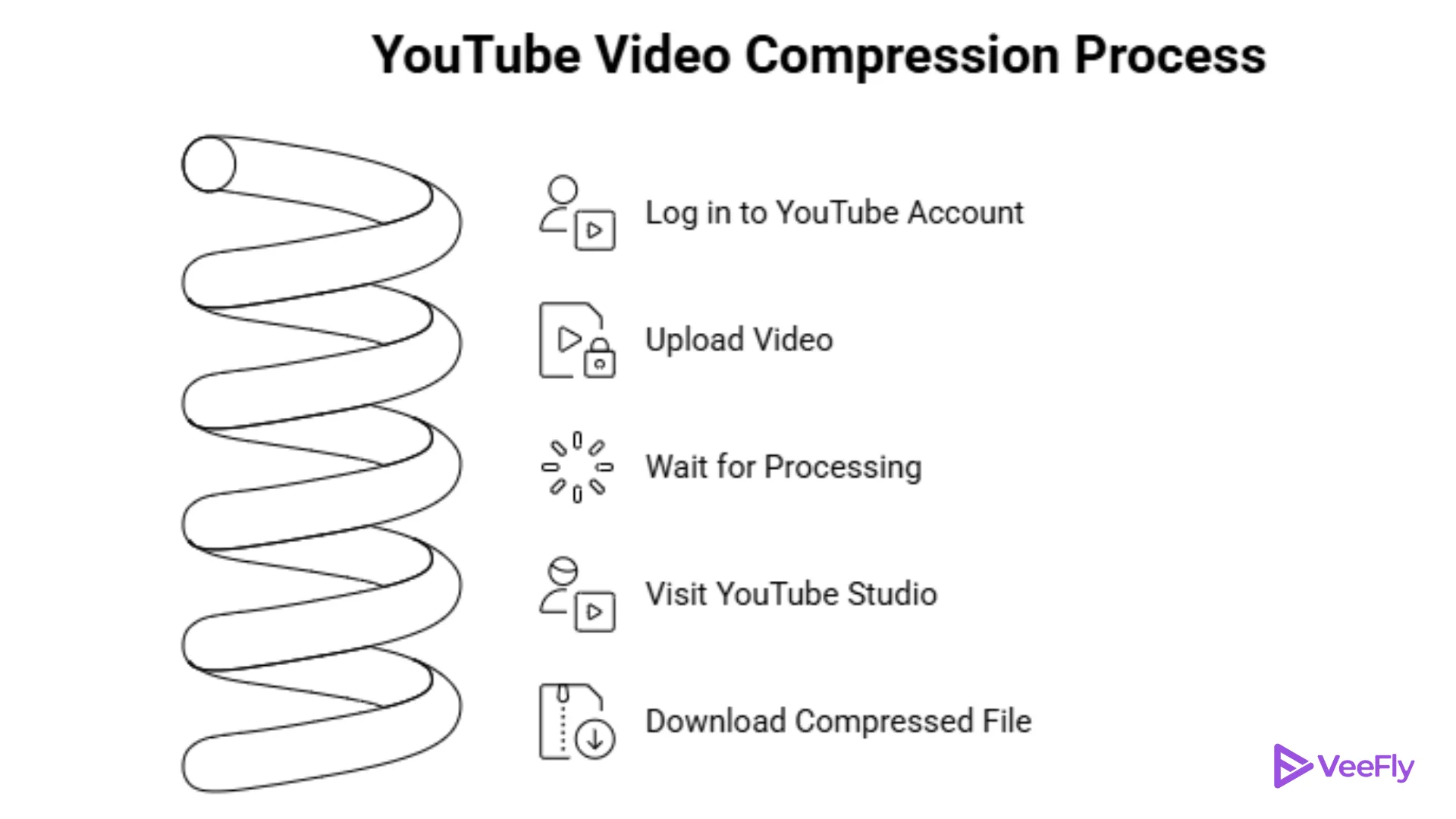
If you want to how to reduce the size of a video file using this method, just follow these simple steps:
1. Log in to your YouTube Account: Access your standard creator dashboard.
2. Upload Your Video: Set the visibility to Unlisted or Private. This ensures the public can’t see it while you’re using it for compression.
3. Wait for Processing: Give YouTube a few minutes to process the HD version of your video.
4. Visit YouTube Studio: Go to studio.youtube.com and navigate to the YouTube Content tab.
5. Download the Compressed File: Find your video, click the three dots (Options menu), and select Download.
You will receive a perfectly optimized MP4 file that is often 80% to 90% smaller than your original export.
Final Thoughts
Learning how to reduce video file size doesn’t have to be a technical chore or a monthly subscription. The YouTube hack is a brilliant way to how to shrink video file size while letting Google’s servers do all the hard work. It keeps your computer from overheating and keeps your wallet full. While there are many ways to how to decrease the size of the video, this method offers the best balance of ease and quality for creators on the go.
Frequently Asked Questions
Q1. How can I reduce video size online free without a watermark?
The best way to reduce video size online free without a watermark is by uploading your video to YouTube as a private file and then downloading it from the YouTube Studio dashboard. Unlike third-party sites, YouTube never adds watermarks to your downloads.
Q2. What is the easiest way how to reduce the size of a video file for email?
If you need to know how to reduce the size of a video file for email, the YouTube hack is ideal. It can take a 147MB file and how to minimize video file size down to just 10MB, making it small enough to send via most mail services or file-sharing links.
Q3. Can I change size of video online without losing 4K quality?
When you change size of video online using YouTube, there is some compression involved, but YouTube’s algorithms are designed to maintain high visual fidelity. While it may not be “lossless,” it is generally the best-looking compression you can get for free.
Q4. How to condense a video file size?
Simply upload your raw footage to your YouTube channel as a private video. Once processed, use the “Download” button in YouTube Studio to get a compressed MP4 version that is much easier to manage.