


Key Takeaways:
- The best YouTubers Discord servers focus on building real connections and offering video feedback rather than just sharing links.
- Joining a focused group leads to better retention than sharing links in general promo groups.
- Using Discord servers for “sub4sub” breaks YouTube rules and hurts your reach.
- To succeed in these servers, offer thorough, constructive criticism of other creators’ videos. After contributing, ask them to view your content. Seek feedback and build relationships by actively participating.
Why Do Youtubers Discord Servers Matter for Growth?
Many new creators assume they can just join a massive Discord server to promote their YouTube channel, drop their video link in the self-promo channel, and instantly watch their views and subscriber counts skyrocket.
However, the reality is that unmoderated self-promotion channels don’t have much effect. If you only drop links without engaging, other creators will ignore you. Worse, if they do click and immediately leave, the algorithm flags that low-retention traffic, actively punishing your video’s reach.
To get the most out of a YouTube promotion Discord server, focus on positive and active participation. Respond to a few other creators’ posts by offering helpful feedback or advice before sharing your own video.
Join discussion channels and ask questions or contribute your thoughts on trending topics or editing techniques. You can also participate in community events or challenges to build genuine connections. These strategies make your presence valuable to others and increase the chance that you’ll receive high-quality engagement in return.
Top 5 Best Discord Servers to Promote YouTube Channels
1. Content Creators Hub
- Highly active voice channels for real-time collaboration.
- Strict moderation prevents link-dumping spam.
- Dedicated channels for specific niches.
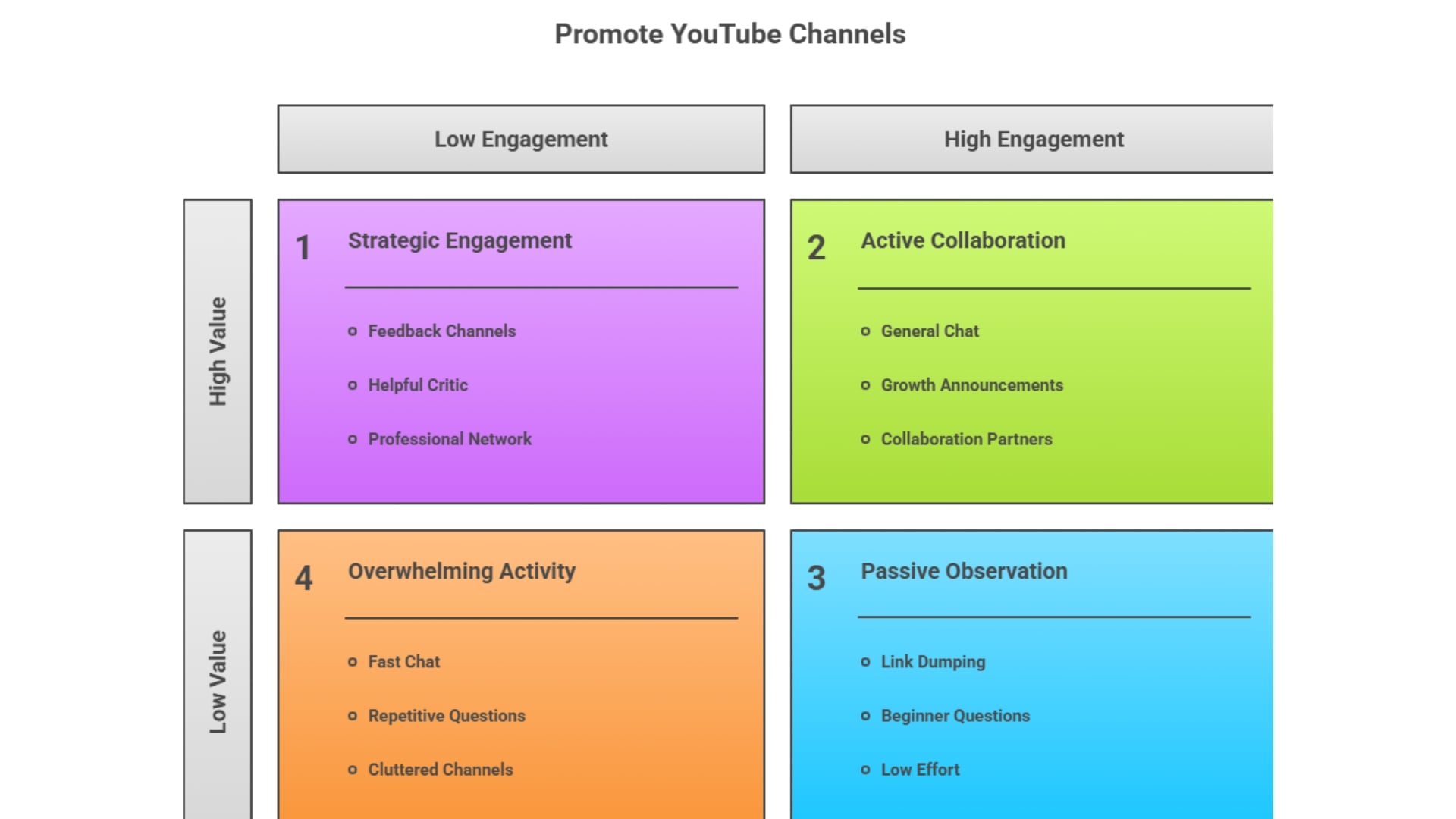
- It can be overwhelming for complete beginners because the chat moves so quickly.
- Strict rules mean your links will be deleted if you don’t engage first.
- Spend your first week strictly in the #video-feedback channels. Establish yourself as a helpful critic.
- Review other people’s hooks and thumbnails before ever dropping your own links.
- The ultimate starting point for any creator looking to build a professional network rather than just farm empty views.
2. Small Creators Community
- Over 13 dedicated promotion channels tailored to different video genres.
- Regular “growth announcements” that showcase active members.
- Very beginner-friendly atmosphere.
- Higher risk of low-retention views if you promote in the wrong sub-channel.
- Lots of repetitive beginner questions.
- Be highly active in the general chat. The server rewards its most active members with pings, meaning your video could be blasted to hundreds of online users if the moderators notice your helpfulness.
- A fast-paced environment perfect for getting your very first batch of loyal subscribers.
3. TubeBuddy Community Discord
- Direct access to YouTube SEO experts and tool developers.
- High-level discussions about CTR, retention graphs, and metadata.
- Excellent for troubleshooting technical channel issues.
- Less focus on casual socializing; more on business.
- Self-promotion is heavily restricted outside of specific feedback requests.
- Do not post here just for views. Post here when a video fails, share your retention graph, and ask the community to help you diagnose why viewers clicked off.
- The best Discord server to join if you want to treat your YouTube channel like a scalable business.
4. Kan Do Creators
- Hosted by an industry expert, ensuring advice is accurate.
- Regular community events and editing challenges.
- High-quality thumbnail and pacing reviews.
- Smaller community compared to massive hub servers.
- Requires genuine effort; low-effort posts are quickly ignored.
- Participate in the server’s editing challenges. Showcasing your skills in community events is the fastest way to get other creators to voluntarily check out your main channel.
- Ideal for creators who want to dramatically improve their editing and storytelling skills.
5. Content Creators Cabin
- Massive library of shared assets (sound effects, overlays, presets).
- Strong emphasis on collaboration and finding co-hosts.
- Neatly categorized channels for software troubleshooting.
- Promotional channels can sometimes get cluttered.
- You need to dig through pinned messages to find the best assets.
- Focus on the Growth category. Participate in their regular community voice chats to build genuine friendships with other creators in your subscriber bracket.
- Join this server specifically to download free assets and find collaboration partners.
