


YouTube released a new update called “YouTube Recap”. The users will see a You tab on the platform. When clicked, users will see up to 12 cards of Stories that highlight their interests, deep dives, explored channels, content, engaged channels, watch habits, viewing history, etc. All these stories will be created using the watch-history metric from the YouTube account.
What is YouTube Recap?
As the year draws to a close, YouTube has fulfilled the wishes of everyone who wanted a YouTube Wrapped for 2025. The feature lets you share and save your recap stories. As discussed, YouTube will track your watch history. Based on this year’s interactions, YouTube will share 12 cards (stories). The YouTube Recap will show a personalized card for known watch history, not cleared watch history or paused period.
The cards will include information such as which channel you interacted with most, your interests, the topics you deep-dived into, the music you listened to, etc. Here is a reference image from YouTube.
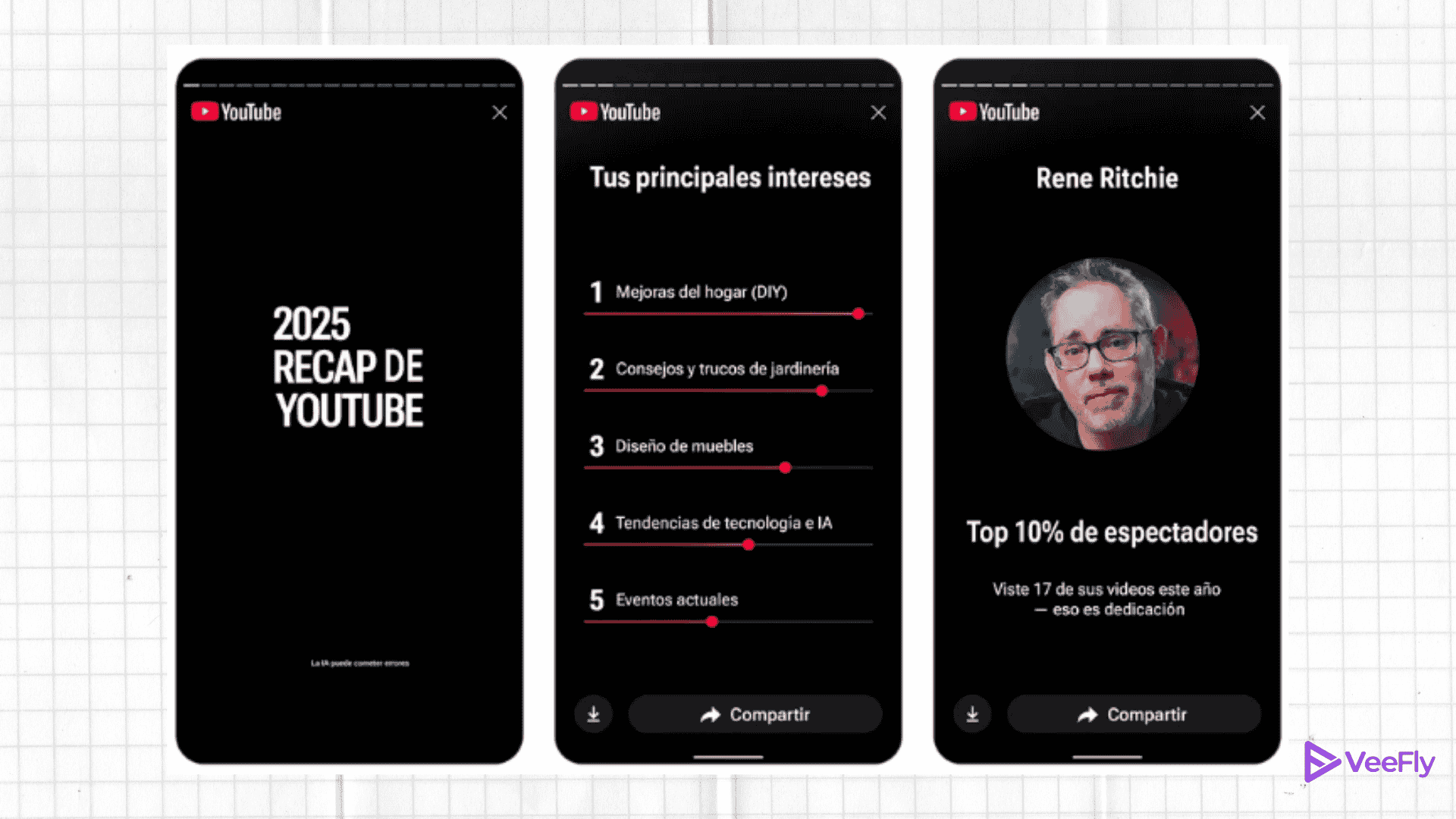
The stories are more of a memory lane, where users can see their interaction with a quick YouTube Recap. As they say, the feature was made for you by you.
How to Find Your YouTube Recap?
You can find YouTube Recap on both desktop and mobile. Log in with the account that you primarily use.
YouTube Recap on Mobile(Android and IOS)
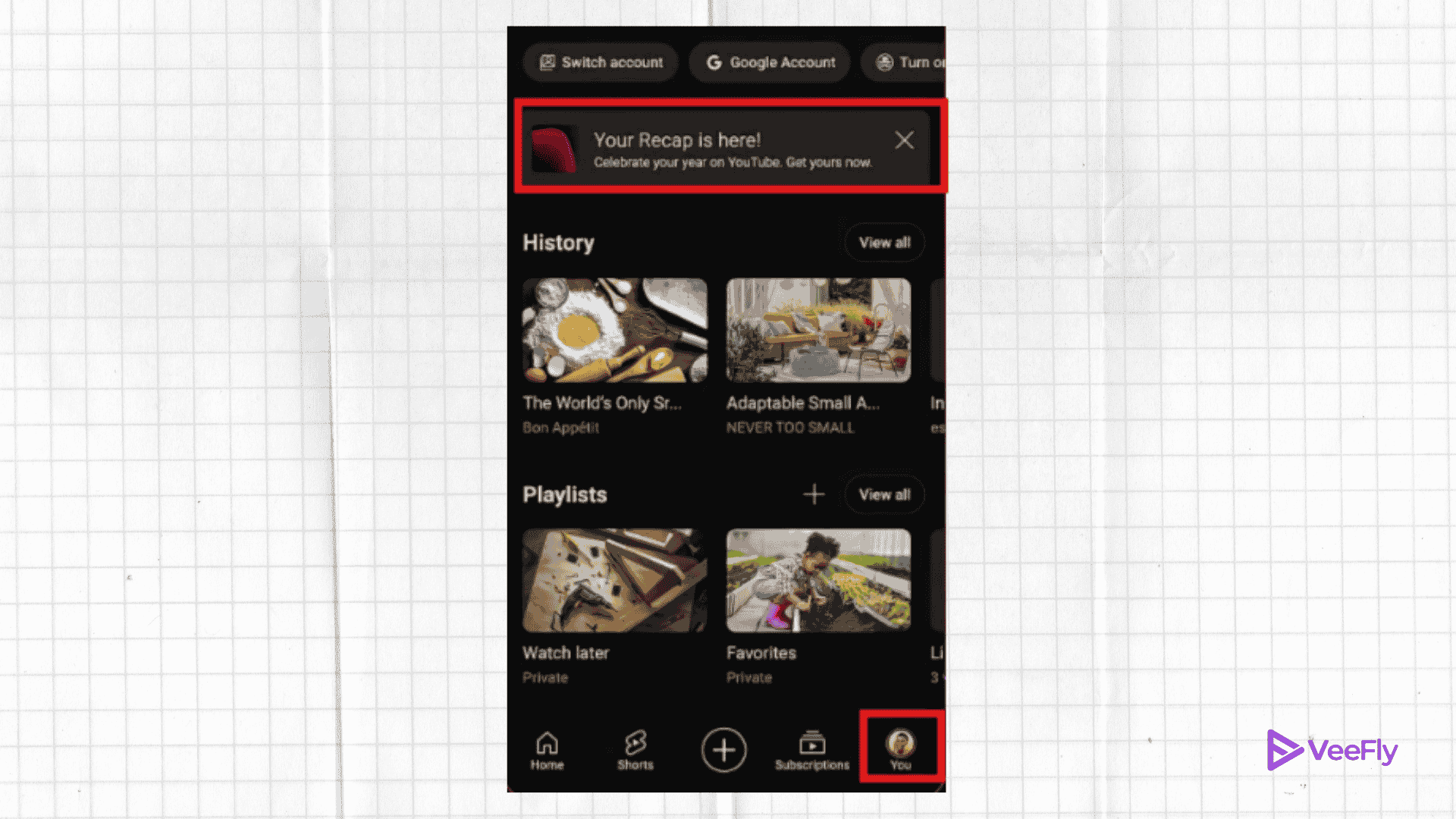
Open the YouTube mobile app and tap the You tab at the bottom of the screen. Click it to see the recap banner. Once you start the stories, they will appear.
YouTube Recap On Desktop
You can access Recap directly on a desktop by going to youtube.com/recap
How to Save or Download Stories?
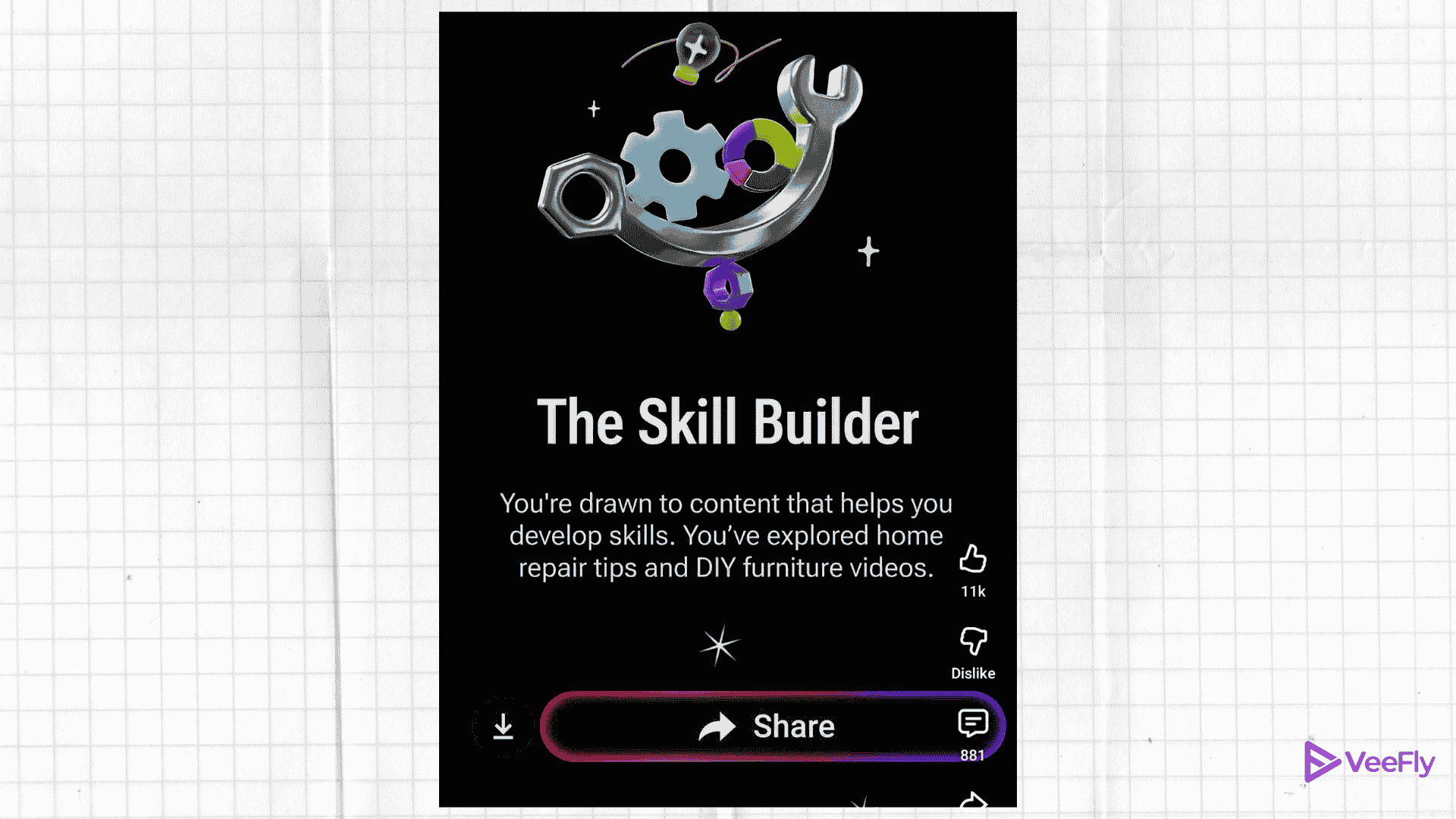
When viewing your YouTube Recap cards, you can tap the share button to send them to other social platforms or click the download button to save them to your phone.
YouTube Music Recap
If you have listened to more than 10 hours of music on YouTube, you will receive a personalised card based on your music interests. You will also see a link on the YouTube music app that will take you on a deeper one-year music journey.
You can see a snapshot of the artists and music you listened to most, international favorites, engaged genres, podcasts, and recommendations based on your interests.
Conclusion
The official statement says that the YouTube Recap feature will analyze this year’s interactions on YouTube using your watch history. You can see the Story card of your most interacted channel, music artist, niche, interest, and some recommendations based on your watch pattern. The feature will be available by the end of 2025 only in selected regions. You can see YouTube Recap on mobile and desktop. Additionally, you can share and download the stories(card) that you personally liked.