


Key Takeaways
- Audio enhancer AI tools remove noise, equalize the sound, and improve audio clarity.
- Popular services that can perform this function in a single click include Adobe Enhance, Voice.ai, and Xound.io.
- Creators also benefit from features such as filler words removal, silence trimming, and leveling.
- Pricing ranges from free, limited plans to premium options for podcasters, YouTubers, and even musicians.
- Ensuring you get the best audio quality is the AI audio enhancer’s function.
Audio Enhancer AI: The Future of Sound Quality
Crisp sound quality is just as essential in the modern digital landscape as high-definition visual quality. Are you a YouTube influencer, podcaster, or musician looking to produce high-caliber content?
Substandard sound quality can make even the most creative content go down the drain. Issues like echo, background noise, and inconsistent sound levels are even more problematic.
But the silver lining here is that with the help of an audio enhancer AI, all your problems are solved.
Below, we will discuss AI audio enhancer online free tools as well as paid features. Additionally, the pricing is also considered for decision-making in creators lives.
Why Audio Enhancer AI Matters
- Audience Retention: The audience is more disposed towards leaving a video if the audio quality is bad.
- Professional polish: With the aid of AI devices, users can enjoy broadcast-quality sound even without being professionals.
- Time savings: Automation saves hours of editing.
- Accessibility: Free or affordable options are available on most platforms, making pro audio accessible to all.
Top 10 AI Audio Enhancement Tools You Should Try
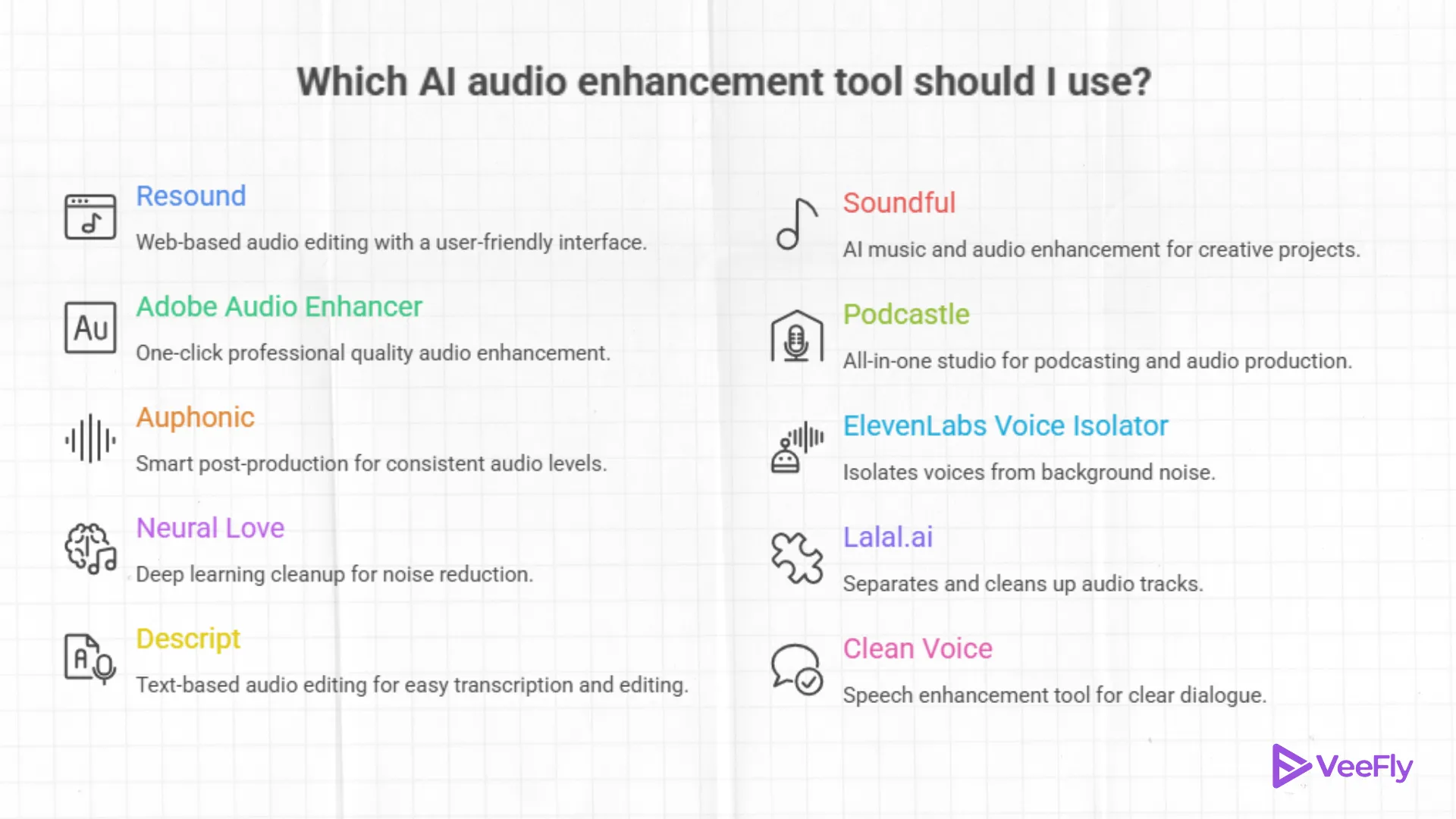
Here are ten tools that take your audio production to a prominent stage:
1. Resound – Web-based audio editing
Resound is a primary tool for podcast editors. Eliminating filler words (“um,” “uh”), removing silent sections, and offering a choice of output modes.
- Features: Support for multitrack, silence trimming, and filler removal.
- Pricing: Includes a free version with 1 hour of service per month, and paid services that
- Best for: Podcasters who seek speedy automated clean-up.
2. Adobe Audio Enhancer – One Click Pro Quality
The audio enhancer AI offered by Adobe for Creative Cloud removes background noises and makes sound adjustments for different types of audio.
- Features: Noise removal, reverb removal, and clarity enhancement.
- Pricing: Included with Adobe Audition or Premiere Pro subscriptions starting at $22.99/month.
- Best for: Video editors or creators already using Adobe software applications.
3. Auphonic – Smart Post Production
Auphonic normalises the unnecessary loudness, balances the sound, and removes disturbances such as hiss sound.
- Features: Adaptive leveling, noise removal, and exports.
- Pricing: 2 hours free per month; paid credits from $11 per month
- Best for: Podcasters and broadcasters looking for reliable audio level normalization.
4. Neural Love – Deep Learning Cleanup
Neural love is recommended for its studio-like clarity and for using AI to separate noise from the content.
- Features: Include voice isolation, noise reduction, and high‑bitrate export.
- Pricing: Credit‑based system; free, limited cleanups.
- Best for: creators whose recordings are a mess and need advanced cleanup.
5. Descript – Text-Based Audio Editing
Descript allows you to edit your audio like a document, delete filler words in one click, and use AI-powered cleaning tools.
- Features: Studio Sound, transcription, and video editing.
- Pricing: Free version available; other models start from $16/month.
- Best For: Ideal for podcasters and video creators.
6. Soundful – AI Music + Audio Enhancement
Soundful provides royalty‑free background music as well as audio mastering.
- Features: AI Music Generation, Mastering Tools, Unlimited Usage License.
- Pricing: Free limited tracks available; paid plans are $9.99 per month
- Best For: Creators Who Need Clean Audio & Custom Music
7. Podcastle: All-in-one studio
Podcastle offers features such as artificial intelligence-based noise removal, transcription, and multi-track editing
- Features: Magic Dust cleanup, silence removal, text to speech.
- Pricing: Offers a free plan, while paid plans start at $19.99
- Best for: Podcasters who want an end-to-end production solution.
8. ElevenLabs Voice Isolator
ElevenLabs is well known for voice AI, and it also hosts an unusually powerful voice isolator tool.
- Features include: isolation of voice, removal of background noise, and high‑fidelity output.
- Pricing: Free 10 minutes/month; paid plans from $5/month.
- Best for: Creators needing clean voice tracks for narration or podcasts.
9. Lalal.ai – Separation & Clean-Up
Easily distinguish noise, vocals, and instrument sounds with Lalal.ai.
- Features: are stem separation, batch processing, and noise reduction.
- Pricing: Free for up to 10 minutes, paid options start at a $15 one-time fee.
- Best for: Musicians and remixers who want to isolate vocals or instruments.
10. Clean Voice – Speech Enhancement Tool
Primarily, Clean Voice focuses on speech, resulting in the efficient deletion of all the noises, reverberations, and
- Features: De-reverb, smooth silence, and remove filler words.
- Pricing details: A free trial is available; prices start at €10/month.
- Best for: Podcasters and speakers seeking refined, professional conversations.
Which AI Audio Tool to Choose?
The checklist helps you pick an audio enhancer ai that handles everything you need.
- One-click cleanup for YouTube voice → Adobe Audio Enhancer or Cleanvoice
- Podcasts / long talk shows → Descript (Studio Sound) or Auphonic (+ Resound if you want auto filler-word/silence passes)
- Noisy room / echoey mic → ElevenLabs Voice Isolator or Neural Love
- Need music + better mix → Soundful (royalty-free beds) + Auphonic (final loudness/leveling)
- Remove music or split stems → Lalal.ai (then polish in Auphonic/Adobe)
A quick check
1. Does it make your voice sound clearer in 60 seconds?
- Run a 30-60 second test clip. If sibilance/robotic artifacts appear, ditch it.
2. Noise + reverb kill test:
- Add a clip with AC hum or room echo. If it cuts both without making your voice sound hollow, it stays.
3. Speed:
- If it can’t remove noise from a 5-minute clip in ~1-2 minutes on your machine (or near-real-time in the cloud), it won’t handle your actual audio load.
4. Workflow integration:
- Already integrated with Premiere/Audition? Adobe Audio Enhancer is the way to go.
- Scripted shows? Descript has editing for text and noise reduction.
- Batch post-production? Auphonic batch processing is your best friend.
5. Works with controls you understand:
- Toggles for denoise, de-reverb, and level + an intensity slider are sufficient. If presets sound better, use presets.
6. Exports what you need:
- Exports WAV for masters, MP3 for distribution, and loudness normalization (e.g., -16 LUFS for podcasts/voiceover YouTube videos).
7. Cost sanity:
- Value of time saved per month > cost per month. If not, upgrade/downgrade and quit.
Final Thoughts
In the blog, we have seen 10 audio enhancer AI tools that can be utilized best by creators thinking of their YouTube music promotion. Each tool has its own capabilities, pricing, and target users. If you are a podcaster, then Descript and Auphonic are good for you. For vloggers or skits, channel Elevenlabs will work. Choose a tool that suits your video format and is affordable for you. Once your channel grows, you have to give your YouTube channel access to the team or opt for commercial plans. Such possibilities should also be considered before sticking to a tool.
Frequently Asked Questions
Q1. Can AI audio tools improve both music and speech recordings?
Yes, they can be used to improve both music and speech recordings.
Q2. Which AI enhancer is best for YouTube?
Adobe Podcast AI, Krisp, or Auphonic are some of the most commonly used audio enhancers for improving the quality of YouTube videos.
Q3. Can AI enhancer work with low-quality recordings?
Yes, they can be used to improve low-quality recordings, but this depends on the quality of the original recording.
Q4. Do AI audio enhancers support multiple languages?
Yes, they do, especially the advanced ones. Tools such as Adobe Firefly, which enhance audio in 20+ languages, and Deepgram, Google STT, and Gladia offer language detection.