



Key Takeaways
- Sort by upload date to view the newest or most relevant first.
- Use the “Custom Range” feature to search for videos from specific years.
- Visit a channel’s “Videos” page and sort by “Oldest.”
- Employ “before: YY YY-MM-DD” in the YouTube search bar.
- View your viewing history for specific dates.
Whether you are searching for inspiration for your next video or trying to locate a viral classic from a decade ago, knowing how to find old YouTube videos is a necessary skill. The YouTube interface is designed to show you what is trending “now,” which will often hide the gems of the past.
The Scale of YouTube Data
Before we move on to the “how-to” part, it is essential to comprehend the massive amount of data we are working with. According to Statista, as of 2025, over 500 hours of video content are uploaded to YouTube every minute. This means that during the time it takes you to read this blog post, thousands of new videos are already uploaded. To search old YouTube videos, you have to use YouTube filters. Because the new videos will have moved older videos further down in the search results.
The very first video, titled “Me at the Zoo,” was uploaded on April 23, 2005. Since then, billions of videos have been uploaded. Since the platform favors engagement and newness, it is essential to learn how to find the old YouTube videos.
Method 1: How to Search for Old YouTube Videos (Advanced Filters)
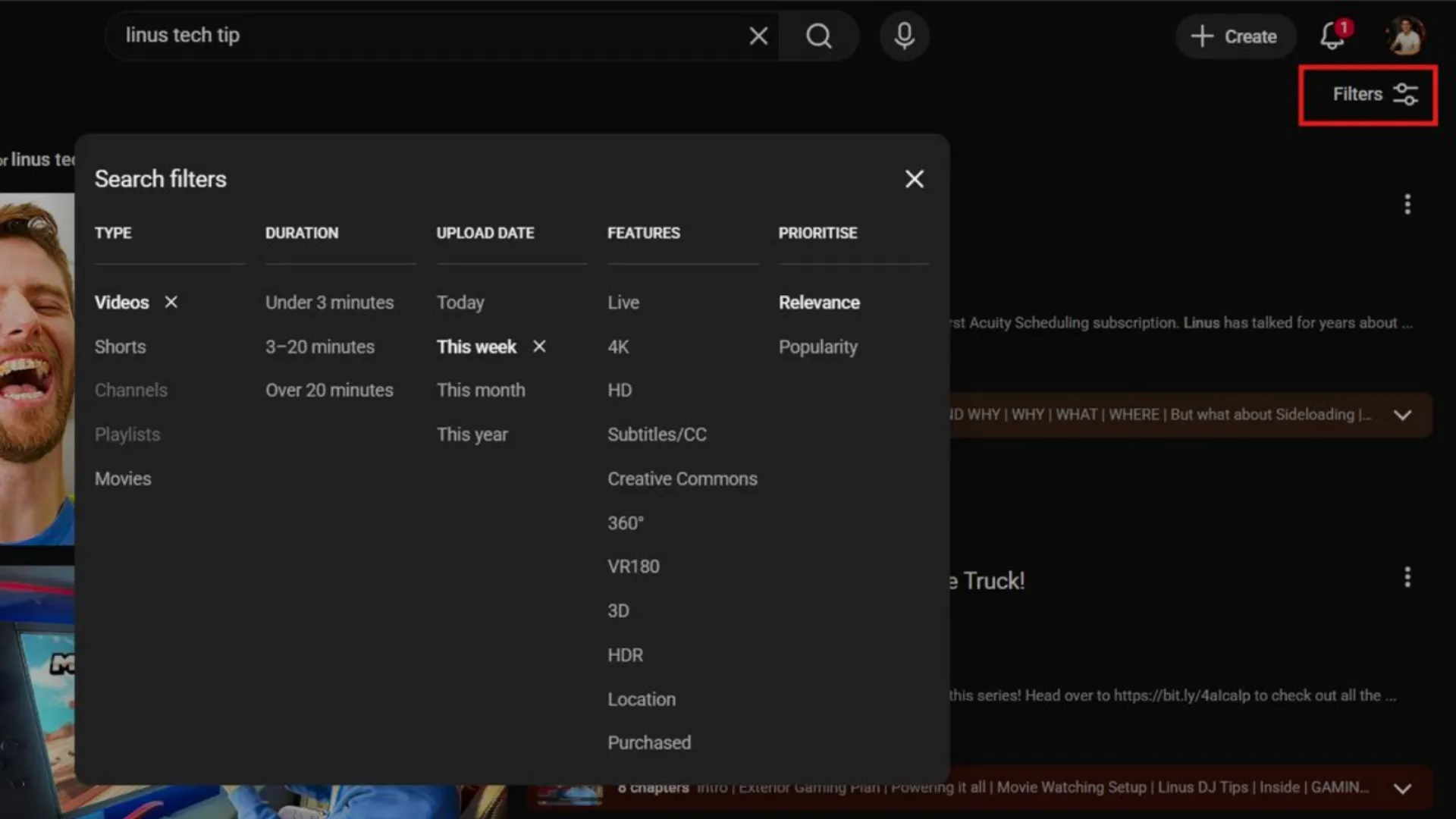
The easiest way to search for old YouTube videos is by using the on-site filter option. But there are some drawbacks to this process.
1. Enter Your Keywords: Enter the subject or title into the YouTube search box.
2. Click Filters: On a computer, this is found at the top of the page. On a mobile device, it is found in the three-dot menu or the slider icon.
3. Sort By: Select the “Upload date” option instead of “Relevance.”
4. Upload Date Category: You can choose “This Year” to view videos from the past 12 months.
Note: The standard YouTube filter is excellent for discovering content from the past year, but if you are interested in learning how to search for a YouTube video from many years ago (such as 2009 or 2012), you will require a more complex strategy.
Method 2: Google Advanced Search for Custom Dates
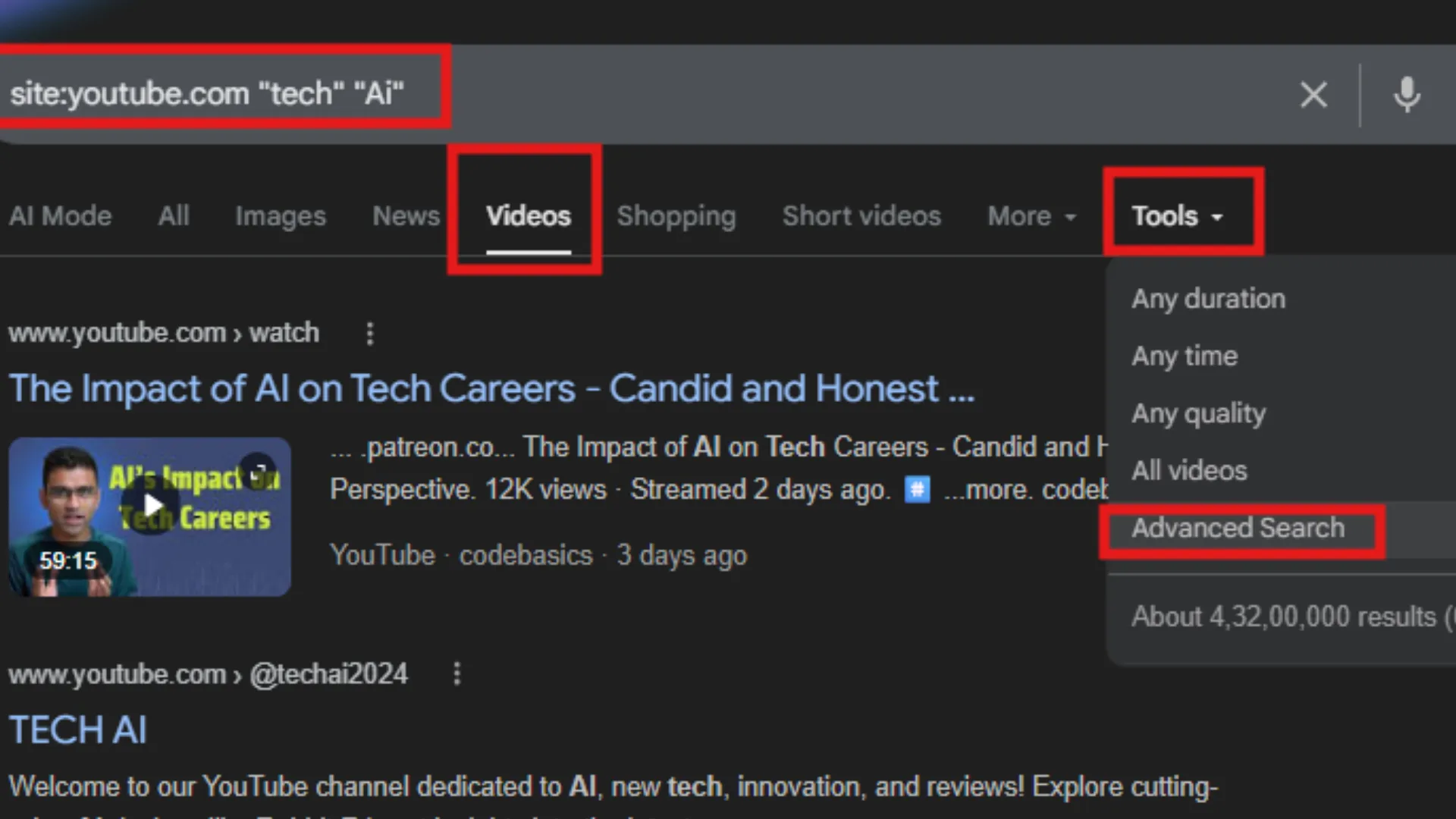
If you are searching for old YouTube videos from a particular time period, such as the “Golden Age” of YouTube vloggers in 2010, Google is actually a more useful resource than YouTube itself.
1. Search Google: Open a Google search page.
2. Enter Your Search: Enter your keywords with “site:youtube.com”.
3. Choose the Videos Tab: This will eliminate web pages from your search and display only videos.
4. Click Tools: This button is located below your search bar.
5. Custom Range: Click on “Any time” and choose “Custom range.” This is where you can enter the date range for your search (for example, 01/01/2007 to 12/31/2008).
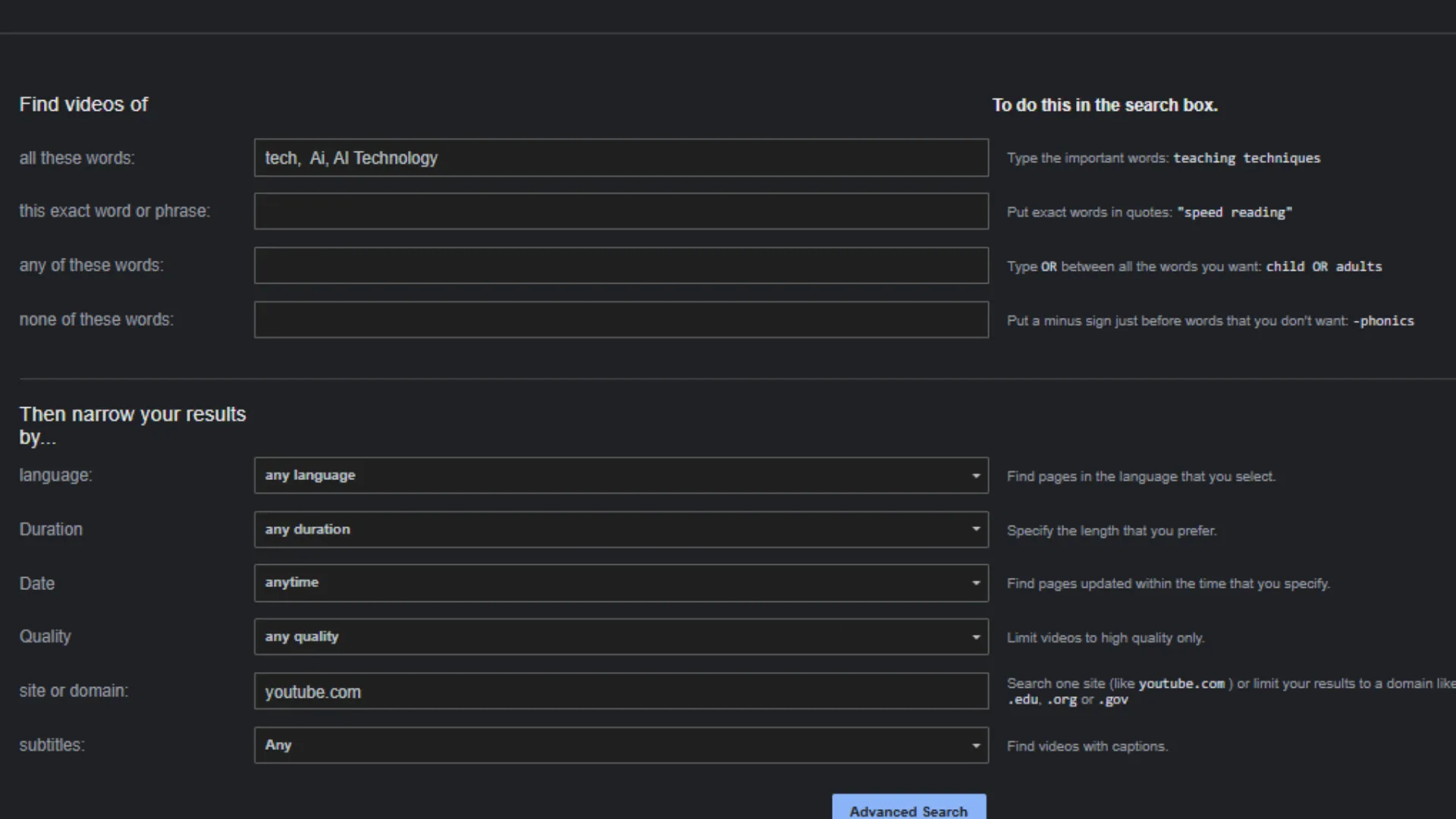
This is the best strategy for anyone interested in learning how to search for old YouTube videos that are hidden away by the current algorithm.
Method 3: Using Search Operators (The Pro Way)
For YouTubers who want to be fast, you can use “commands” directly in the YouTube search bar. This is a “hidden” feature that makes it easy to determine how to find a YouTube video from years ago.
- Before/After Command: Type `[keyword] before:2015-01-01.
- Specific Range: Type `[keyword] after:2009-01-01 before:2011-01-01.
These commands are the quickest solution to how to find the old YouTube videos without having to navigate through a series of filter menus. It enables you to determine the exact month when a trend began.
Why YouTubers Should Study Old Content
As a content creator, learning how to search for old YouTube videos is more than just a walk down memory lane. It is market research.
Analyze Trends: Observe the change in thumbnails and titles over 15 years.
Find Content Gaps: Examine old popular videos and determine if the content is still relevant. You can create a “2026 version” of that evergreen subject.
Technical Growth: Observe the early days of your favorite YouTubers and remember that everyone starts somewhere with subpar equipment and poor editing.
Final Thoughts
Learning the art of “deep searching” is a skill all modern content creators should master. Using the site’s filters, Google’s custom date search tools, or advanced search operators, you can learn how to find old YouTube videos and never lose sight of the history of digital culture. By examining how content was created in the past, you can gain a clearer vision of where your channel should head in the future.
Frequently Asked Questions
Q1. How do you search YouTube videos from oldest to newest?
You can sort the videos by going to the channel’s Video Tab, selecting the sort option, and choosing Oldest. This makes the videos appear in chronological order, from oldest to newest.
Q2. How to find a YouTube video from years ago?
Type exact video titles, usernames, keywords, etc. Look for playlists as well as archives.
Q3. How to find videos no longer available?
Unavailable videos cannot be accessed, but you might be able to find them on re-upload sites or mirrors such as the Wayback Machine.
Q4. How to search for old YouTube Videos?
Use keywords, filters, upload date, video type, custom date, and advanced search on YouTube.