


YouTube Shoppable: Key Takeaways
- YouTube Shoppable lets viewers purchase products directly by tapping on it while watching content.
- Creators need at least 10,000 subscribers and must be eligible for monetization to use product tags.
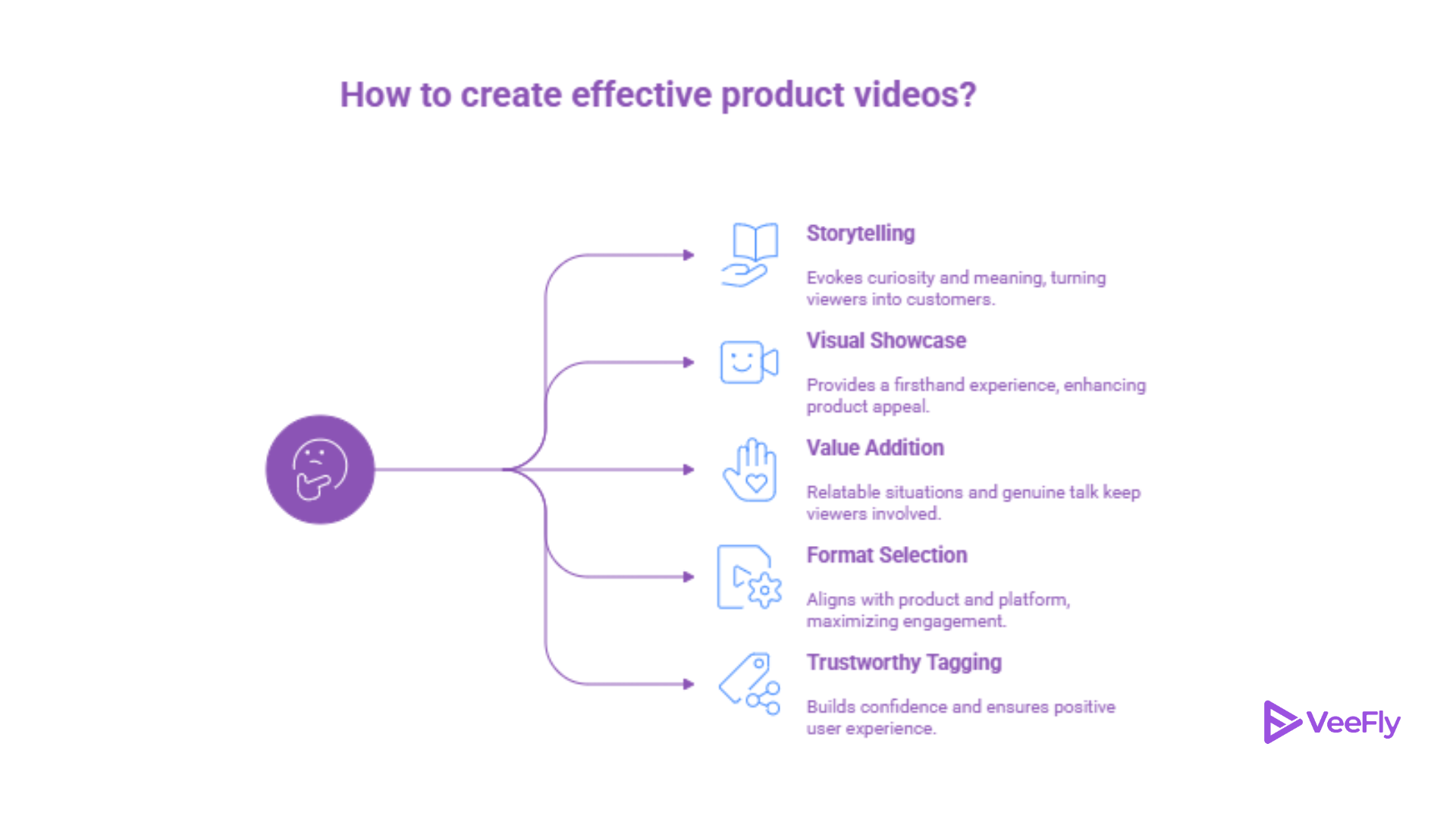
- Storytelling and content that resonate with viewers are more effective in persuading them to buy products.
- Showcase products using visuals, tutorials, unboxing videos, and by featuring trusted items.
- Maintaining consistency, promoting content, and engaging with viewers can help increase sales and grow your subscriber base.
What is a YouTube Shoppable Video?
A shoppable video is YouTube content that surfaces product metadata and purchase links directly inside the watch experience, allowing viewers to discover and buy without leaving the platform.
Unlike traditional videos where viewers have to search for product links in descriptions, shoppable videos integrate purchasing options into the viewing experience through several official YouTube features:
Product tags: Clickable product pins shown in videos, Shorts, and live streams that lead viewers to brand stores or affiliate product pages.
Timestamp tagging: Products appear at specific moments in the video, such as during a demo or review. In YouTube’s 2023 tests, creators using timestamp shopping saw product clicks double compared to regular tags.
Shopping Collections: Curated product lists displayed on a channel page, organized by theme, campaign, or video type.
YouTube Affiliate Hub: Helps creators partner with brands and earn commissions through platforms like Shopify, Amazon, and other supported merchants.
Product shelves: A scrollable row of products displayed below the video, making it easy for viewers to browse and shop.
Who Can Add Shopping Features to Their Videos?
Not every channel qualifies for YouTube Shopping. Here are the current requirements:
- Active member of the YouTube Partner Program
- 10,000+ subscribers
- Shopping features available in your region
- NOT a YouTube Kids channel
- NOT an official music or artist channel
The eligibility criteria exist because YouTube Shopping is designed for creators who’ve demonstrated consistent content quality and audience engagement. If you meet these requirements, you can enable Shopping features through YouTube Studio’s monetization settings.
Check your YouTube Shopping eligibility on YouTube’s official support page, as requirements and regional availability can change.
How to Create a YouTube Shoppable Video?
To create a shoppable video on YouTube, you need to connect your Google Merchant Center account to a monetized YouTube channel, upload a product feed, and then mark products in videos and get data using YouTube Studio. This enables users to click and buy products directly from the video through a product shelf or embedded tags.
Steps to make Shoppable Video
1. Meet Eligibility Requirements: Verify that your channel is part of the YouTube Partner Program, is not marked as “Made for Kids,” and has no active community guideline strikes.
2. Set Up Merchant Center: Sign up for a Google Merchant Center account and upload your product catalog (product feed).
3. Link Your Store: In YouTube Studio (mobile or desktop), go to the “Earn” tab, click on “Shopping,” and link your store (Shopify, Spreadshop, etc.).
4. Tag Products in Videos:
- Log in to YouTube Studio and choose a video to edit.
- Click on the “Products” option in the video details.
- Search for products from your linked store and add them.
- Add timestamps to match the products with when they appear in the video.
5. Publish and Promote: After saving the video, the products will be displayed in a shelf below the video and as tags in the video playback.
Tips to Increase Engagement on Shoppable Videos
If you bring more viewers to the Shoppable videos, the probability of your earnings will also increase. Here are some practices to bring more engagement.
- Promote with ads: Run targeted ads so your shoppable videos reach people already looking to buy.
- Tag products in old videos: Add product tags to past content to earn from videos you’ve already made.
- Use shopping to grow your channel: Product-focused viewers may discover your channel and subscribe.
- Post consistently: Regular uploads help YouTube recommend your videos more often.
- Check analytics: See which products and videos perform best and make more of what works.
Conclusion
The YouTube shoppable experience will be better if you add storytelling elements to it. That doesn’t mean it has to be vague; the story involves viewers, and as a creator, you have to present products in a manner that helps them make better purchasing decisions. We discussed the requirements to add product tags in shoppable videos and then witnessed what it takes to make those videos reach the right people.
Frequently Asked Questions
Q1. Is there a limit to how many products I can tag in one video?
No, there isn’t a limit to tag products, but it’s best to add relevant products and keep it limited for better engagement.
Q2. What types of videos work best for YouTube Shopping?
Unboxing, tutorials, reviews, lifestyle, etc videos work best as they showcase products naturally.
Q3. Do shoppable videos affect watch time or monetization?
No, Shoppable videos don’t reduce watch time; instead, they can boost engagement and offer opportunities for earnings through product sales.
Q4. Can I tag my own products in YouTube Shoppable videos?
You can tag products that are integrated within YouTube Shopping. If your products are incorporated, add them to the video.