


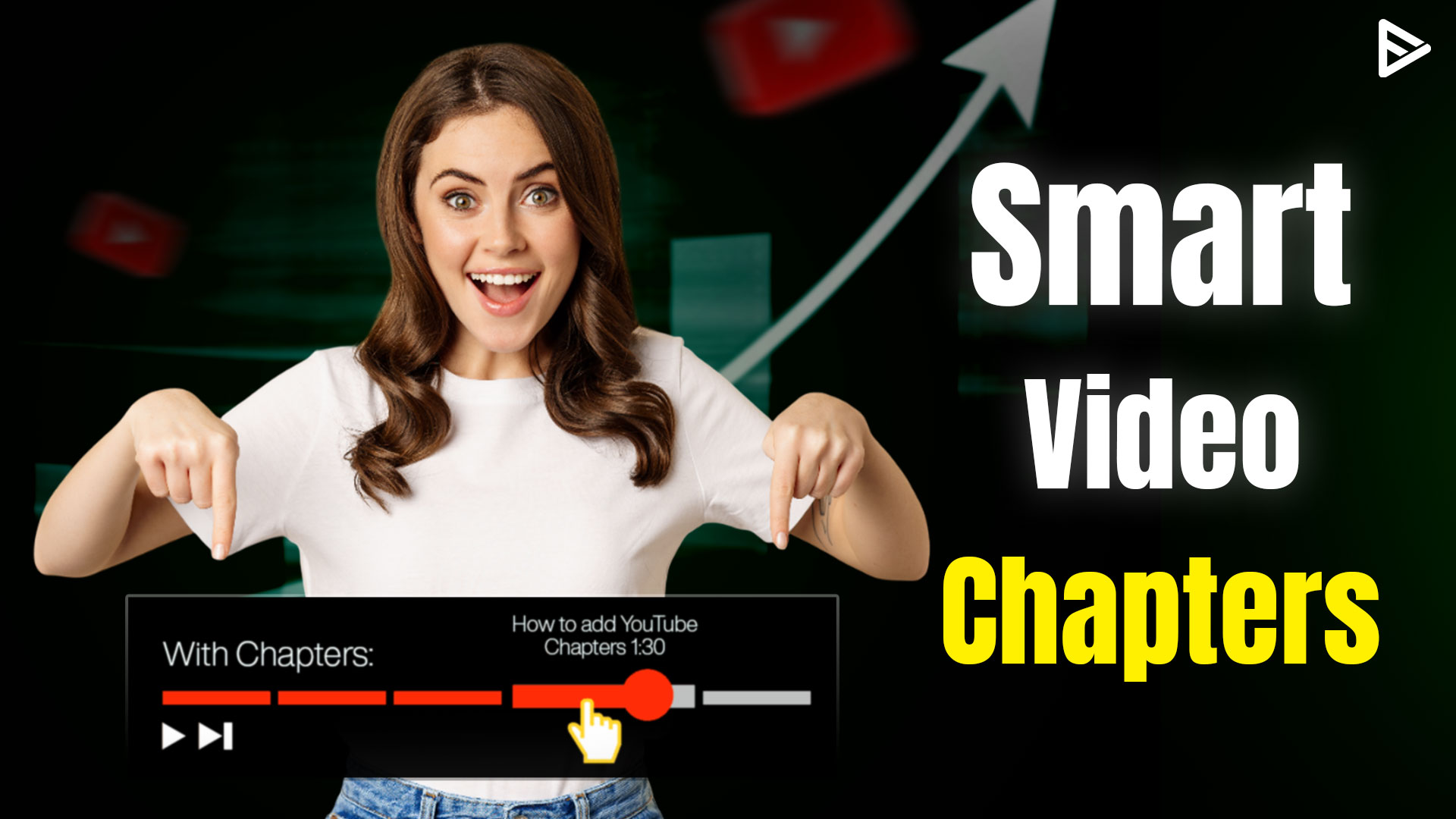
Key Takeaways
- YouTube chapters as an index that will allow viewers to access the information they need in the shortest possible time.
- SEO: Including chapters either manually or through auto-generated options increases the likelihood of showing up in Google Video Snippets.
- Two Options: Chapters can be added manually through timestamps in the video’s description or generated automatically by YouTube.
- Correct Formatting: For chapters to work, they have to begin with 0:00 and include at least three timestamps.
- Chapters Help YouTube Algorithm Understand Videos: Adding chapters allows the YouTube algorithm to analyze the content more accurately.
YouTube chapters have been introduced as a feature a while back. But as a creator, you needed to add the chapters you want, to your video. So if you heard the term auto generated chapters on YouTube you might be wondering ‘What are YouTube auto generated chapters?’ Let’s learn everything we need to know about auto generated chapters.
What Are YouTube Auto Generated Chapters?
YouTube chapters have been a feature for some time, but initially creators had to manually add them. With auto-generated chapters, YouTube can now automatically create these chapter segments for your videos. In this guide, I’ll explain how to use them and why they’re worth adding to your YouTube videos.
Mastering YouTube Auto Generated Chapters and Manual Timestamps
If you have ever tried to find a particular step in a 20-minute tutorial, you are aware of the hassle involved. The creator’s objective is to eliminate this hassle for his audience. The best way to do this is to use YouTube chapters, either through the automatic creation provided by YouTube or by manually adding timestamps to the video.
Not only does this provide convenience for the audience, but it is also incredibly beneficial for your overall YouTube marketing strategy. With each chapter title, you give YouTube a hint of what your video is about.
What Are YT Auto Generated Chapters?
If you’re watching a YouTube video that is 1 hour long you are most likely to get bored within the first 20 minutes of the video. But what if the video came with timestamps as to which topic is covered where? Won’t that make your viewing experience easier? This is exactly where YouTube chapters come in.
YouTube chapters divide a video into segments, making it easy for viewers to jump to the segment they want to watch. Earlier, these chapters were only applicable manually, but now YouTube has learned to auto-generate chapters.
So YouTube auto generated chapters are automatically created segments in a video that make the viewer’s watching experience easier.
How to Add Chapters to a YouTube Video
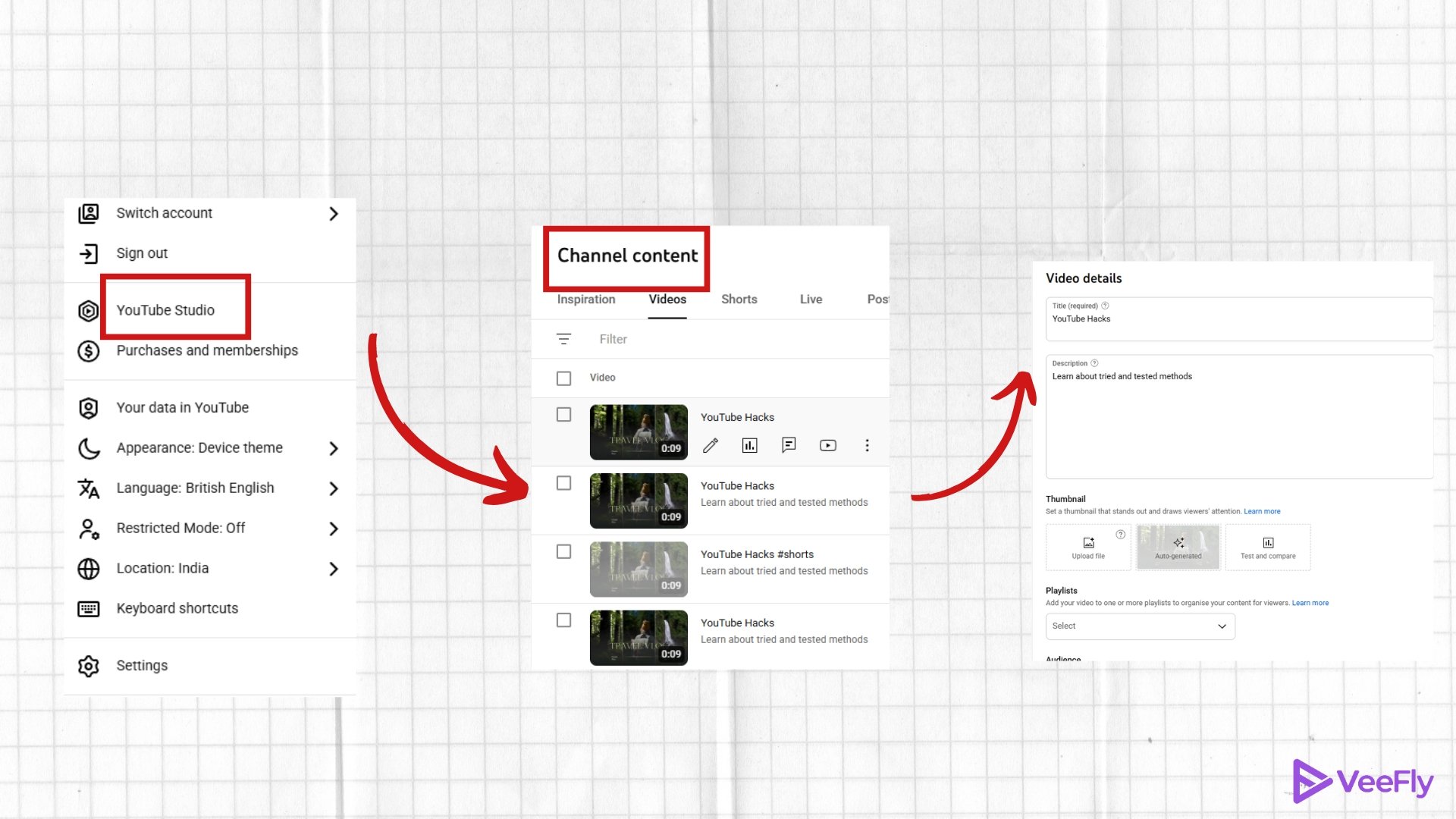
There are two ways to add chapters to your YouTube videos: manually and automatically. Let me show you both methods.
How to Add Chapters Manually
To manually add chapters to your video:
1. Log in to YouTube Studio
2. Go to Content
3. Select the video you want to edit
4. Click Details
5. In the description box, add timestamps like this:
- 00:00 Introduction
- 01:23 Main topic begins
- 03:45 Next section
YouTube will automatically recognize these timestamps as chapter starters.
YouTube How to Add Chapters (Automatically)
Here’s how to enable this feature:
1. Sign in to YouTube Studio
2. Select Content from the left menu
3. Find the video you want to add chapters to
4. Click the pencil icon/edit
5. Scroll down to the Automatic Chapters section
6. Check the box to allow automatic chapters
YouTube will then automatically divide your video into chapters when it’s long enough.
Why Should You Add Chapters On YouTube Video?
Before we get to the part where we tell you how to use YT auto-generated chapters, let us first talk about why you should add them. Here are the key reasons:
Chapters Make Videos Easy To Watch
Adding YT chapters will allow viewers to jump directly to interesting sections, enhancing the viewing experience and making it personalized and interactive. This means the viewers see their favorite part without scrubbing through the entire video. This automatically enhances the viewer’s attention.
You might also think it will lead to less watch time, won’t you? Well, you are right. But what if we tell you that when you quickly provide what the users are looking for, it signals to YouTube that your video is doing well? It will boost your video’s YouTube search and gain more viewers over time.
Chapters Improve SEO For Videos
Another reason to add chapters to your videos is to improve their SEO. This will help YouTube understand the content better. YouTube chapters are considered a part of the video metadata. Each chapter’s title will be a keyword, making it more discoverable in the search results. This means better visibility, improved rankings, and a wider audience for your content.
Add Keywords Better Video Rankings
Instead of naming your chapter as “Step 1,” try including your keywords. For example, if you’re creating a video on baking, your chapter name should be “Baking Your Vegan Chocolate Cake” at 4:23. This trick will help Google feature your video under “Suggested Clips” for your search query.
Benefits Of Automatic YouTube Chapters
Auto-generated chapters save you time while still providing the benefits of having chapters. They improve viewer experience by making it easier to navigate your content and can help with SEO and discoverability. YouTube also considers chapters as a signal when recommending videos, so auto-generated chapters can help your videos reach more viewers.
- Saves Time: Auto-generated YT chapters eliminate the need to manually add timestamps, saving creators time. Especially for longer videos, several topics will be discussed, and automatic chapters can be valuable.
- Boosts Retention: It improves watch time and helps viewers jump to relevant video parts, keeping them longer.
- Encourages Exploration: Clear chapters encourage viewers to explore more content instead of dropping off early. Automatic chapters save effort while improving video performance and viewer satisfaction.
Tips for Using YouTube Auto Generated Chapters
- Make sure your video is long enough for chapters to be effective
- Check that chapters appear correctly before publishing
- Use clear, descriptive titles for each chapter
- Combine auto-generated chapters with manual optimization when needed
YouTube auto generated chapters are a powerful feature that makes your videos more user-friendly and can help boost your channel’s performance.
Using Tools to Simplify the Process
If your channel receives lots of traffic, doing things manually may prove to be a burden. That is why there are software applications such as TubeBuddy that are designed to boost your productivity in this regard. Using their Chapter Editor, you will not have to keep going back to the description field while watching videos.
Final Thoughts
The art of adding chapters to your YouTube videos is among the simplest steps that can be taken in order to make your channel seem more professional. By using either the automatic chapter generator on YouTube or making your own chapters in order to enhance search engine optimization (SEO), what you are basically doing is providing a better road map for both your audience and the YouTube algorithm itself.
Hopefully, now you understand YouTube auto-generated chapters and how to use them properly! If you’re facing issues like YouTube chapters not working, we are here to help.
Frequently Asked Questions
Q1. Why aren’t chapters appearing in my YouTube video?
If the chapters do not appear in the YouTube video, you must check the incorrect timestamp format or add at least 3 chapters.
Q2. Do YouTube Chapters Increase Views?
Yes. When your YouTube video is more targeted and to the point, YouTube will promote it better.
Q3. What is the maximum number of chapters on YouTube?
There is no set limit. You can add numerous chapters depending on the length of your videos and the topics covered. However, each chapter must be 10 seconds long.
Q4. Do you need 1000 subscribers to use chapters?
Regardless of the subscriber count, chapters are available to all creators.
Q5. How long does it take for YouTube chapters to appear?
YouTube chapters can appear immediately once you have added all the details in the video’s description. Once formatted and saved, the chapters will appear in a few minutes. Auto-generated chapters take a day or two to appear.