


Key Takeaways
- What is a super sticker on youtube? Animated graphics fans buy to show appreciation during livestreams
- What are super stickers on youtube worth? $0.99–$50 per sticker, with creators keeping 70%
- Super stickers youtube require YPP membership, age 18+, and eligibility in 70+ countries
- YouTube super stickers work on desktop, iOS, and Android—but not mobile browsers
- Viewers can spend $500/day or $2,000/week maximum. Purchases are non-refundable per YouTube policy
Heard about super stickers youtube but still wondering what they are and how they help creators earn? You’re not alone. YouTube continuously upgrades its features to give creators more ways to engage with their community and monetize their content.
YouTube Super Stickers let fans show appreciation through animated graphics that stand out in live chat. While directly supporting your channel. This guide covers everything you need to know about what are super stickers on youtube, including pricing, eligibility, how to enable them, and how much creators actually earn in 2026.
What is a Super Sticker on YouTube?
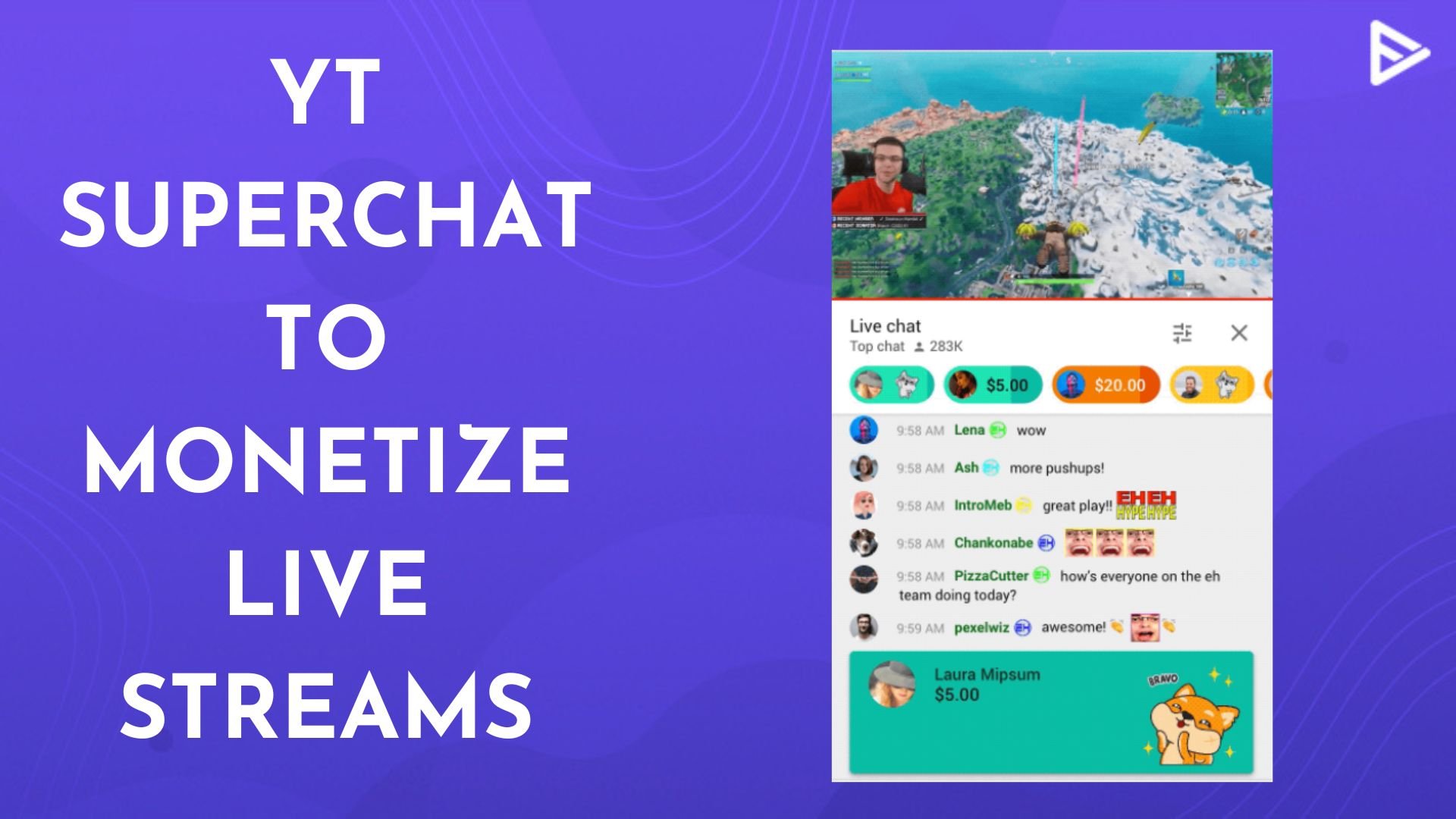
YouTube Super Stickers are animated graphics that fans purchase and send during your livestreams or Premieres. When someone buys a Super Sticker, it appears as a large, pinned animated image in the live chat, making their message impossible to miss.
Key Facts About Super Stickers on YouTube
| Feature | Details |
|---|---|
| What it is | Animated graphical stickers in live chat |
| Price range | $0.99 – $50 per sticker |
| YouTube’s cut | 30% of each transaction |
| Creator’s share | 70% of each transaction |
| Available countries | 70+ countries |
| Languages | 4+ languages |
| Daily spending limit | $500 per viewer |
| Weekly spending limit | $2,000 per viewer |
What is a super sticker on YouTube in simple terms? Think of it as YouTube’s version of Twitch Bits. It’s a visual way for super fans to show love while helping you earn revenue.
Super Stickers launched globally in November 2019 and are now available across gaming, music, fashion, beauty, food, sports, and more niches.
What are Super Stickers on YouTube and How They Work?
Here’s the complete breakdown on what are super stickers on youtube exactly.
How Super Stickers Appear in Chat
When a fan sends a Super Sticker:
- It displays as a large animated image pinned at the top of the chat stream
- The sticker stays visible with a countdown timer showing how long it remains pinned
- Stickers $5 and above get prominent placement at the top
- Different sticker packs match different content categories (gaming, music, etc.)
Why Fans Use Super Stickers
Fans buy super stickers YouTube to:
- Show appreciation for your content
- Stand out in busy live chats
- Get the creator’s attention during streams
- Support their favorite Channel financially
- Celebrate milestones or big moments in the stream
Sticker Packs and Categories
YouTube launched with 8 sticker packs (5 animated) tailored to popular content niches:
- Gaming: Characters for game celebrations
- Music: Concert-style greetings and applause
- Fashion & Beauty: Style-focused animations
- Sports: Victory and cheer themes
- Food: Cooking and meal-related stickers
- General: Hello, congratulations, and gratitude themes
Sticker packs are available in multiple languages to serve global audiences.
How to Enable Super Stickers on Your YouTube Channel
Not every creator can use YouTube Super Stickers. You must meet specific eligibility requirements first.
Eligibility Requirments
To enable Super Stickers, your channel must:
- Be part of the YouTube Partner Program (YPP)
- Be at least 18 years old
- Live in an eligible country (70+ countries available)
- Comply with YouTube’s Commerce Product Module terms
- Have no active strikes or policy violations
Countries Where Super Stickers are Available(2026)
Super Chat and Super Stickers are available in 70+ countries, including:
- United States, United Kingdom, Canada, Australia
- India, Indonesia, Japan, South Korea
- Brazil, Mexico, Argentina, Colombia
- Germany, France, Spain, Italy, Netherlands
- And 50+ more countries
- Full list available on Google Support.
Steps to Enable Super Stickers(Desktop)
- Sign in to YouTube Studio
- Click Earn in the left menu (Monetization section)
- Select the Supers tab (visible only if eligible)
- If activating for the first time, follow the instructions to qualify for CPM
- Click Turn on next to Super Stickers
Steps to Enable Super Stickers(Mobile)
- Open the YouTube Studio app and log in
- Tap Earn at the bottom of the screen
- Tap the Supers card
- If not visible, navigate to Supers → Get Started → Turn it on
- Follow the on-screen instructions to complete the setup
- Once enabled, Super Stickers appear automatically during your live streams and Premieres.
Where Super Stickers Don’t Work On YouTube?
What is a super sticker on YouTube if it doesn’t work on your video? Super Stickers are not available on:
- Age-restricted videos: Policy restriction
- Private videos: Not publicly accessible
- Unlisted videos: Limited visibility
- Made for kids: COPPA compliance
- Videos with YouTube Giving fundraisers: Separate donation system
- Videos with live chat turned off: No chat = no stickers
- Videos with comments disabled: Chat disabled
- If any of these apply to your stream, viewers won’t see the Super Sticker option.
How Viewers Purchase and Send Super Stickers
Fans can send super stickers youtube during live streams and Premieres. Here’s how:
Requirements For Viewers
- Credit or debit card required (no PayPal or crypto)
- Must be signed into their Google account
- The device must support live chat visibility
- Purchases are non-refundable (YouTube policy)
STEP-BY-STEP: Buying a Super Sticker
- Open a livestream with visible live chat
- Tap the $ dollar sign icon in the chat box
- Select Send a Super Sticker
- Browse sticker packs and choose one you like
- Tap Send for $[amount]
- Follow the on-screen payment instructions to complete
Device Support
| Device | Super Stickers Supported? |
|---|---|
| Desktop browser | Yes |
| iOS mobile app | Yes |
| Android mobile app | Yes (Google Play billing) |
| Mobile browser | No |
| Smart TV | Limited (chat visibility varies) |
Spending Limit for Viewers
- Daily limit: $500 per viewer
- Weekly limit: $2,000 per viewer
- Limits adjust to local currency equivalents
How Much Creators Earn From YouTube Super STICKERS IN 2026
What are super stickers on youtube worth for creators? Here’s the revenue breakdown:
Revenue Split
- YouTube’s cut: 30% of each transaction
- Creator’s share: 70% of each transaction
- Example: $10 sticker = Creator gets $7, YouTube gets $3
Earning Factors
Creator earnings from YouTube super stickers depend on:
- Stream frequency: More live streams = more opportunities
- Audience size: Larger channels attract more donors
- Engagement rate: Highly engaged fans donate more
- Niche/category: Gaming and music typically earn more
- Fan loyalty: “Super fans” drive recurring donations
Real World Earnings Context
While specific Super Sticker earnings vary widely, successful live streamers report:
- Super Chat (related feature) is the #1 revenue stream for nearly 20,000 channels
- Some streams earn $400+ per minute from Super Chats and stickers combined
- Top creators make 5-6 figure incomes from fan funding features
- Live streamers like Nick Eh 30 earn 50% of income from Super Chats + memberships
For 2026, creators in Canada, Korea, Indonesia, Thailand, Australia, and New Zealand also have access to virtual gifts on horizontal streams—a complementary monetization feature.
Super Stickers vs Super Chat vs Channel Memberships
YouTube offers multiple fan funding options. Here’s how they compare:
| Feature | Super Stickers | Super Chat | Channel Memberships |
|---|---|---|---|
| What it is | Animated graphics | Pinned text message | Monthly subscription |
| Format | Visual animation | Color-coded text | Badge + emoji + perks |
| Price range | $0.99 – $50 | $1 – $500 | $4.99 – $24.99/month |
| Duration | Temporary (countdown) | Pinned temporarily | Recurring monthly |
| Best for | Visual impact | Text messages | Ongoing support |
| YouTube cut | 30% | 30% | 30% |
Super Stickers extend the Super Chat concept with visual appeal, closer to how Twitch Bits emotes work.
Pro Tips to Maximize Super Sticker Earnings
Want to get more out of super stickers youtube? Try these strategies:
For Creators
- Go live consistently: Regular streams build donation habits
- Acknowledge Super Stickers: Shout out donors when they send stickers
- Create sticker moments: Plan exciting segments where fans want to donate
- Promote your live streams: Use community posts, shorts, and email lists
- Engage with donors: Thank them by name to encourage repeat support
- Keep chat active: Active chats can pause ads for everyone (2026 update)
For Viewers Who Want To Support
- Buy stickers during high-engagement moments
- Use category-matched stickers (gaming stickers for gaming channels)
- Remember: $5+ stickers get pinned longer at the top
Frequently Asked Question
Q1: How does a YouTube Super Sticker look?
When sent, a Super Sticker appears as a large animated image pinned at the top of the live chat stream.
Q2: How much can viewers spend on Super Stickers?
Viewers can spend up to $500 per day or $2,000 per week (adjusted for local currency).
Q3: Where can I access YouTube Super Stickers?
Fans see Super Stickers during livestreams and Premieres with active chat. Creators manage them in YouTube Studio → Earn → Supers.
Q4: Can every creator use Super Stickers?
No. Creators must be 18+, in the YouTube Partner Program, and live in an eligible country.