



How do I delete YouTube videos- Key Takeaways
- When you remove a YouTube video, you permanently lose access to likes, comments, views, and watch time.
- If you’re unsure, unlist or private the video instead. These options remove it from public view without permanently destroying it.
- Deleting a video also permanently breaks the video link. So if the video is embedded on a website, shared on social media, or ranking on Google, those links will stop working.
If you are thinking, ‘how do I delete YouTube videos to refresh the content strategy, clear outdated videos, or remove videos for privacy concerns?’ here’s a quick guide on how to delete a YouTube video.
How to Delete a YouTube Video? (Desktop)
Here’s exactly how to remove videos from YouTube in just a few clicks.
- Go to YouTube.com
- Click your profile icon (top right)
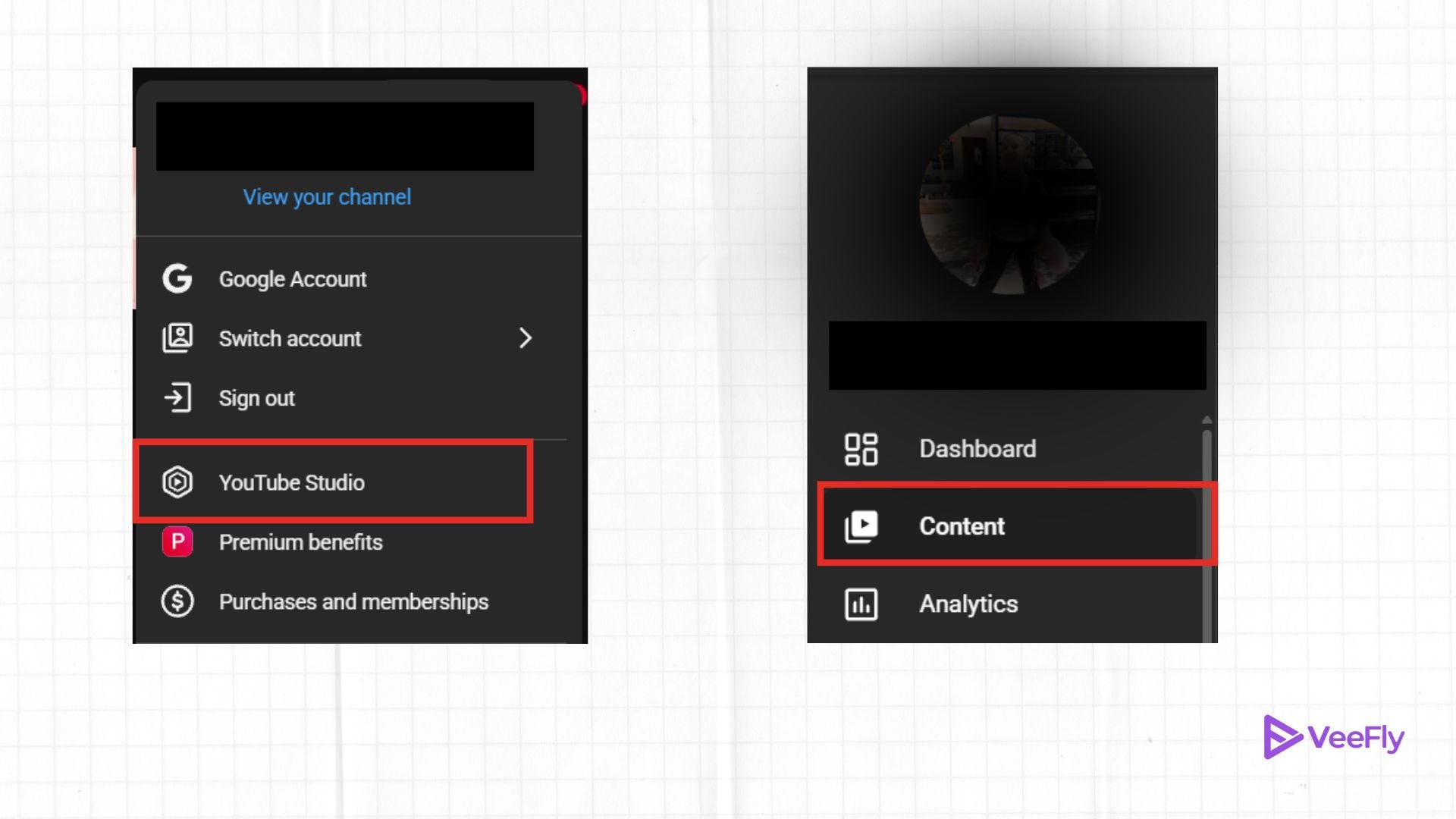
- Select YouTube Studio
- From the left menu, click Content
- Find the video you want to delete
- Hover over the video and click the 3 dots (Options)
- Click Delete forever
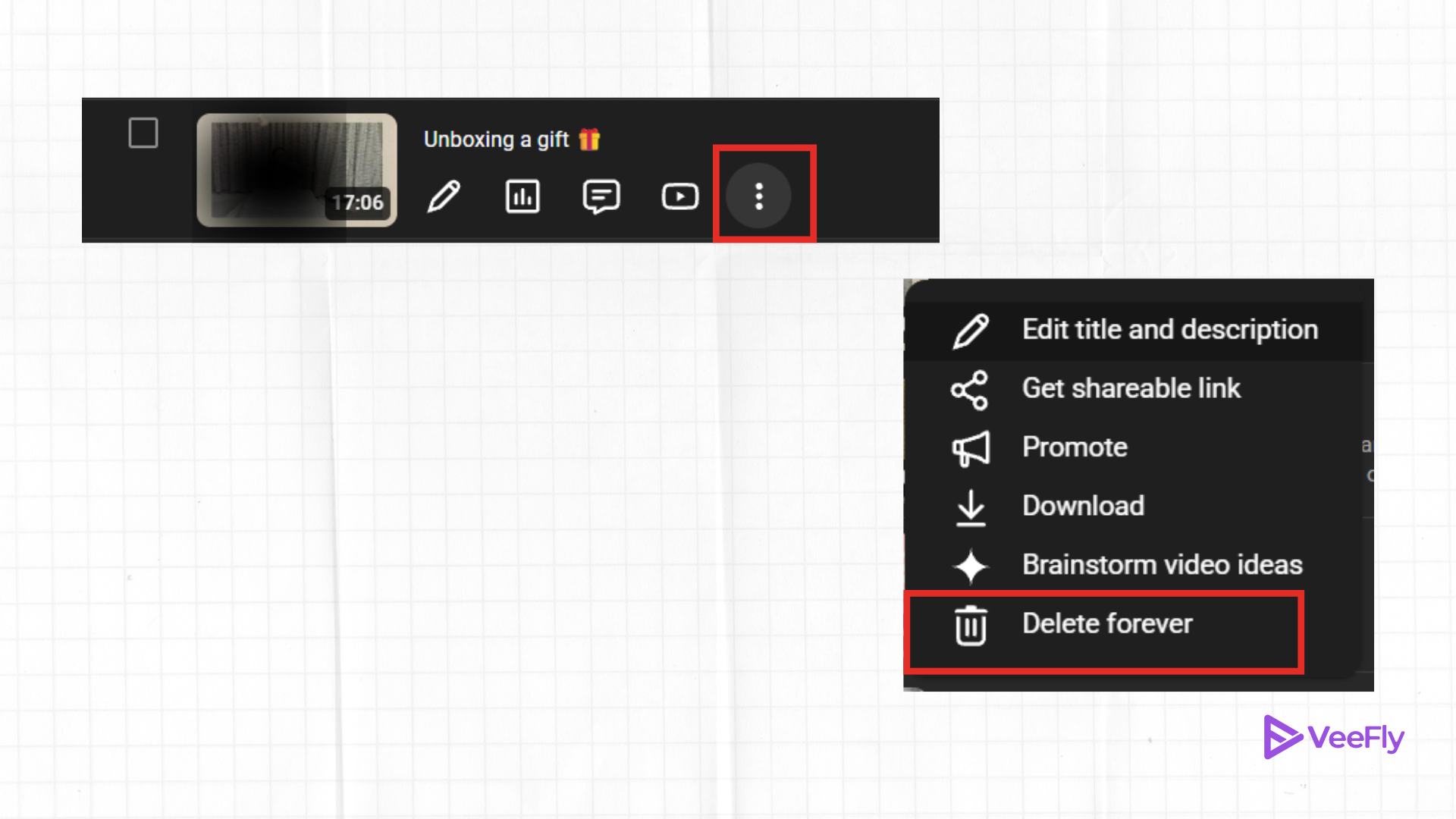
- Confirm the checkbox and click Delete forever
Also, for your future reference, a quick tip is to download a copy of the video to your phone or to cloud storage. Ensure you have a backup of the files before permanently deleting them from the platform. Because once it’s gone from YT, it is gone for good.
How to Delete YouTube Videos on Phone? (Android)
Let’s walk through how to remove videos from YouTube the fastest way on the YouTube mobile app.
- Open the YT app on your phone
- Tap on the profile picture (Bottom right)

- Select ‘Your Videos’
- From the video, Shorts, or playlist section. Select a video
- Tap on the three dots
- Choose Delete
- Confirm Deletion
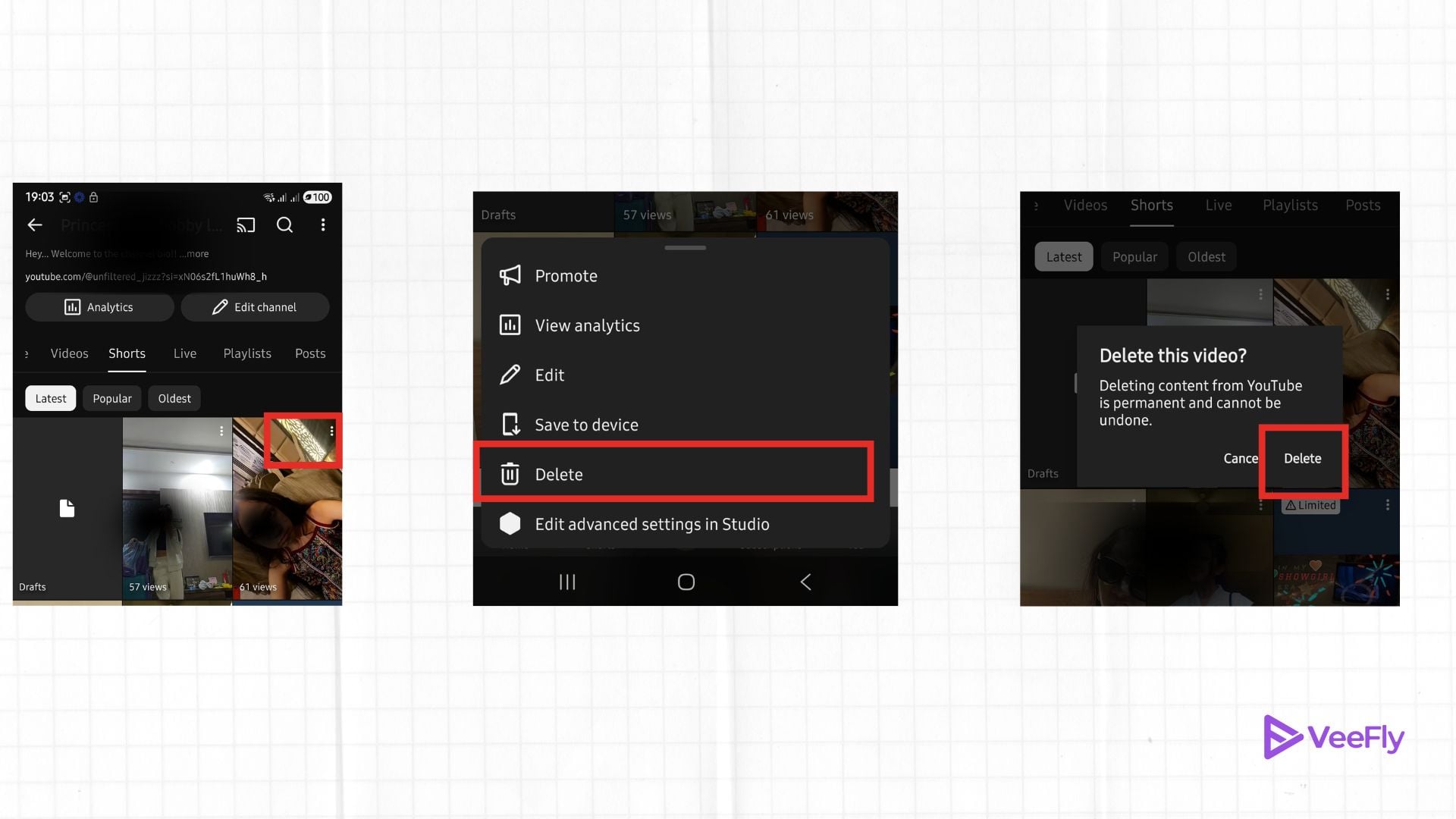
Also, if you are searching for how to delete a YouTube video on iPhone, the process stays exactly the same in the app. But even if you deleted the video by mistake, you can still restore it from the trash folder within 30 days; after that, it won’t be possible. However, officially, YouTube doesn’t let you restore videos once they’re permanently deleted, and all watch history, stats, and comments are gone forever.
How to Delete All YouTube Videos At Once? (Desktop)
Even though YouTube does not allow you to delete the entire library in one click in the YT Studio app, there is an option to bulk delete YouTube videos. We recommend using this feature cautiously, as it permanently deletes all video performance metrics. Here are the steps to delete YouTube videos at once on your desktop.
- Go to YouTube Studio
- Click Content
- Use the checkboxes to select multiple videos
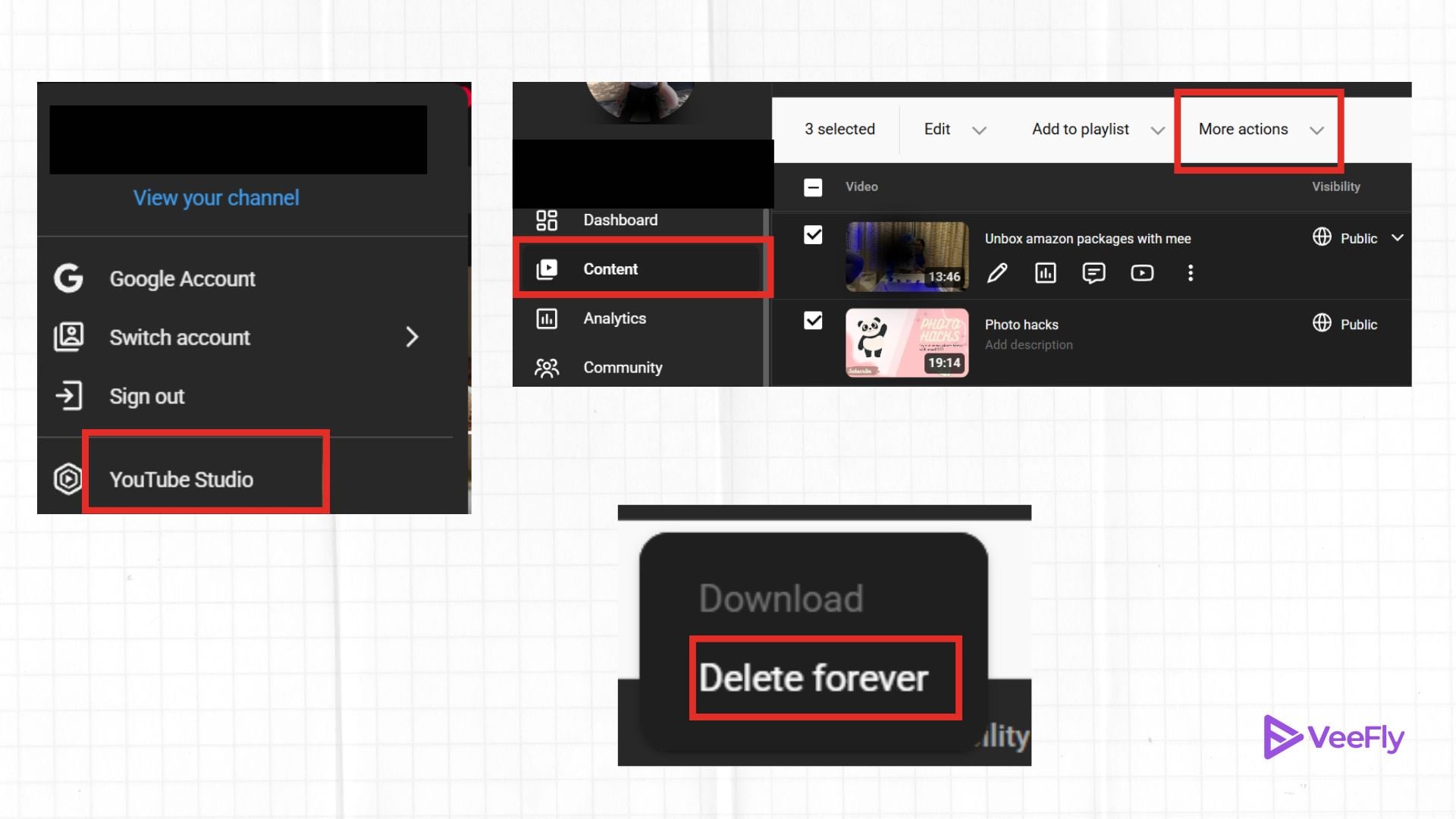
- Click More actions
- Select Delete forever
- Confirm and delete
Final Thoughts
We hope the detailed guide on deleting YT videos is helpful. However, we recommend that instead of removing every video from your channel, you set all videos to private or unlist them in bulk. If your only goal is to remove everything from the public eye, then this is the safest option, as it gives you enough time to reconsider. If you unlist or make YouTube videos private, then it is a reversible action.
Frequently Asked Questions
Q1. How do I delete saved videos in YouTube on my phone?
Open the YT app> Go to downloads> tap on the three dots next to the video> Choose the option of Delete from downloads. These steps will only delete the saved or downloaded videos from your channel.
Q2. How do I get a video removed from YouTube?
To request a video’s removal, you can report it for policy violations like harassment or hate speech, file a copyright takedown if it uses your content, submit a privacy complaint for personal information exposure, or simply ask the uploader to delete it.
Q3. How do I remove unwanted videos from my YouTube homepage?
To remove unwanted videos from your homepage, you can hide specific videos by selecting ‘not interested’ or ‘don’t recommend channel’. For better results, clear or pause your watch history, and remove specific videos from it.
Q4. Can deleted YouTube videos be found?
YouTube usually won’t let you restore deleted videos. But you can still watch YouTube videos with third-party tools, web archives, or by locating the file in a local backup.
