


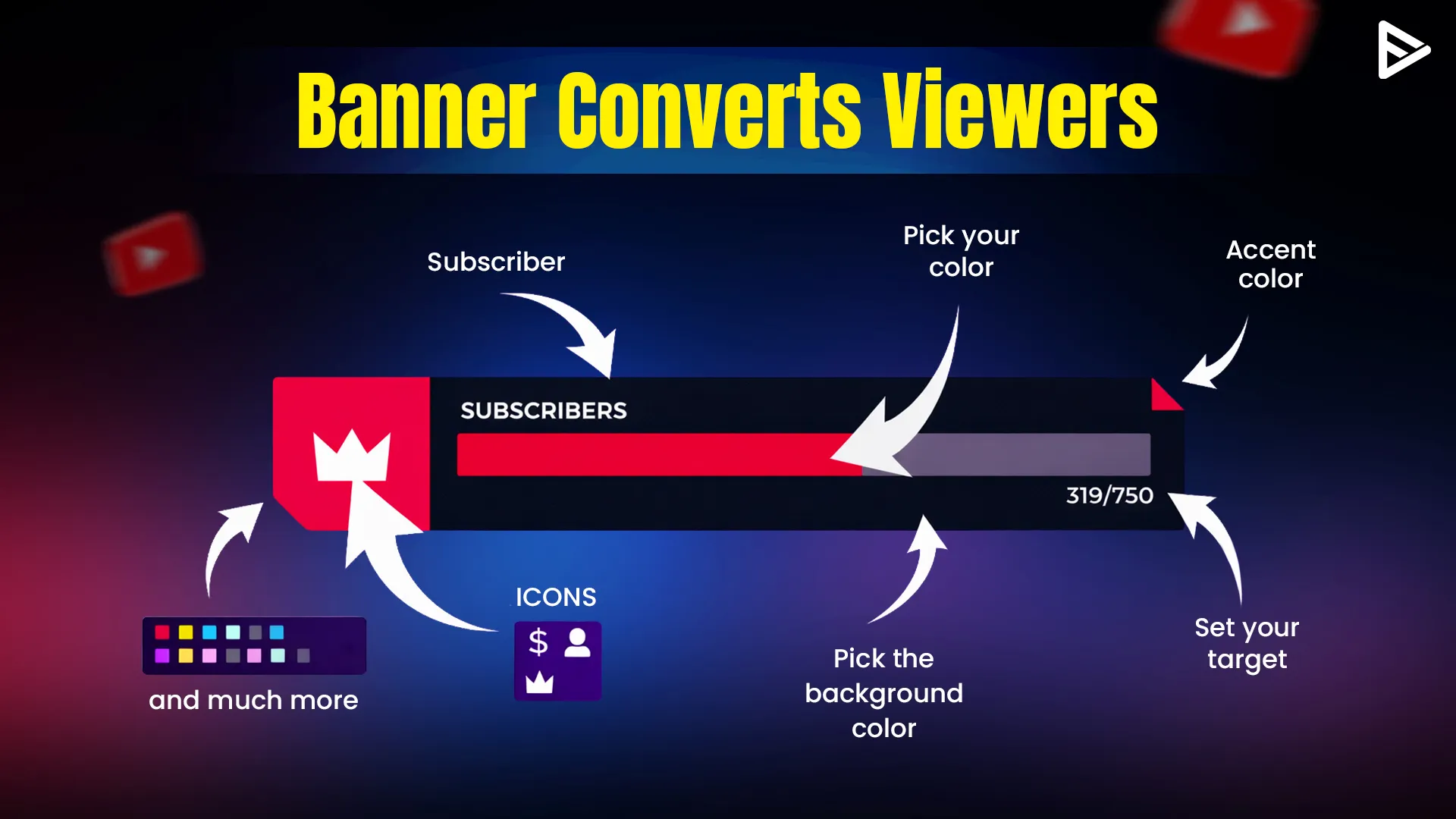
Key Takeaway
- A sub goal banner is a graphic that is placed on your channel or stream that showcases your next goal for subscribers.
- Use clean fonts and high contrast colors so that the banner is readable on mobile and desktop.
- It is easy to learn how to make a sub goal yt banner without any design skills using platforms like Canva or Adobe Express.
- Let viewers know what will happen when the goal is reached (for example, a special giveaway or a 24-hour stream).
- Pick a number that is realistic and will encourage your viewers to help you reach the next milestone.
If you are interested in increasing the number of subscribers to your YouTube channel, you have to give viewers a reason to click on the “Subscribe” button. The sub-goal banner is one of the best ways to achieve this.
Why Visual CTAs Boost Retention and Growth
Including a subscriber goal banner makes YouTube more than just a design element; it’s psychological. According to Google’s Creator Playbook, having a clear Call to Action (CTA) and visual goals can substantially boost viewer retention and conversion rates. Studies by HubSpot also indicate that individuals are 323% more likely to follow directions when they are accompanied by a picture or visual aid.
On YouTube, this is referred to as “social proof.” When a new viewer sees a sub goal YouTube banner with “950/1000,” they know they are part of a winning team. They are the ones who will help you cross the finish line. Without a visual reminder, viewers tend to forget that their contribution matters.
How to Make a Sub Goal YT Banner: Step-by-Step
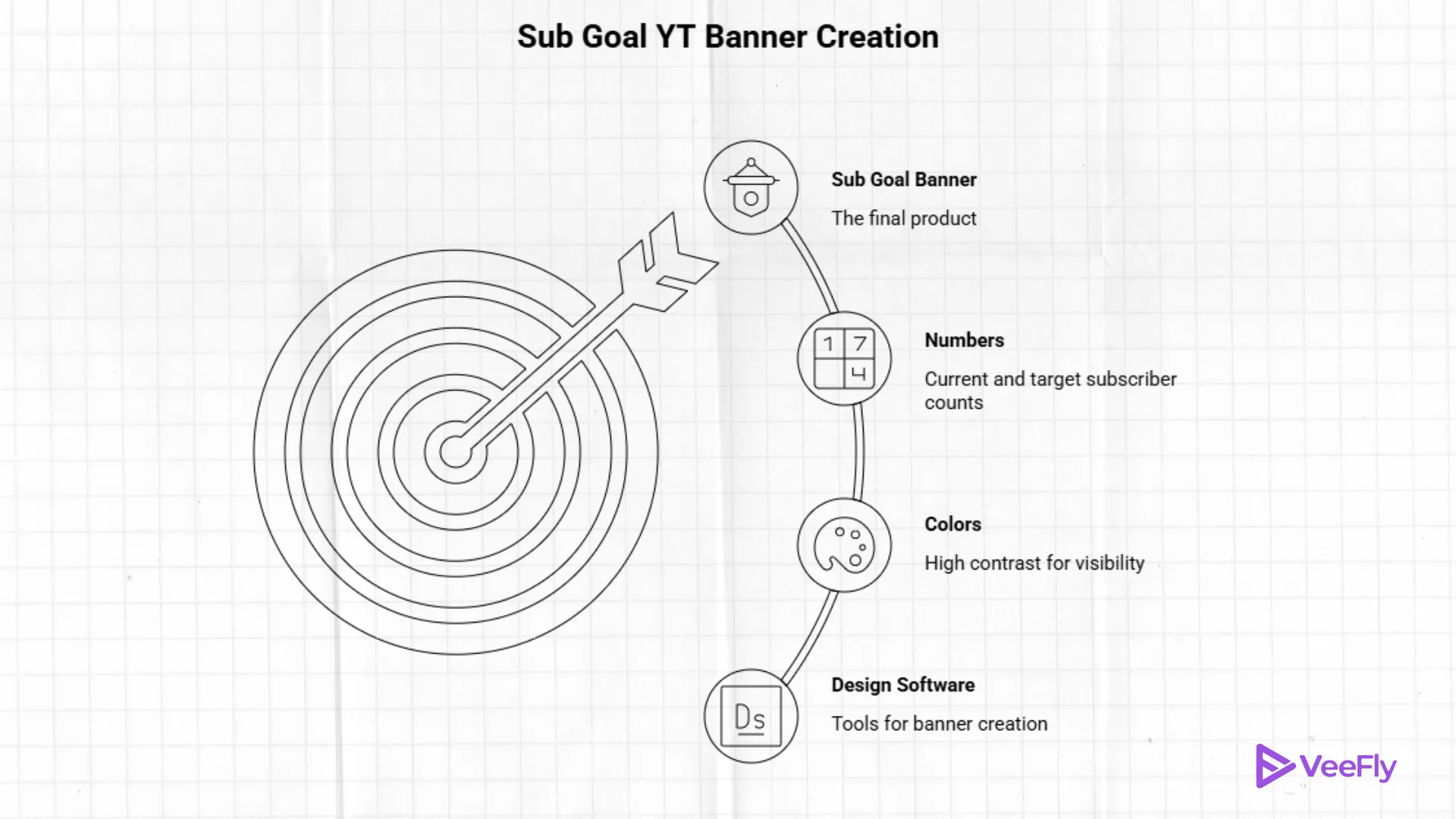
Designing an effective sub-goal banner requires creating a visually attractive and interactive widget that converts viewers into supporters. An effective banner should be easy to read, clearly convey the goal, and motivate people to act, often through gamification.
Key Steps to Create a Converting Sub Goal Banner:
- Use Specialized Tools: Streamlabs, StreamElements, or OWN3D Pro are the best tools for this, as they provide dynamic, automatic, and customizable widgets.
- Set Achievable & Specific Goals: Do not set up impossible goals. Use, for example, a 20-sub target if you currently have 11, or a 300-follower target if you have 260. This will help “hero viewers” cross the finish line for you.
Designing for visibility and simplicity
- Contrasting Colors: Make sure the bar is visible against the background of your stream (e.g., bright colors against dark backgrounds).
- Bold, Readable Fonts: Use fonts such as sans-serif fonts to make it readable on mobile
- Minimalism: Keep the banner clean and simple. Only include the objective, the progress bar, and the total.
Gamify the Experience
- Use Rewards: Provide fun, unique rewards when the goal is reached (e.g., spin the wheel, special, 24-hour stream, or cosplay).
- Use Visual Progress: A progress bar that fills up visually will encourage viewers to contribute and see the effect of their subscription.
Add to Your Streaming Software
- Browser Source: Create a URL from your preferred software(Streamlabs/StreamElements) and insert it as a “Browser Source” in OBS Studio or Streamlabs Desktop.
- Placement: Place the banner in a prominent location that does not obstruct the gameplay, such as at the top of the screen.
Tips for High Conversion
- Include a Clear Call to Action (CTA): Clearly state the goal (for example, “Help us reach 50 subs for a special stream!”).
- Update in Real-Time: Use automated widgets to update the goal as soon as a viewer subscribes, giving them instant feedback.
- Mention the Goal: Remind your viewers of the goal, especially as you approach it.
Elements of a Subscriber Goal Banner YouTube Users Love
A good subscriber goal banner youtube has more than just numbers. To effectively turn viewers into subscribers, you have to add a little personality.
- The Reward: Why should they subscribe? “Help me reach 1k” is nice, but “At 1k, I dye my hair blue!” is even better. Give them a “reward” for reaching the milestone.
- Consistent Branding: Ensure the fonts and colors match your video thumbnails. This will increase channel brand recognition.
- Whitespace: Do not put too much information on the banner. If it’s too cluttered, people will just ignore it. The point of the sub goal youtube banner is to stand out.
Common Sub Goal YT Banner Mistakes to Avoid
Many people learn how to make a sub goal yt banner, but still do not see results because of a few simple mistakes.
First, do not place your text too close to the edges. YouTube resizes banners in different ways on TVs, phones, and computers. Make sure your YouTube sub count banner information is placed in the middle “safe zone” so that it is not cut off on iPhones or Androids.
Second, do not make your goals too high. If you have 100 subscribers, do not set a goal of 10,000. It sounds impossible to the viewer. Make small, achievable goals such as 150 or 200. This will make the viewer feel like their one click really does count.
How to Update Your Sub Goal Regularly
Now that you know how to make a sub goal YT banner, you need to keep it updated. A banner that displays “Goal: 500” when you already have 700 subscribers is unprofessional. It shows your viewers that you are not active.
You should try to update your subscriber goal banner YouTube once a week or every time you reach a milestone in the “10s” (510, 520, and so on). If you are using Canva, it will take you less than two minutes to update your banner.
Final Thoughts
Making a sub goal YouTube banner is one of the simplest ways to get a casual viewer to become a loyal subscriber. By showing your viewers that you have a specific goal in mind, you encourage them to be part of it. Just remember to keep it clean, take note of your “safe area,” and make your rewards fun. When your viewers feel like they are helping you reach a dream, they are more likely to click that button. Begin making your banner today and watch your community grow!
Frequently Asked Questions
Q1. How to make a custom YouTube banner?
Use a design tool(Such as Canva or Photoshop), size it properly, and then upload it through YouTube Studio > Branding.
Q2. What size should a YouTube sub goal banner be?
Design your banner at 1024 x 576 px resolution using any software and then upload it through the channel’s branding page.
Q3. How often should I update my subscriber goal banner?
Ideally, display your milestone, and when it is achieved, you should change it to the next milestone.
Q4. Can small YouTube channels use sub goal banners?
Yes, small YouTube channels should use sub goal banners to encourage viewers to subscribe and channel growth.