


Key Takeaways
- Google Ads reaches 2+ billion YouTube users monthly, letting you bypass organic reach limitations and put your videos directly in front of your target audience.
- You can start with as little as $10/day and provide enough data to optimize effectively.
- There are 7 ad formats, each suited to different goals, and linking your YouTube channel to Google Ads unlocks audience targeting based on your existing viewers and enables proper conversion tracking.
- Audience targeting makes or breaks campaigns, layering demographics, interests, and custom intent signals outperforms broad targeting by a significant margin.
- Wait at least 72 hours before making changes to new campaigns; the algorithm needs time to learn and stabilize.
Why Use Google Ads to Promote YouTube Videos?
YouTube hosts over 2 billion logged-in users visiting monthly. That’s a staggering potential audience, but reaching them organically means competing against millions of other creators for algorithmic favor. Google Ads changes that equation. Instead of hoping your video gets recommended, you place it directly where your target viewers are already watching. And because Google owns both platforms, you get access to search history, browsing behavior, purchase intent signals, and demographic information.
Why Do YouTube Ad Formats Matter for Google Ads?
Google Ads offers seven distinct YouTube ad formats, each with different strengths, limitations, and payment models. Choosing the right one depends on your campaign goal and how you want viewers to interact with your content.
1) Skippable In-Stream Ads: These play before, during, or after other videos. Viewers can skip after 5 seconds. You pay when someone watches for 30 seconds or takes an action, like clicking. Best for driving views and consideration.
2) Non-Skippable In-Stream Ads: 15 seconds or shorter, played before, during, or after content. Viewers must watch the entire ad. You pay per impression, YouTube CPM. Best for broad awareness when you need complete message delivery.
3)Bumper Ads: Designed for quick, memorable impressions that have CPM-based pricing. Excellent for reinforcing brand messages or retargeting.
4)In-Feed Video Ads: Appear alongside YouTube search results, on the homepage, and in the related videos section. Viewers click and watch; you pay when someone clicks to view. Strong for driving engaged viewership.
5)Masthead Ads: Premium placement at the top of YouTube’s homepage. Reserved directly through Google sales representatives. They are used for massive reach during product launches or major campaigns.
6)Shorts Ads: Vertical video ads appearing between Shorts content. Growing format as Shorts consumption increases. Priced similarly to in-stream.
7)Performance Max: Google’s AI-driven format that serves ads across YouTube, Search, Display, Discover, Gmail, and Maps from a single campaign. Best for advertisers focused on specific conversion actions.
How to Link Your YouTube Channel to Google Ads?
- Sign in to your Google Ads account.
- Click the Tools & Settings icon (wrench) in the top navigation.
- Under “Setup,” select Linked accounts.
- Find YouTube and click Details.
- Click Add channel
- Enter your YouTube channel URL or search for your channel name.
- Choose link type: Owners (full access) or Managed (limited access for agencies)
- Complete verification via your YouTube account.
How to Set Up a Google Ads Campaign for YouTube Videos
The following sections walk through the Google Ads campaign creation process in the exact order you’ll encounter it. Here’s how to do it right:
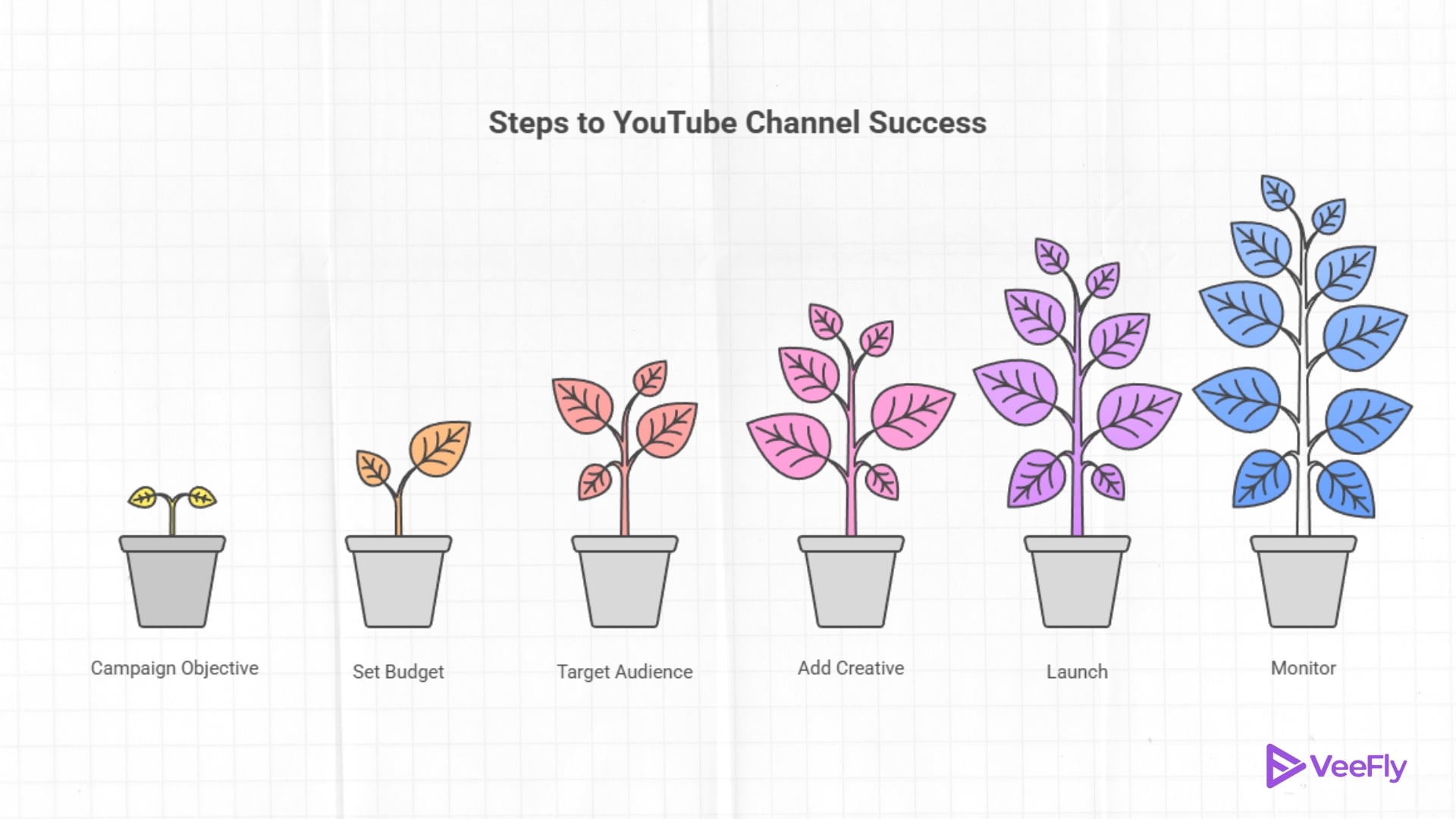
- Step 1: Choose Campaign Objective: When you click on New campaign in Google Ads, you’ll first select an objective. Your choice here determines which campaign subtypes and features become available.
- Step 2: Set Budget and Bidding: This screen determines how much you will spend and how Google optimizes your ad delivery. Testing a new audience or creative is between $15–$30/day.
- Step 3: Define Audience Targeting: Audience targeting is where YouTube advertising gets powerful. You are not just showing ads to random viewers, you are reaching specific people based on detailed criteria. You can set core targeting options, audience, and custom segments.
- Step 4: Add Creative & Video Details: Paste a video URL in the ‘Your YouTube video’ field. Search for a video by title, or access your Asset Library for previously used videos.
- Step 5: Launch, Monitor, and Adjust: With your creative loaded and targeting set, you are ready to launch.
How to Measure and Optimize Ads Performance
Data without action is just noise. Here’s how to turn YouTube ad metrics into better results.
- Key Metrics in Google Ads Dashboard: Navigate to your video campaign and click Columns, Modify columns to add impressions, views, view rate, average cost per view, watch time, click-through rate, cost per conversion, and earned metrics.
- YouTube Analytics Integration: In YouTube Studio, check Analytics to see your traffic sources and audience retention curves for promoted videos.
- Creating Custom Reports: For ongoing management, build a custom report and add campaign dimensions. Save and schedule email delivery (weekly or monthly)
- Focus on Optimization Cycles: Review view rate and watch time metrics, identify creative fatigue, and launch new variations of top performers
Final Thoughts
Paid promotion on YouTube isn’t about buying success, it’s about accelerating discovery. You’re putting your content in front of people who want to see it, faster than organic algorithms would allow. For creators who get the best results, treat advertising as an ongoing experiment. They test hooks, refine audiences, adjust bids, and learn from data. They don’t launch a campaign and forget it; they launch and learn. It often begins with a single, well-structured campaign and, when executed strategically, can accelerate momentum toward viral growth. hence Professional promotion services help amplify reach, target the right audience, and turn initial traction into measurable results.
Frequently Asked Questions
Q1) What is the minimum budget required to run YouTube ads?
There’s no official minimum, but campaigns need enough budget to generate meaningful data. For most campaigns, $10–$20/day is the practical floor; $30–$50/day gives the algorithm more room to optimize effectively.
Q2) Does running paid ads negatively affect my channel’s organic reach?
No, paid promotion operates separately from organic recommendations. In fact, increased watch time and engagement from ads can signal quality to the algorithm, sometimes boosting organic performance. The video itself isn’t penalized for being promoted.
Q3) How long should I test a campaign before making optimization changes?
Wait at least 72 hours for initial data to accumulate and stabilize. For statistically meaningful creative tests, you typically need 1,000+ views per variation. For targeting or bidding changes, 7–14 days of stable data provides a clearer picture.
Q4) Can I use google ads to promote YouTube video?
Yes, you can use Google Ads to promote YouTube videos through in-stream, in-feed, and Shorts ads to target specific audiences. It will be helpful to drive views and subscribers.
Q5) How do I set up conversion tracking for video ad campaigns?
In Google Ads, go to Tools & Settings, then click Measurement, Conversions. Click + New conversion action and choose the relevant source.
