


Key Takeaways:
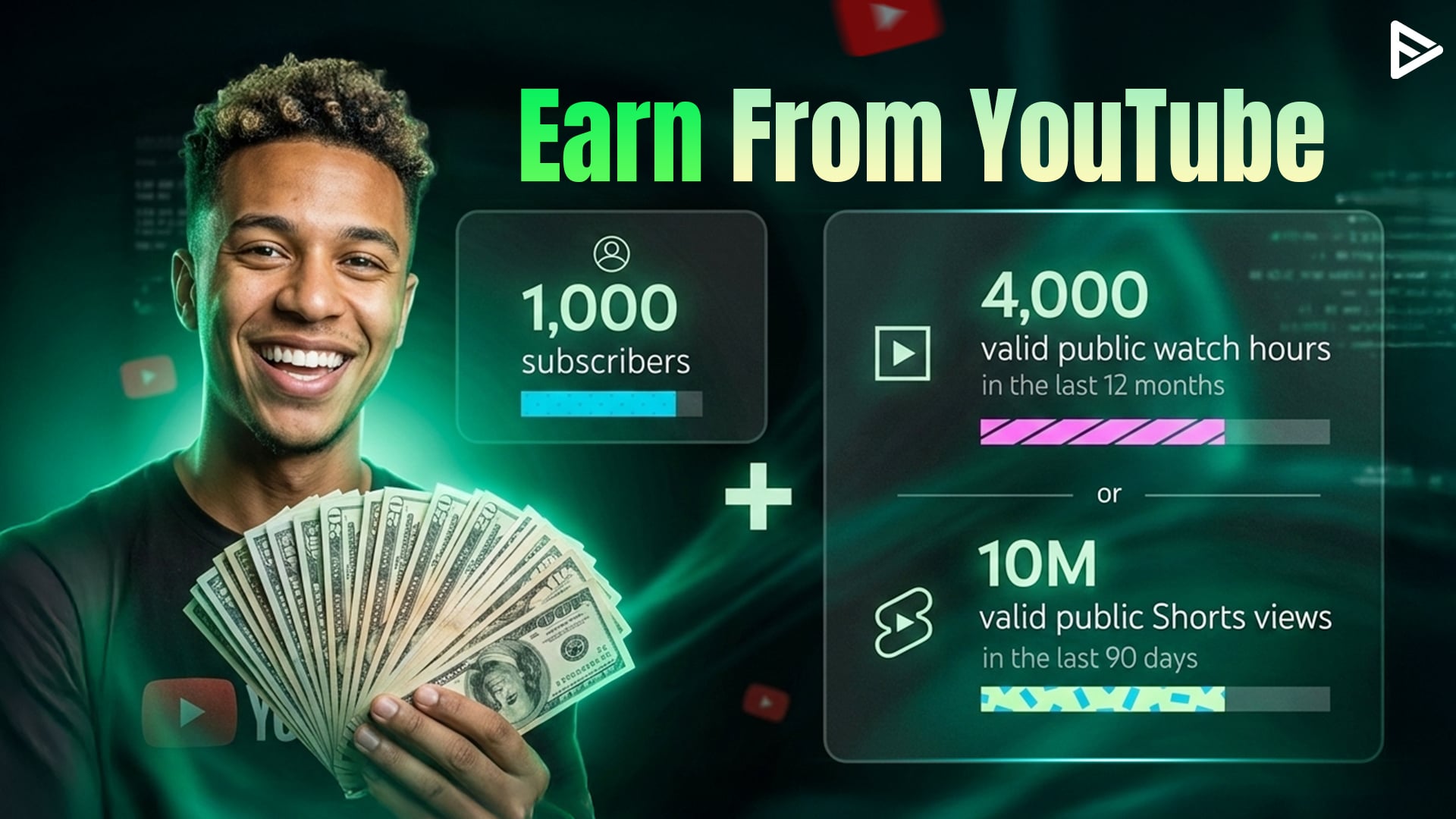
- Meet 1,000 subscribers, plus 4,000 watch hours in the last 12 months, or 10 million Shorts views to qualify
- Apply through YouTube Studio’s Earn tab and link an AdSense account
- Review takes about one month; maintain policy compliance throughout
- Access ad revenue, memberships, Super Chat, and Shopping features after approval
The YouTube Partner Program is YouTube’s official monetization system that connects eligible creators with multiple revenue streams. Long-form creators receive 55% of watch-page ad revenue, while Shorts creators earn 45% from Shorts feed ads. Beyond ads, the program unlocks channel memberships, Super Chat, Super Thanks, and Shopping features that diversify your income. This guide covers the exact steps for how to join the YouTube Partner Program in 2026.
How to Apply for YouTube Partner Program?
The process for applying to the YouTube Partner Program takes approximately 1 month from submission to final decision. Follow these five steps in YouTube Studio.
Step 1: Prepare Your Channel
Review your content against Community Guidelines and copyright policies. Enable two-step verification in your Google Account security settings. Confirm you have no active Community Guidelines strikes. Verify that advanced features are enabled in Studio settings.
Step 2: Start The Application
Open YouTube Studio and click Earn in the left menu. Click the Apply Now button when it appears. If you haven’t met the thresholds yet, toggle Get Notified to receive an email when you qualify.
Step 3: Accept The Base Terms
Read and accept the YouTube Partner Program terms on the Base Terms page. This contract covers revenue sharing, content policies, and your obligations as a monetized creator.
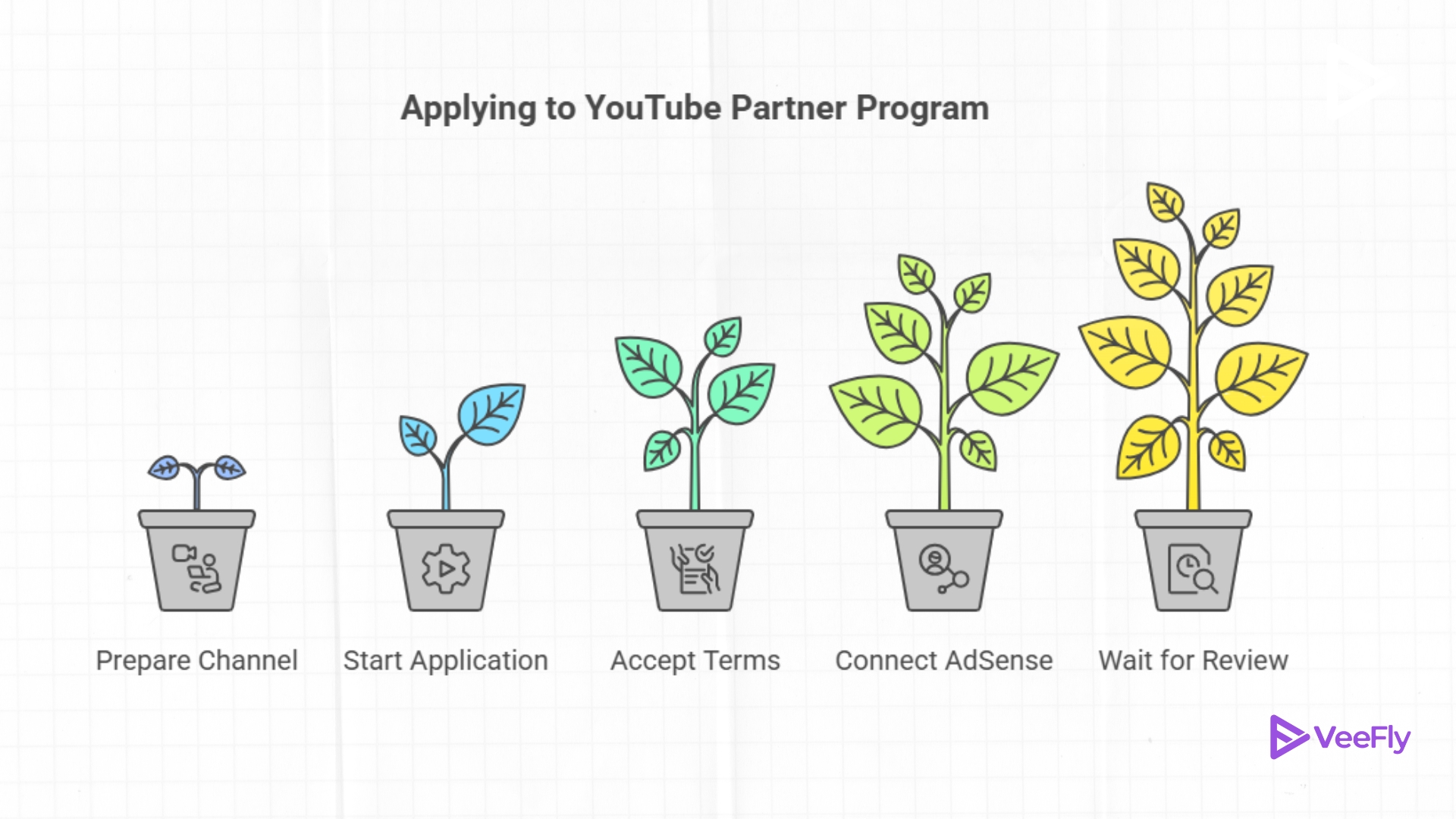
Step 4: Connect Your AdSense Account
Select an existing AdSense for YouTube account or create a new one within YouTube Studio. Use the same Google Account email to prevent approval delays. When creating a new AdSense account, you’ll need to provide identity verification, a valid payment address, and tax information. Complete all verification steps before moving forward.
Step 5: Wait For Review
Typical YouTube Partner Program review time is about 1 month, though holiday periods may extend it to 6 or 8 weeks. Check your application status in the Earn tab under Review Status. If YouTube rejects your application, you have 21 days to submit an appeal through the same tab.
Top Reasons YouTube Rejects Partner Program Applicants
If other than YouTube Partner Program requirements, your application doesn’t get processed, there could be a couple of reasons. Avoid these top issues that disqualify applications:
- Reused Content: Compilations, slideshows, or footage from other creators without significant original commentary or transformative editing fail YouTube’s originality requirements. It is the number one reason for rejection, according to feedback from the creator community.
- Misleading Metadata: Clickbait titles, irrelevant tags, or deceptive thumbnails violate advertiser-friendly content guidelines and trigger rejection during review.
- Copyright Strikes: Active strikes at application time result in automatic denial. Clear all copyright claims in the Studio Copyright tab before applying.
- Policy Violations: Content that breaches Community Guidelines, including spam, harassment, or misinformation, disqualifies your channel from monetization.
If rejected, you can reapply after 30 days. Channels suspended for policy violations must wait 90 days before resuming. The reapplication window may extend based on your reapplication history. Schedule quarterly policy scans to catch issues before they accumulate into strikes.
How to Grow Your YouTube Revenue Post YPP?
Becoming part of the YouTube Partner Program is just the first step. Understanding which YouTube monetization features to activate helps you maximize earnings from day one.
- Watch-page ads: YouTube automatically enables them for long-form videos. Manage ad types and placement in the Studio Monetization tab to balance viewer experience with revenue.
- Shorts feed ads: YouTube automatically activates Shorts monetization. Revenue pools from all Shorts ads and is distributed based on your share of total views in the Shorts feed.
- Channel memberships: Requires 500 subscribers. Offer tiered perks like custom badges, exclusive emojis, and members-only community posts to subscribers who pay monthly fees.
- Super Chat and Super Thanks: Available immediately after approval. Viewers pay to highlight messages in live chats or thank you after watching uploaded videos.
- YouTube Shopping: Tag products in videos after approval and catalog setup through Google Merchant Center. Earn affiliate commissions or sell your own products directly.
Channels that have been inactive for 6 months may lose monetization status. Maintain a regular upload schedule to protect your standing in the program. Even one video every few months keeps your account active and monetization enabled.
Final Thoughts
The thresholds for joining the YouTube Partner Program are reachable with consistent uploads, audience focus, and policy awareness. Track your progress weekly in YouTube Studio’s Earn tab. Prioritize original content that accurately reflects your titles and thumbnails. Clear any YouTube copyright claim or policy issues before you reach eligibility thresholds.
YouTube remains the largest creator monetization platform, and the Partner Program is the primary pathway to earning revenue from your content. You can use YouTube promotional services that help creators accelerate growth toward monetization with targeted Google Ads campaigns that deliver real views and subscribers. In the end, channels must comply with YouTube channel monetization policies, including the Community Guidelines and copyright standards, to maintain an active status.
Frequently Asked Questions
Q1) Does deleting videos reduce my watch hours count?
Yes. YouTube removes deleted videos from your 12-month rolling total. Keep videos public until you exceed eligibility thresholds, then switch them to unlisted instead of deleting to preserve your accumulated watch hours.
Q2) Can I join without 1,000 subscribers if my Shorts are viral?
No. Both eligibility paths require 1,000 subscribers. Viral Shorts views count toward the 10 million Shorts threshold, but don’t waive the subscriber requirement.
Q3)What type of content is not eligible for monetization?
On YouTube, reused, low-quality, and copyrighted content is not eligible for monetization.
Q4)Will turning off ads hurt my video reach?
No. YouTube’s recommendation algorithm prioritizes watch time, click-through rate, and viewer satisfaction. Ad status doesn’t influence whether videos appear in suggested feeds or search results.
Q5) Can AI-generated content get monetized on YouTube?
Yes, AI-generated content is eligible for monetization if it meets YouTube Partner Program requirements. It should deliver real value and offer original insight.