


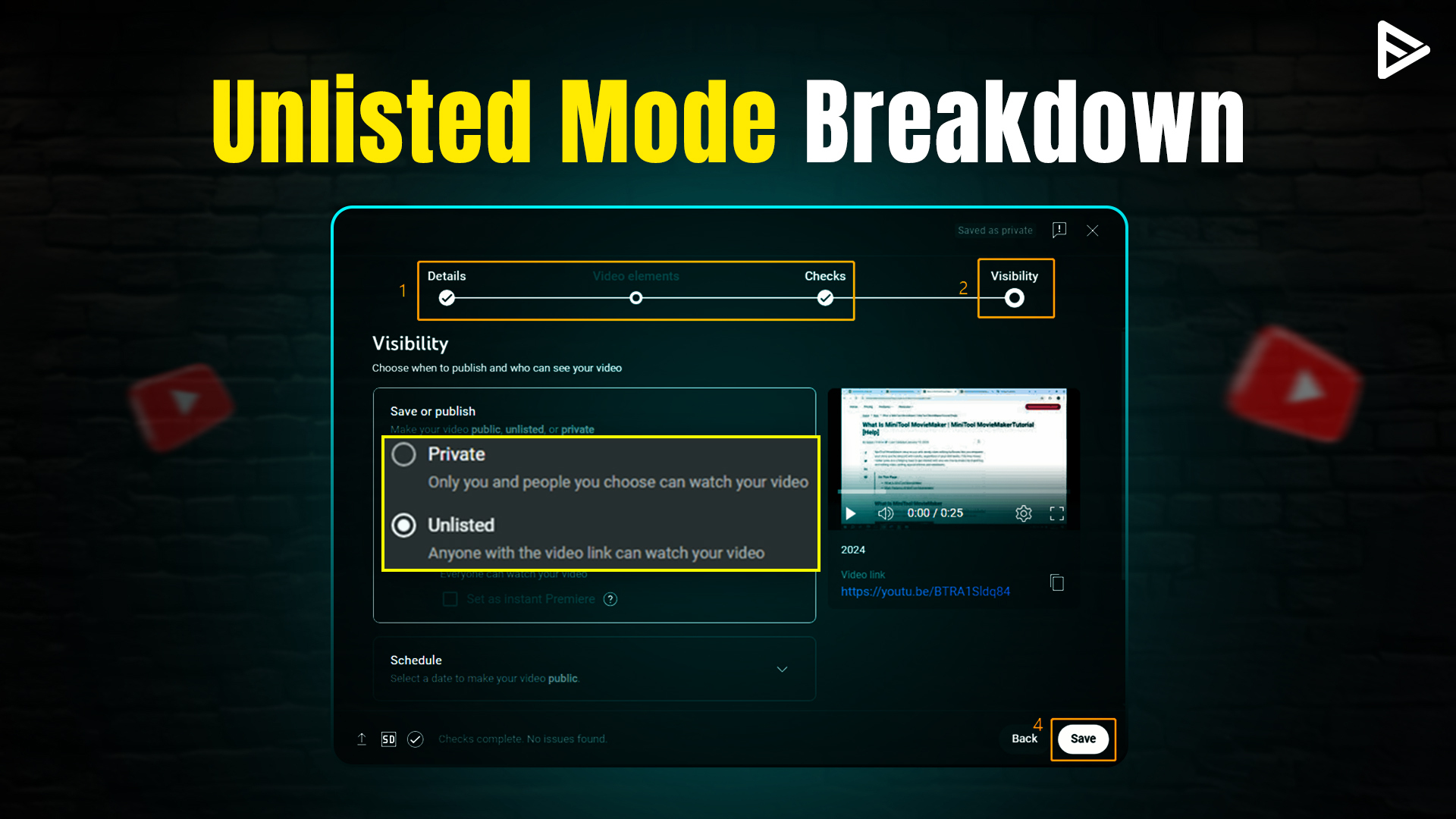
TL;DR: What Does Unlisted Mean on YouTube-Quick Summary
- An unlisted video does not appear in search results, home recommendations, or on a YouTube channel publicly.
- Unlisted YouTube videos’ limited access can help you test videos easily.
- To create an unlisted video, upload your video to YouTube Studio.
What Does Unlisted Mean on YouTube?
An unlisted video on YouTube refers to content that cannot be found in the recommendation feed, search results, or on a YouTube channel. Unlisted videos on YouTube offer creators a flexible middle ground; they don’t have to choose between keeping the video in their drafts or uploading it. If your video is unlisted, anyone with a direct video link can view it.
Why Creators Choose Unlisted Videos?
Creators commonly use unlisted YouTube videos for the following reasons:
- Controlled Sharing: Instead of being exposed to everyone, access is limited to the people you want.
- Content Testing: Unlisted videos don’t affect your channel metrics, so you can test videos easily.
- Client Use: Unlisted videos provide convenience, privacy, and control without the pressure of public release.
- Website Embedding: You can embed videos on landing pages without showing your channel.
How to Make a Video Unlisted on YouTube? (Step-by-Step)
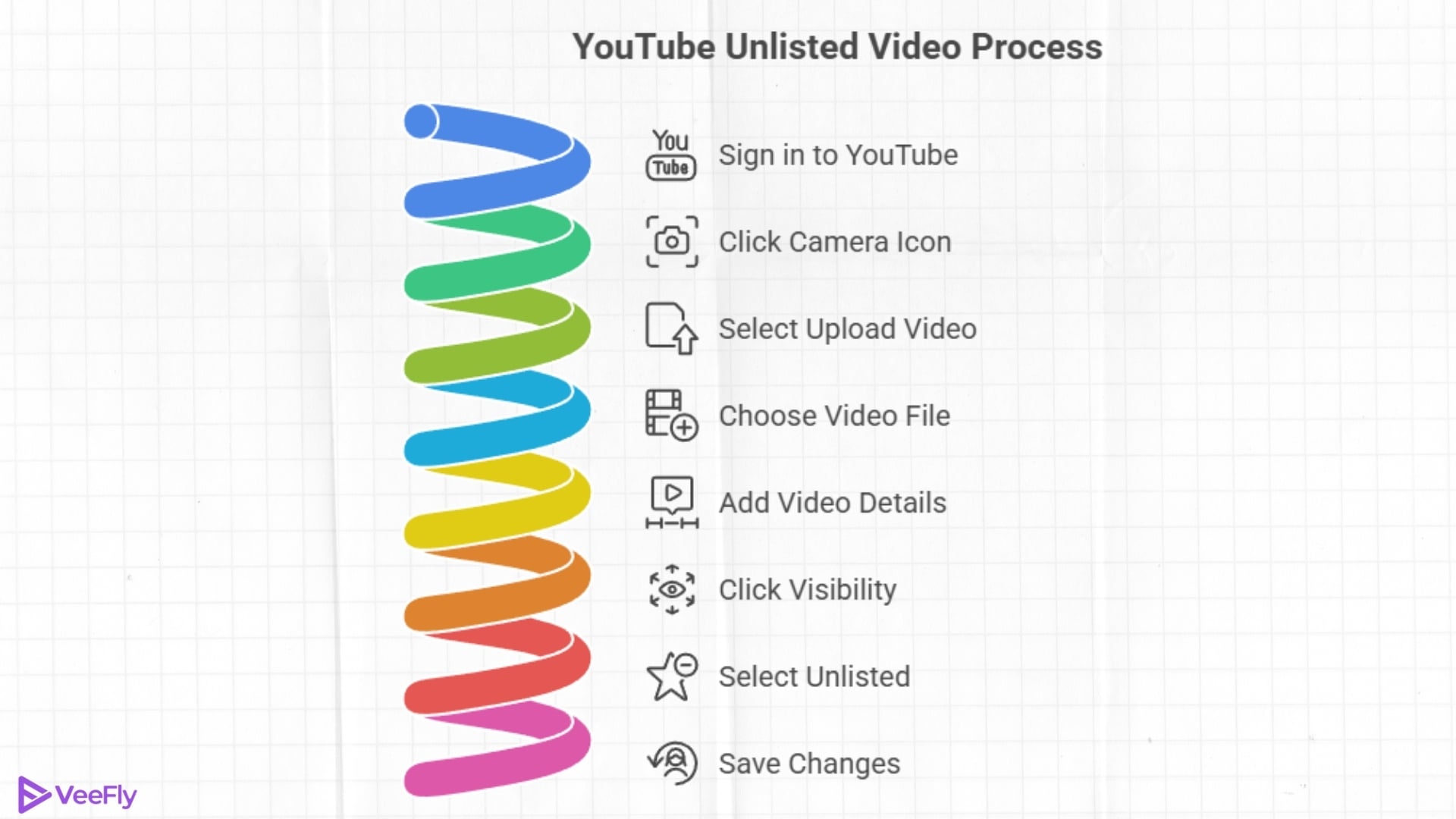
To create and upload a YouTube unlisted video, follow the steps below:
Uploading a New Video as Unlisted
- Sign in to your YouTube account.
- Click on the ‘Camera-like icon’ on the right side of the search bar.
- Select ‘Upload video.’
- Click on ‘Select files.’
- Choose the video file and drop the video.
- Add the video title, description, and tags, and click on ‘Visibility.’
- Click on ‘Unlisted.’
- Save the changes
Changing an Existing YouTube Video From Public to Unlisted?
If you want to unlist your live video, follow these simple steps:
- Sign in to YouTube Studio using your YouTube account.
- Find the Content Tab or the Video Tab
- Locate the video you want to unlist
- Head to the search bar
- Click the visibility setting
- Change the video from Public to Unlisted
- Save your changes
How to Share an Unlisted YouTube Video?
You can share your unlisted videos with people through a direct link. Follow the steps below:
- Go to YouTube Studio.
- Open the Videos section.
- Filter out the unlisted Videos.
- Hover over the desired video, and click the three dots.
- A dropdown will appear, select Get shareable link.
Important Note: Anyone with the link can reshare it, so share the unlisted videos with people you trust.
How to Find Unlisted YouTube Videos?
Here is a detailed overview.
View Your Own unlisted YouTube videos
- Firstly, sign in to your YouTube Account.
- Go to YouTube Studio. (Navigate to the Top-right corner, click the profile icon).
- On the left menu, select Videos.
- Use the Filter to see Unlisted videos from public, private, and unlisted videos.
The list will appear of all videos of your channel, including unlisted videos, filtering out videos with an unlisted status.
Find Other People’s Unlisted YouTube Videos
You can find other people’s unlisted videos if the creator has shared it somewhere. Common ways to include them:
How to Download an Unlisted YouTube Video?
By any chance you have lost your YouTube videos or you want to make changes, you can easily retrieve them by downloading from the YouTube Studio. Follow the steps below:
- Go to YouTube Studio.
- Open the Videos section.
- Filter out the Unlisted Videos.
- Hover over the desired video, and click the three dots.
- A dropdown will appear, select Download.
If you want to download unlisted videos of other uploaders. You can simply download using third-party apps or extensions. Make sure you have a direct link. Downloading unauthorized videos will result in a violation of YouTube’s privacy policies.
Can You Monetize Unlisted YouTube Videos?
Yes, YouTube allows you to monetize unlisted videos, but they must meet the exact eligibility requirements as other videos. Here’s how monetization works for unlisted videos:
- Unlisted videos can display ads provided the YouTube Partner Program approves them.
- Revenue depends on views, so only people who have the link and can create ad earnings will see it.
- Unlisted videos don’t appear in search results, so you need to make sure they have enough views.
Conclusion
Unlisted videos on YouTube provide a flexible way for creators to share content in a controlled manner. The creator can easily switch the video status to public, private, or unlisted to make the content available for search engines, a chosen audience, or for the creator. Hence, it becomes for YouTube creators to share personal content or exclusive presentations with the intended audience only. At last, if you are a YouTuber and want an expert opinion on your content before making it public, then the feature is for you.
Frequently Asked Questions?
Q1. What happens if a video is unlisted on YouTube?
An unlisted YouTube video will not appear in search results or be recommended to viewers. The unlisted video will only be visible to people who have the link.
Q2. Do unlisted YouTube videos affect the algorithm?
No, Unlisted videos do not influence the YouTube algorithm in the same way public videos do because they do not appear in search results or public videos.
Q3. What is the difference between unlisted and private on YouTube?
Anyone with the link can view unlisted videos, whereas private videos are visible only to people with access.
Q4. Do unlisted YouTube videos get deleted?
An unlisted YouTube video can get deleted if it violates the policy guidelines or contains copyrighted content.
