


- PC gaming offers greater content flexibility and a larger potential audience.
- Console gaming delivers highly engaged niche communities with strong loyalty.
- Multi-format creators combining Shorts and long-form content grow faster on both platforms.
- Your equipment budget and game preferences should drive your platform choice.
PC Gamers vs Console Gamers: What Creators Need to Know
- PC gaming attracts creators who value flexibility, while console gaming appeals to those targeting specific gaming communities. PC creators have access to thousands of indie titles, modding communities, and graphics customization that console players can’t match. This variety lets you pivot content quickly when trends shift. You can cover everything from AAA releases to experimental indie games, giving you more opportunities to find your niche.
- As a console creator, you work within tighter boundaries but benefit from passionate, platform-loyal audiences. PlayStation, Xbox, and Nintendo fans actively search for exclusive titles, which creates predictable traffic spikes around major releases. Covering a console exclusive early can drive significant subscriber growth.
PC vs Console Comparison for YouTuber Creators
Here are quick pointers to keep in mind:
| Factor | PC Gaming Content | Console Gaming Content |
| Content Variety | Extensive (AAA, indie, mods, early access) | Limited to platform exclusives and releases |
| Audience Loyalty | Moderate (fragmented across platforms) | High (strong brand communities) |
| Equipment Investment | $900-$1,500 for quality streaming setup | $300-$500 for console plus capture card |
| Technical Barriers | Higher (troubleshooting, optimization) | Lower (plug-and-play setup) |
5 Growth Strategies for YouTube Gaming Creators
The YouTube gaming market rewards creators who understand platform algorithms and audience behavior. Success requires more than gameplay footage:
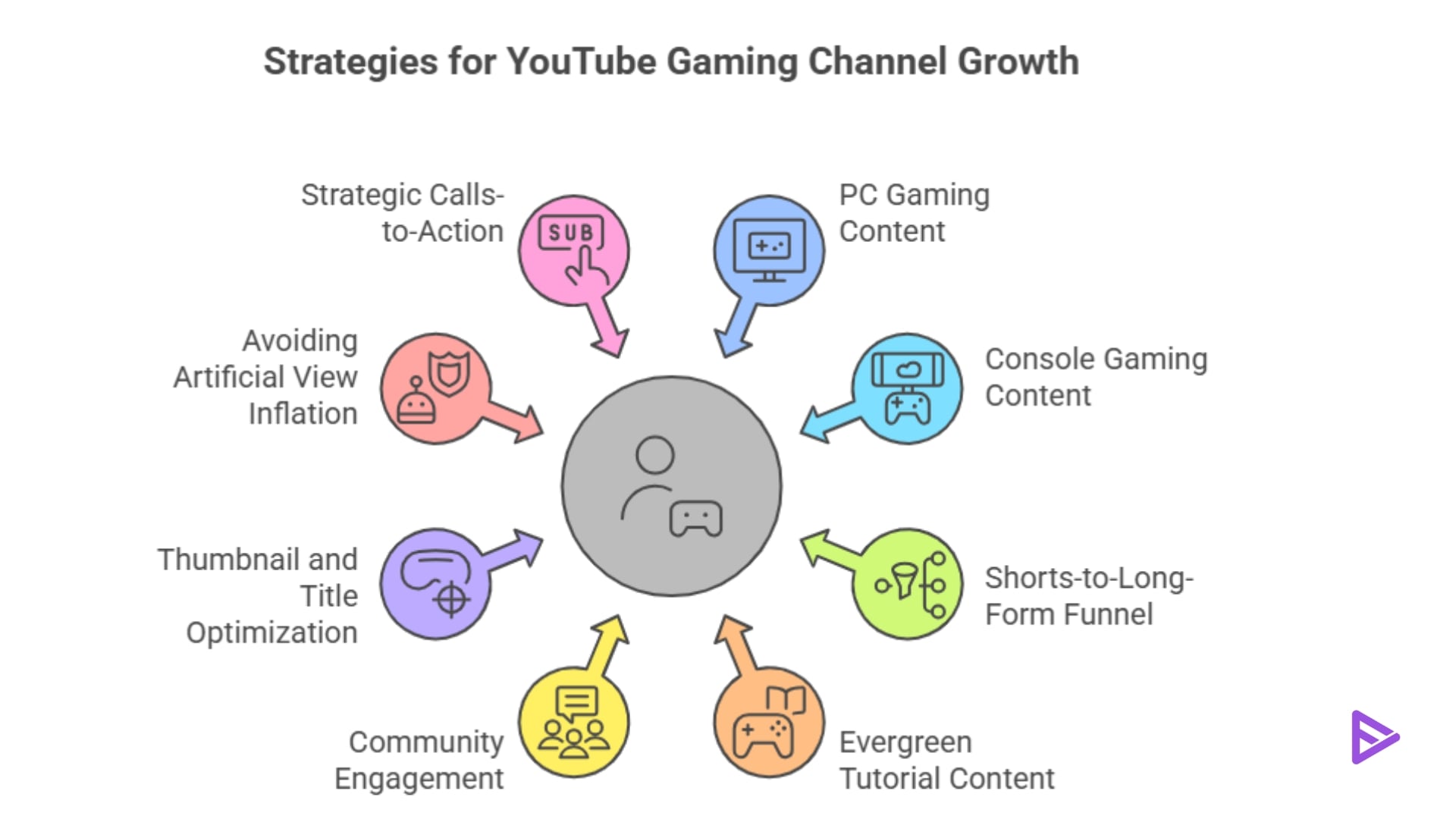
1)Build Your Shorts-to-Long-Form Funnel: YouTube Shorts drives discovery for YouTube gaming channels. Create 15-60 second highlight clips from your longer gameplay sessions. Show your best plays, funny moments, or quick tips that hook viewers immediately.
2)Market Content: Link YouTube Shorts to full gameplay videos or tutorials through pinned comments and video descriptions. When viewers want the full context of that clutch play or funny moment, they’ll click through to your long-form content. This two-tier approach captures both scroll-through viewers and engaged fans.
3)Create Evergreen Tutorial Content: Trend-jacking new releases can bring temporary traffic spikes, but evergreen content drives long-term YouTube channel growth. Tutorials on game mechanics, optimization guides, and strategy breakdowns continue attracting viewers months after publication.
4)Interpret Audience Traffic: PC creators can focus on performance optimization, mod installation guides, and comparisons of settings. Console creators should target achievement walkthroughs, controller configuration guides, and platform-specific features. These videos answer specific search queries that drive consistent organic traffic.
5)Engage Your Community Early: Once you reach 500 subscribers, activate your YouTube Community Tab. Poll your audience on which games to play next, what content formats they prefer, and which platforms they use. This input shapes content that your existing subscribers want while signaling to YouTube’s algorithm that your channel drives engagement.
How to Get More Subscribers on YouTube as a Gaming Creator?
- Your click-through rate determines how aggressively YouTube promotes your content. Gaming thumbnails need high contrast, readable text, and clear focal points. Show the game, your reaction, or the outcome in every thumbnail.
- Titles should combine searchable keywords with curiosity. “Best Settings for Fortnite Performance” works better than “Fortnite Settings Guide” because it promises a specific outcome. Test different title formats to see what your audience responds to.
- Some creators consider using software to artificially increase YouTube views. This approach risks channel penalties and doesn’t convert to genuine subscribers. YouTube’s systems detect artificial engagement patterns and can suppress your content or remove your channel entirely.
- Focus instead on legitimate promotion strategies. Collaborate with creators at similar subscriber levels, engage authentically with gaming communities, and optimize your content for search. These methods build real audiences that watch, comment, and subscribe.
- Deliver value before asking for a subscription. After a helpful tip, great play, or memorable moment, briefly remind viewers to subscribe.
- End screens work particularly well for gaming content. While your outro plays, display your best recent videos alongside the subscribe button. Viewers who enjoyed your content are primed to click through now.
YouTube Gaming Niche Equipment and Budget
- PC gaming content requires a higher upfront investment but offers greater potential for superior quality.
- A capable gaming PC runs $900-$1,500 for streaming-quality performance. You’ll need CPU power for both gaming and encoding your stream, plus enough RAM to handle multitasking.
- Recording software like OBS Studio is free, but you might invest in paid tools for better overlays and alerts.
- Budget another $100-$300 for a decent microphone, since audio quality separates amateur content from professional channels.
- Console creators start with lower equipment costs, a current-generation console costs $300-$500, and you’ll need a capture card ($150-$200) to record gameplay on your computer.
- This makes console creation more accessible for beginners, the tradeoff for console creators is reduced flexibility compared to PC.
- You cannot modify game files, install custom mods, or change graphics settings as easily as PC creators. As a result, console content is more focused on gameplay skill and personal style, while PC content can include customization and tech tutorials.
