


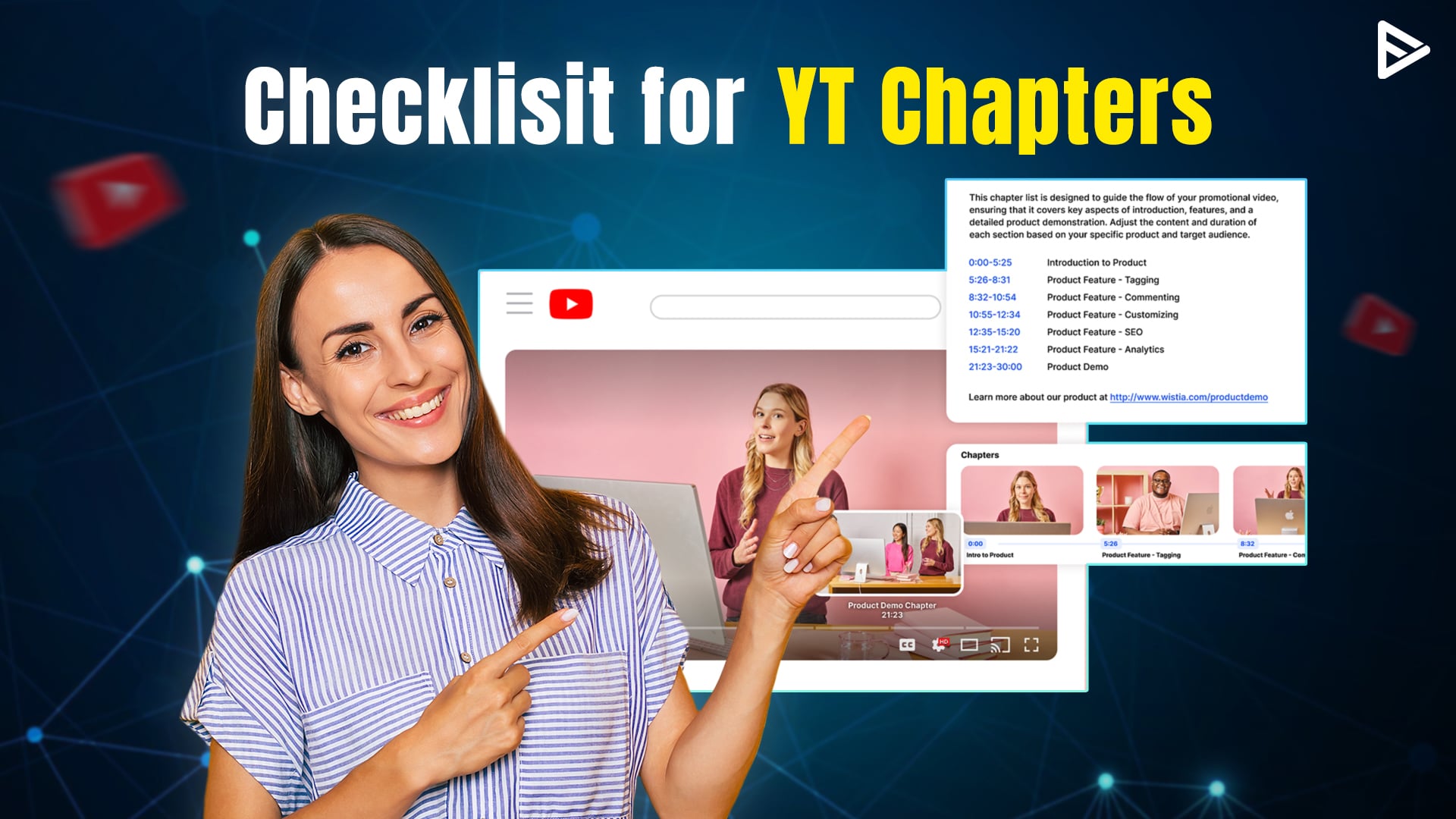
Learn how to add chapters to YouTube videos? Chapters are a terrific way to break up large YouTube videos, much like they make books simpler to read. Chapters allow viewers to effortlessly go to their favorite sections of the video and explain what each section of the video is about. So, without further ado, in this blog, we will explain how to add chapters to YouTube videos and how it benefits your success on YT. You can also add auto-generated chapters to your videos.
What Are YouTube Chapters?
Your video is divided into portions by chapters. The chapters are shown along the video’s progress bar, and the viewer can use them to rapidly navigate to the sections they wish to see.
You choose the sequence and names of the chapters as you create them for each video.
Also, note that not all videos can have automated chapters. It won’t function if your channel has strikes or if the video is against YouTube’s rules.
Why Add Chapters To YouTube Videos?
If your video is instructive or exciting, you should add chapters to it. It will make it much easier for viewers to sift through information, and they won’t have to wait through an entire 30- or 40-minute film to find the small amount of information they need.
Benefits for creators
Appear in search results: The chapter provides a subheading for the video section, which the algorithm can pick up and rank in Google search results and the AI overview.
Enhanced SEO: Adding a chapter gives metadata to the algorithm. Making it easy to recommend or rank.
Improved Watch-Time: If viewers can find what they are looking for, they will bounce back. By adding chapters, they can jump to the preferred section and watch the section that contributes to average watch time.
Benefits for viewers
Ease of navigation: The audience can jump directly to the preferred section. If they like the content, they will explore the channel further. Thus increasing the session time.
Quick rewatch: If viewers like to rewatch content, they can quickly skip to the good part instead of tapping the screen multiple times. Also, it will increase the retention rate.
Professional channel: The audience wants to see the best content. An optimized channel shows professionalism, which increases the chances of subscription.
Requirements for Adding YouTube Chapters
Before we dive into how to add sections to YouTube video, let’s see the key requirements.
- The format is MM:SS or HH:MM:SS time code. Followed by a space or dash ( – ), then the title. For example, 00:00 – Intro, 03:47 – Chapter 1
- The first timestamp must be at 00:00, and then the title.
- The timestamp must be in chronological order. ( 00:00, 02:13, 03:43, so on)
- Each chapter should be at least 10 seconds long
- The end of the timestamp should be the start of the new timestamp
How to Add Chapters in YouTube Video?
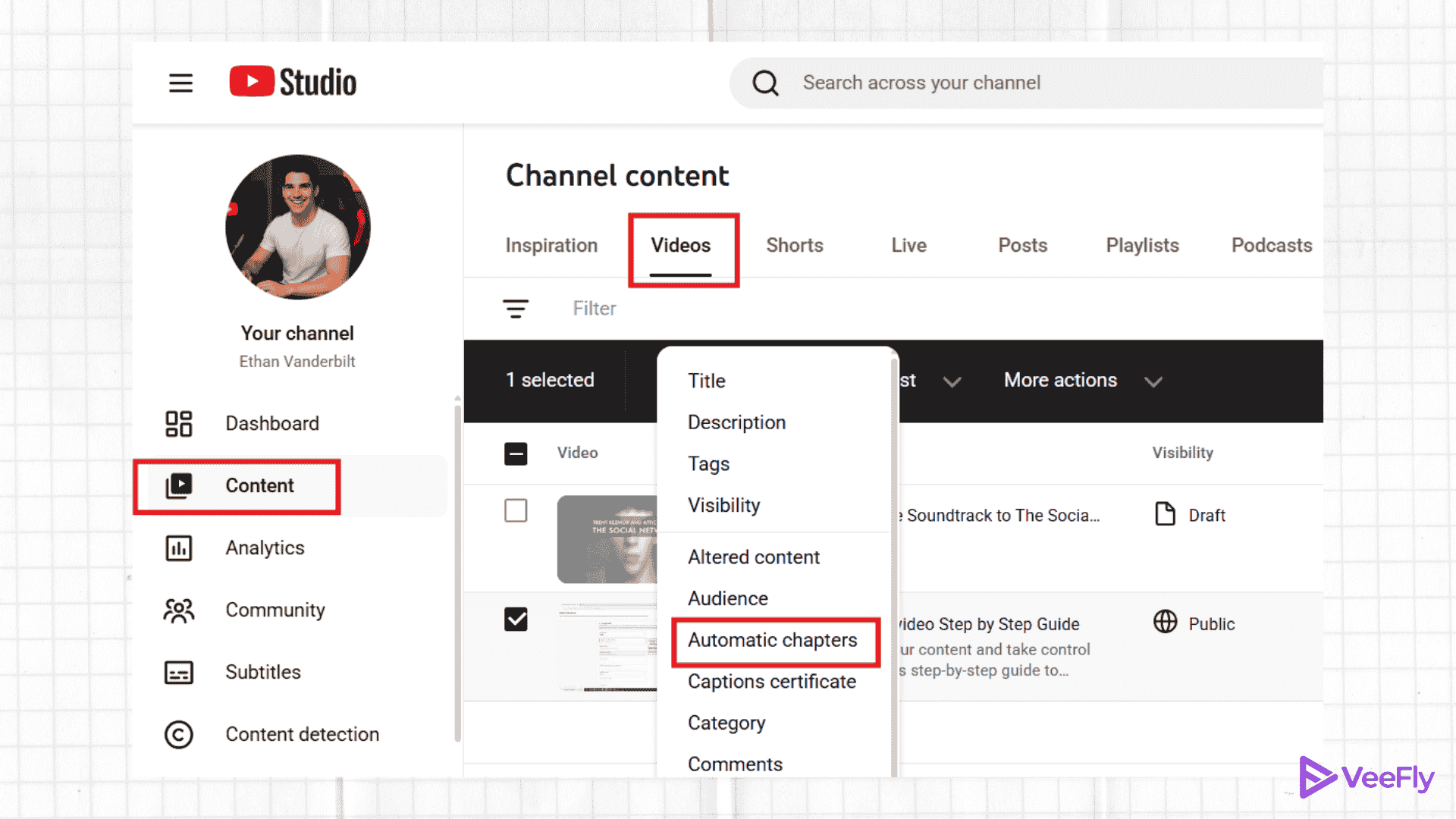
Let’s see how to put chapters in YouTube video.
- Open YouTube Studio and log in
- Click on Content on the left side
- Choose the YT video
- Select the edit option
- Choose automatic timestamps (you can add your own chapters by choosing the “don’t allow” option.
- Include timestamps and chapter names in your chapter descriptions.
- The timestamp must begin at 00.00
- A minimum of three timestamps in ascending order are required for your video.
- Save the changes
- Upload the video
This was the entire process to add chapters to your YouTube videos. Now, let us move on to the benefits of adding chapters to the YouTube videos.
Conclusion
In the blog, we discussed how to make chapters in YouTube videos. We have explained in detail how to create chapters along steps and requirements. If you are having issues with adding chapters, then this blog on how to fix YT chapters might help. Additionally, we also have seen why adding chapters is beneficial for viewers. By adding chapters, creators can provide value to viewers and provide the algorithm with metadata. This can help the content in ranking and visibility.
Frequently Asked Questions
Q1. Can you add chapters to a YouTube video after posting?
Yes, you can add chapters after posting a video. Go to content, choose video, edit the description box, add time stamps, and click save.
Q2. How to add chapters with YouTube mobile app?
Open the app, go to Studio, choose the content tab, select video, tap the pencil icon to open the description box, and add a timestamp.
Q3. Do chapters work on YouTube Shorts?
No, adding chapters doesn’t work for vertical-format video.
Q4. How long should each chapter be for the best engagement?
Ideally, each chapter should be 2-5 minutes long. But based on the format, you can add 1-2-minute chapters for quick tutorials or product demos. 5-10 minutes for In-depth guides, podcasts, or stories.
