



Key Takeaways:
- You no longer have to wait until you hit 500 subscribers. You can unlock the Community tab instantly by enabling “Advanced Features” in YouTube Studio.
- To gain access, you must verify your identity via Video Verification, a Valid ID, or by building a long-term Channel History.
- If your channel is set to “Made for Kids,” the Community tab is permanently disabled to comply with child safety laws.
- Community posts are pushed to both subscribers and non-subscribers, making it a highly effective tool for organic channel discovery.
How To Get Community Tab On YouTube?
Many creators ask ‘how to unlock Community Tab YouTube.’ The answer is simple. But, before we understand how to get a community tab on the YT channel, you must know how to get eligible for the YT community tab:
Firstly, you must enable access to advanced features on your channel. To gain access, you must choose between these three options: build channel history, use your valid ID, or use video verification. Also, you must remember that it takes up to 48 hours for the community tab to become available for your YT channel after you enable access to advanced features.
- Text: Standard written announcements, updates, or questions.
- Polls: Text-based or image-based multiple-choice questions to gather audience feedback.
- Images: Behind-the-scenes photos, infographics, or standard pictures.
- GIFs: Animated, looping images used for reactions or humor.
- Video Links: Direct links to share your older videos or promote content from other creators.
What Are YouTube Community Tab Requirements?
- Subscriber Requirement: Historically, 500 subscribers automatically unlocked the feature. Today, 500 subscribers is no longer a hard barrier, but reaching it naturally builds the “Channel History” required for access.
- Feature Requirement: You must have Advanced Features enabled in your YouTube Studio account.
- Verification Requirement: To unlock Advanced Features, you must complete one of three verification methods: ID Verification, Video Verification, or establishing a 2-month Channel History.
- Channel Standing: Your channel must not have any active Community Guidelines strikes.
Why the YouTube Community Tab Is Not Showing
- Advanced Features Not Enabled: Check your settings. If you only have “Standard” or “Intermediate” features unlocked, the Community tab will remain hidden.
- Activation Delay: If you just got your ID verified or just hit 500 subscribers, the system does not update instantly. It can take up to a week for the platform to roll out the tab to your specific channel interface.
- “Made for Kids” Restrictions: To comply with COPPA (Children’s Online Privacy Protection Act), YouTube strictly limits data collection on minors. If your channel is designated as “Made for Kids,” the Community tab is permanently disabled.
- Custom Layout is Off: Ensure your channel layout is customizable. Go to “Customize Channel” and make sure the Community tab is actually toggled on to display on your homepage.
How Long Does It Take to Get the Community Tab?
- If you use Video or ID Verification, your Advanced Features are usually approved within 24 hours. After approval, the Community tab typically appears on your channel within 48 hours.
- If you wait for the automatic Channel History route, it generally takes up to 2 months of active, consistent uploading for the algorithm to grant you access.
- If your channel receives a Community Guidelines strike, your Advanced Features (and your Community tab) will be suspended until the strike expires.
6 Methods to Use YouTube Community Tab
Although the YouTube community tab can be used for multiple purposes, you can use this feature to promote upcoming videos or increase brand awareness. Here are the 6 methods:
1. Repost Old or Archived Content
Who doesn’t like to follow your classic video content? The community tab on YouTube is a great place to promote videos on YouTube, whether new or old. It serves as a reminder for your top-performing content and attracts new subscribers to follow your content more often.
2. Engage with Your Audience
Audience engagement is critical to your YouTube channel’s growth. Asking open-ended questions on the YouTube community tab is a great way to keep the engagement flowing. You must respond to their answers using the reply feature in the community tab. This helps build loyalty and can inspire others to join the conversation.
3. Create a Poll
Want some input from your audience for your next video content? Why not leverage this feature to create polls for your audience that allow you to get responses to multiple-choice questions. It serves two significant benefits; it increases the chances of audience engagement and builds loyalty for your channel. Second, it helps you get numerous ideas and insights right from your audience that you can use to enhance your content strategy to suit your audience’s preferences. You can combine these insights with YouTube AI tools to enhance your videos’ SEO ranking in search results.
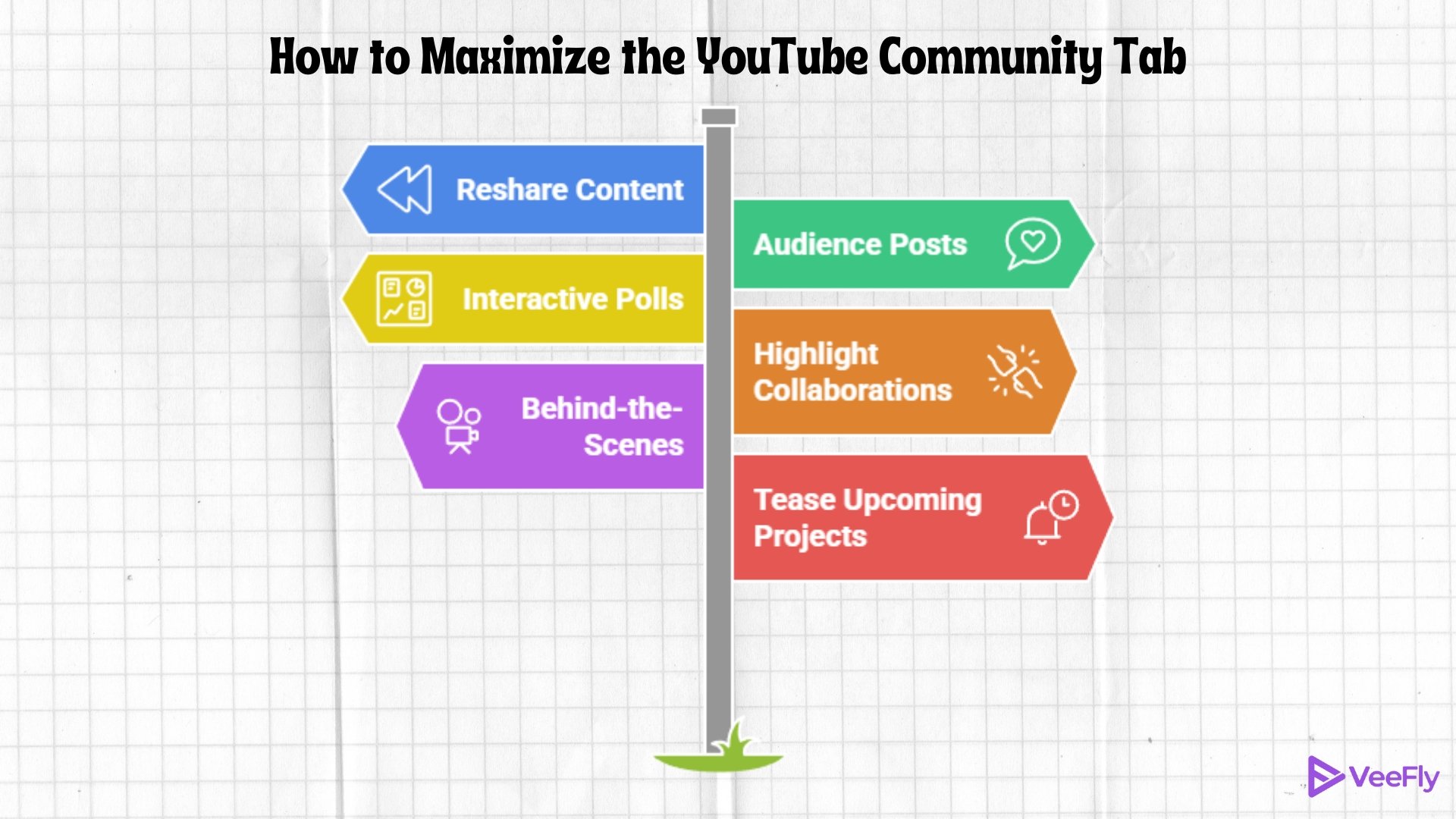
4. Mention Collaboration Events
The YouTube community tab is great for sharing details about your latest collaborative events. Give a shoutout to your fans and let other viewers know how your content creation process is. This increases the chances of more audience visiting your channel. To mention someone, simply type @ followed by their YouTube username.
5. Post Access to any Exclusive Content
This is particularly useful if you have paid channel memberships. You can share insights or exclusive information with your most loyal fans that increase the perceived value of your paid memberships. Simply share some information about your exclusive content in the YT community tab and attract potential audience to your paid memberships.
6. Give a Teaser of Upcoming Content
Promote your upcoming YouTube video in the community tab on YouTube. Post a few behind-the-scenes videos that make your fans curious and make them excited to watch your next video. Ask your fans a question related to your next video that could build anticipation among your fans.
Final Thoughts
Understanding the YouTube community tab requirements is the first step toward transforming your channel from a simple video library into a thriving digital community. Because YouTube has removed the strict subscriber barriers, creators of all sizes now have immediate access to this powerful engagement tool.
Do not let your channel go dark between video uploads. Enable your Advanced Features today, unlock your Community tab, and start posting polls and questions. By consistently engaging with your audience, you will significantly increase channel loyalty, boost algorithmic reach, and ultimately accelerate your growth in 2026.
Frequently Asked Questions
Q1. Can you get a Community tab on YouTube without 500 subs?
No, you cannot access the community tab on YouTube if you do not have 500 subscribers on your channel.
Q2. How do I enable the YouTube community tabs on YouTube without 1k subscribers?
You do not have to wait for 1000 subscribers to get the community tab now. Once your YouTube channel completes 500 subscribers within a week, YouTube will add the community tab to your YouTube channel.
Q3. How many subscribers do you need to get paid on YouTube?
Though YouTube has decreased the number of subscribers for the community tab, the eligibility for YouTube monetization on YouTube still stands at 1000 subscribers.
Q4. Can I get a Community tab with 0 subscribers?
No, you cannot get the tab if you do not have 500 subscribers on your channel.
