


Key Takeaways:
- You can get a transcript of a YouTube video directly from YouTube using the built-in “Show transcript” feature.
- On mobile, you can read transcripts in the YouTube app, but you won’t be able to copy the text.
- If you need a clean, exportable text file, try third-party tools like NearStream or Lynote.
- Transcripts help search engines find your content, which can make your videos show up more often in search results.
- Text versions of videos are crucial for the 400 million people worldwide who have hearing impairments.
What Is a YouTube Transcript and Why Does It Matter?
- Boost SEO & discoverability: Adding a transcript can significantly improve the video’s discoverability and ranking.
- Accessibility: The video can be accessed by a range of audiences, including viewers with hearing impairments. Moreover, many viewers can watch the video with the sound off.
- Enhanced Retention & Engagement: Transcripts are supplementary resources that help retain information and allow viewers to skim the relevant parts, keeping them engaged.
- Localization: Transcripts can be translated into multiple languages, helping your content reach a global audience.
- Content Repurpose: It can be repurposed into social media posts, stories, articles, and blog posts. It can maximize the value of the video content.
Adding a transcript is an impactful way to enhance the reach and utility of the video and a smart step to boost your YouTube channel.
Steps On How To Get a Transcript of a YouTube Video(Built-in Method)
- Head over to YouTube
- Search for the video you want the script for
- Tap on the three dots on the right side
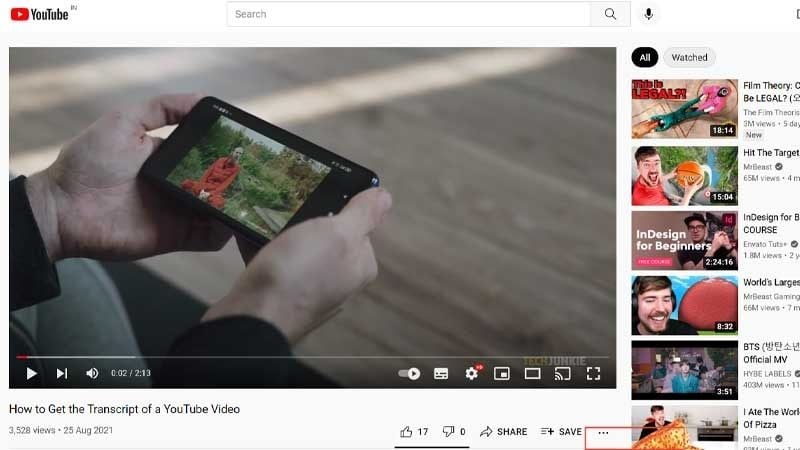
4. Select the captions option
5. Choose your language
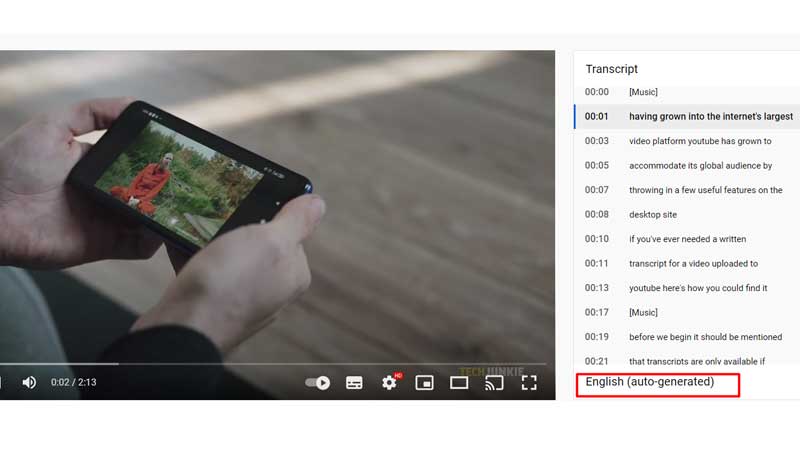
6. Tap on the screen. You have now unlocked the transcript of a YouTube video on phones!
How To Get The Transcript Of A YouTube Video On Computers?
You can find the transcript by checking the closed caption. Read the steps to know-how! You can also use a YouTube transcript generator!
- Head over to Google
- Open YouTube on the site
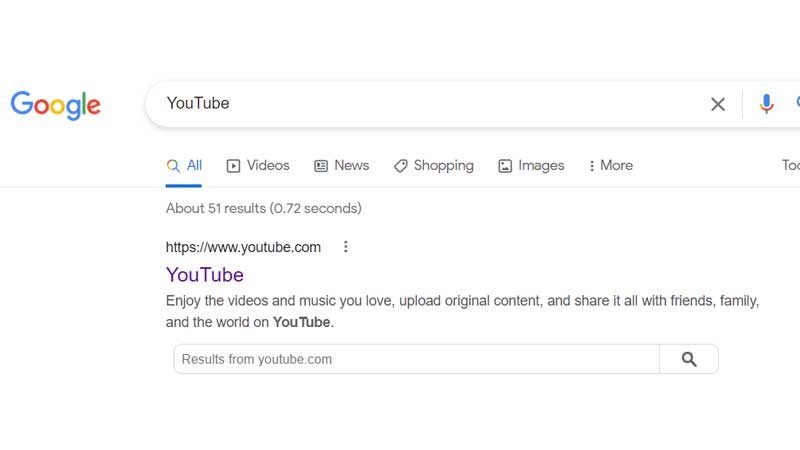
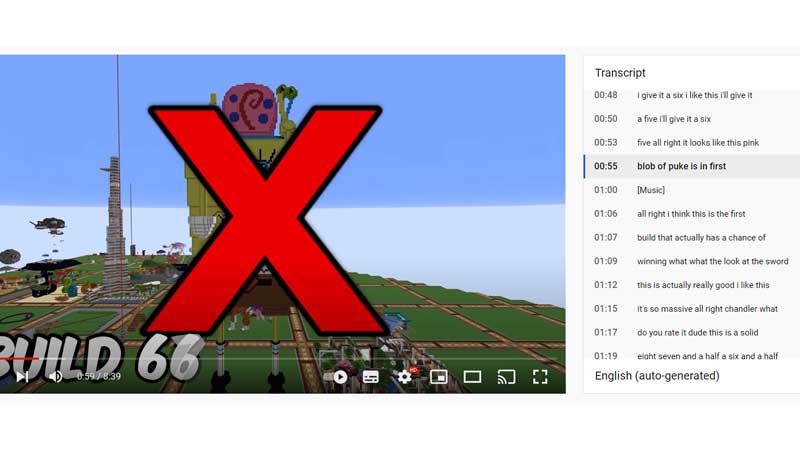
3. Play the video, which requires a transcript
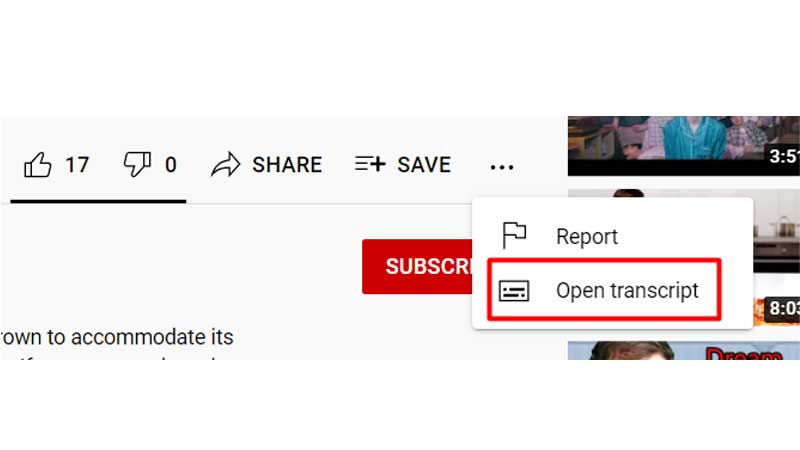
4. Tap on the three horizontal dots
5. Select the option “open transcript.”
You can now access the transcript without any issues!
How To Download The Cc Transcript Of A YouTube Video?
If you want to download text-free YouTube transcripts, follow the steps below! You can follow the above steps to find the transcript of a YouTube video.
- When accessing the script, tap the three dots in the top right.
2. Select toggle timestamps
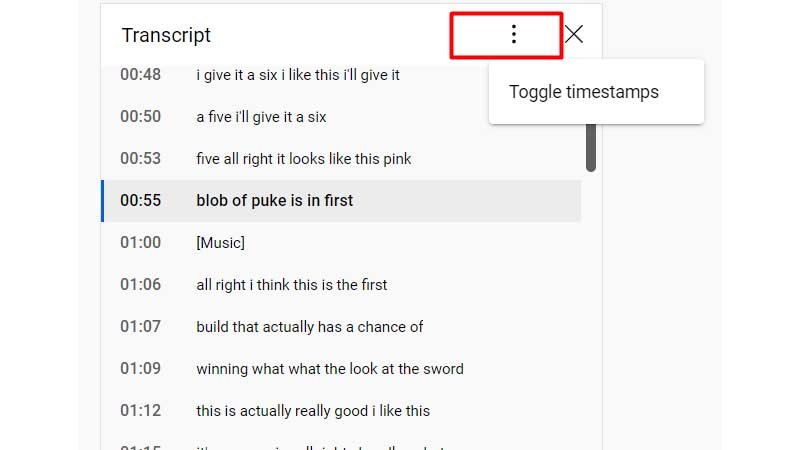
3. When you select this option, the script won’t include a time frame
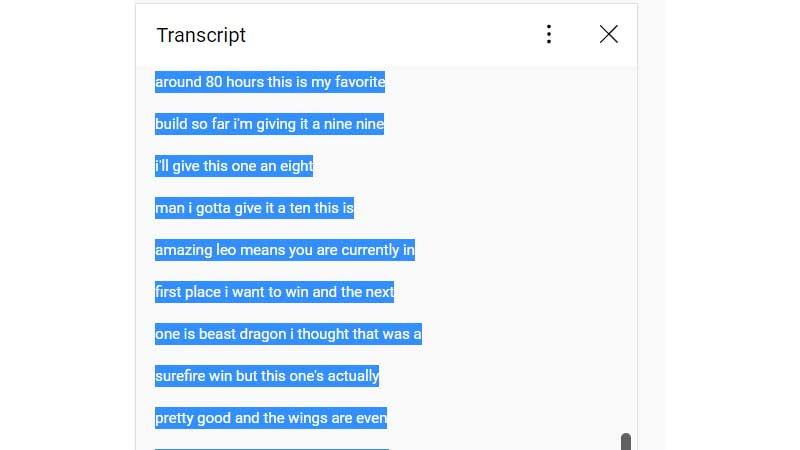
4. Copy the script and paste it anywhere you like!
In this way, getting a transcript from YT can be solved! While you learn how to add and download these scripts off YT, you should know that your video needs to be ranked to make other people download your transcript. How can you make your video rank amidst the hush and push? The answer is simple! Using YouTube SEO can significantly help you improve your YouTube strategy! We are sure you want to be the next YouTube sensation!
How to generate a transcript from a YouTube Video Using AI Tools?
Sometimes, the built-in YouTube transcript can be messy, with odd line breaks and punctuation. If you want a cleaner, more professional transcript, try using specialized AI tools to generate it.
- NearStream: Offers high-accuracy transcription and editing tools for creators.
- Lynote.ai: A quick URL-based generator that provides clean .txt files in seconds.
- Tactiq: A Chrome extension that captures transcripts in real-time as you watch.
These tools help you get well-formatted text, so you can turn transcripts into blog posts or newsletters without spending hours editing by hand.
Final Thoughts
We hope we have helped you understand how to get a transcript for a YouTube video! Whether you use the native “Show transcript” button for a quick quote or an AI tool to generate a transcript from a YouTube video for a professional project, having the text version of your content is essential. By following this guide, you can improve your workflow, boost your SEO, and make your videos accessible to everyone.
Frequently Asked Questions
Q1. Are YouTube transcripts helpful when you plan to create captions?
Yes, they are helpful. It is a simple way to optimize YouTube SEO and let viewers decide whether they want to watch the video.
Q2. Why is the transcript option missing on some videos?
Q3. How Do I Get All Subtitles From A YouTube Video?
To get all the subtitles, open the video> tap on the three dots below> Show transcripts> Highlight everything> Select Copy> Open Notepad or Word> Paste the entire transcript.
Q4. Are YouTube Video Transcripts Copyrighted?
Yes, YT transcripts are copyrighted. It belongs to the video’s original creator, as the transcript is derived from the video.
Q5. Is a transcript available for all YouTube Videos?
If you own the video, then YouTube allows you to download it. If the video is not yours, you can copy and paste the transcript into a Word doc or Notepad.
