


- Viewers donate to be recognized. Acknowledging a Super Chat within seconds creates positive reinforcement that triggers more donations.
- Tying donations to a specific, on-stream event, like a spicy food challenge or unlocking a new game level gives viewers a collective goal.
- Creators keep approximately 70% of Super Chat revenue, making it one of the platform’s highest-margin monetization tools.
- Habit-forming, scheduled streams build the parasocial trust required for viewers to part with their disposable income.
- Begging reduces donations. Naturally, integrating your gratitude for existing Super Chats is the best way to encourage future ones.
What Are YouTube Super Chats?
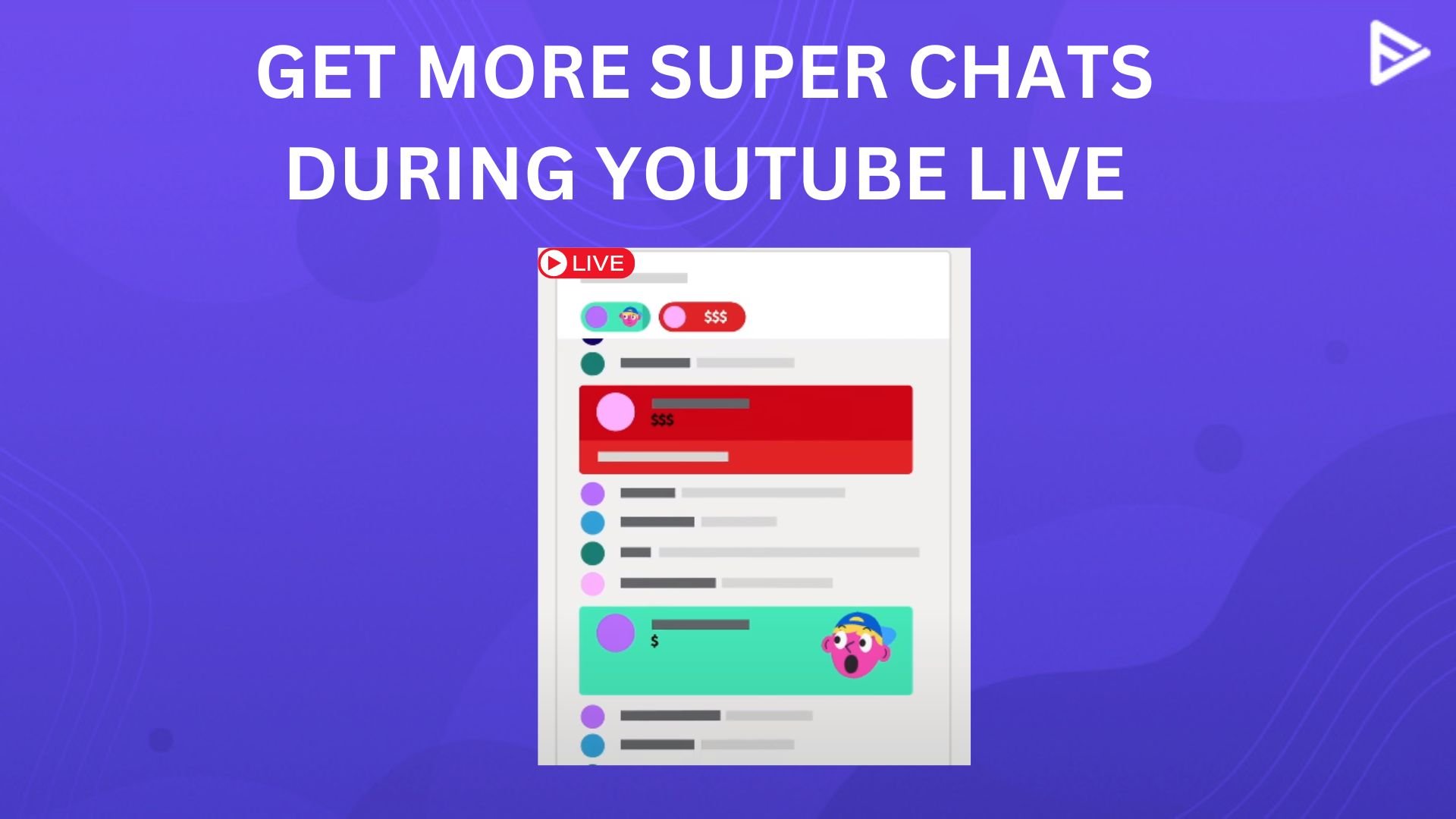
If viewers want their favorite YouTuber’s comment noticed on YouTube Live, they may make a monetary contribution. The YouTube live stream Super Chat comments are pinned for up to 5 hours. As viewer payment increases, the comment duration is active. Super Chats are a way of expressing gratitude for the YouTuber.
How to Be Eligible for YouTube Super Chats?
- Subscriber Count: You need at least 500 subscribers.
- Watch Time: You need either 3,000 public watch hours in the last 12 months OR 3 million public Shorts views in the last 90 days.
- Recent Uploads: You must have 3 public uploads in the last 90 days.
- Location & Age: You must be at least 18 years old and live in one of the countries where Super Chat is currently supported.
How Do YouTube Super Chats Work During Livestreams?
Super live video chat are the easiest-to-use features. Here’s how it works:
How Viewers Send Super Chats
- Users click the $ dollar icon in the live chat
- They chose the Super Chat option
- Viewers select a payment amount within the allowed limits
- The Super chat is instantly posted in the live chat
- Messages appear highlighted for visibility
Creators Interaction in Real Time
- Creators can easily spot these highlighted messages
- Personalized shout-outs can increase visibility
- Engagements feel more personal and interactive
- Builds a stronger live streaming community.
Earnings & Monetization
- Super chat for YouTube revenue is added to channel earnings
- YouTube takes a platform service fee
- It helps diversify income beyond ads
- Ideal for live-focused creators who want to make a long-term income-based career.
How to Get More Super Chats on YouTube?
Let’s focus on getting more viewers to contribute through and learn how do you get super chat on YouTube effectively:
Familiarize Viewers With Super Chats
- At the start of your live streams, let your viewers know Super Chats will be enabled.
- A simple reminder helps set expectations without any confusion.
Set Clear Goals & Incentives
- Organize a Super Chat challenge and encourage more viewers to contribute to Super Chats.
- Make it entertaining and exciting since viewers want to help creators accomplish goals and see them through to completion.
- The rewards can be as simple as a shoutout during the Live broadcast, curating a gift hamper for the viewer who wins the challenge, or giving them memorabilia from your collection.
Acknowledge Viewers
- When viewers submit Super Chats, it’s essential to thank them regularly.
- Ensure they know how much you value what they’ve done by recognizing and thanking them individually throughout the stream.
- The likelihood of viewers submitting additional Super Chats increases when they see that their support is appreciated.
- Creating an upbeat, appreciative environment during your live broadcast can win over your viewers and keep them coming back for more.
Build a Community
- Interaction is very crucial in Live Stream Chats.
- Respond to comments, ask questions, and encourage audience engagement.
- If your audience sees that you’re paying attention to what they say, they’ll be more likely to send you Super Chats.
- Use the audience’s names, respond to their feedback, and include them in the discussion to make them feel valued.
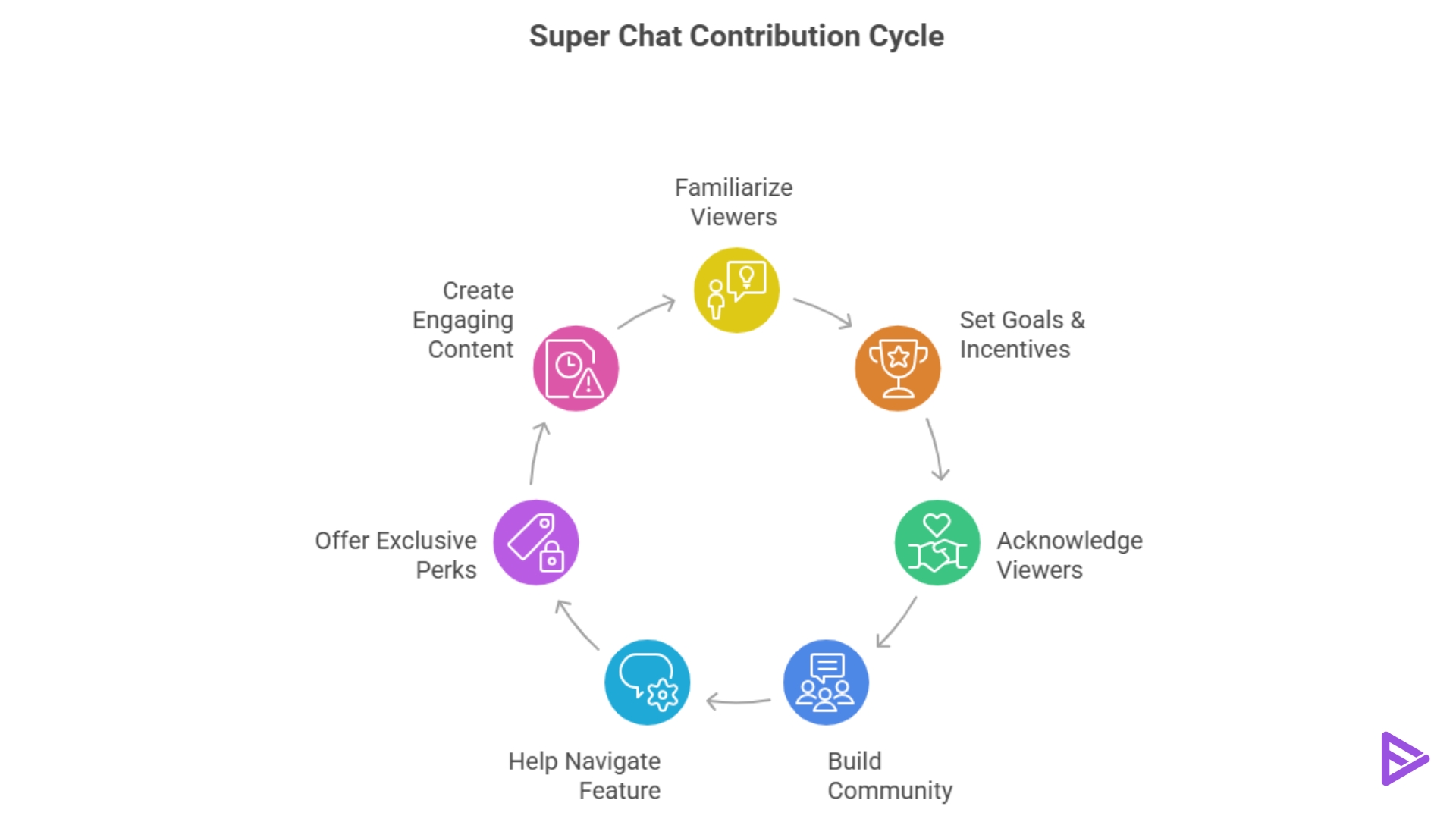
Help them navigate the Feature.
- Viewers may not be aware of how Super chats work. Therefore, they need to understand the feature’s benefits and how it helps both the creator and the viewer.
- In your live stream, explain how they help your channel and how to send them.
- You can mention Super Chats throughout the video to remind viewers that their remarks will be highlighted and pinned for everyone to see.
Exclusive Perks
- Consider rewarding viewers with exclusive access for sending Super Chats.
- Such perks may include early access to content, unique emojis or badges, or even an invitation to a private Q&A session following the live.
- By giving them something of value in return for their support, these benefits make Super Chats more appealing to viewers.
Create Engaging Content
- Motivating viewers to submit Super Chats during your live stream may be achieved by creating a sense of urgency.
- To encourage viewers to act, you might use countdowns or limited-time promotions.
- Viewers are motivated to take immediate action, increasing their chances of obtaining additional Super Chats due to urgency.
Best Types of Livestreams for Super Chats
2. Q&A Livestreams: “Ask Me Anything” formats are highly lucrative because viewers will pay to ensure their specific question skips the queue and gets answered.
3. Podcast/Live Shows: Talk shows rely heavily on viewer opinions. Super Chats become a way for the audience to become a “guest” on the show for a few seconds.
4. Reactions: Watching events, new music videos, or press conferences live with your audience prompts them to donate to share their own hot takes.
5. Tutorials and Coaching: Educational streamers receive Super Chats as a “thank you” for providing valuable, free advice that helped the viewer solve a problem.
Final Thoughts
Now you know how to get super chat on YouTube during Live Streams. By implementing these strategies, you can buy YouTube views for free, generate support for your channel, and offer value to your audience. Your live broadcasts and channel enhances when more Super Chats begin to flood in over time if you remain consistent.
Frequently Asked Questions
Q1. How Do You See All Super Chats On YouTube?
All the purchases of Super chats will be displayed in Your Super chats and Super stickers activity under the Earn tab in the YouTube Studio under the Menu section.
Q2. What Is The Maximum Amount Of Super Chat On YouTube?
$2000 in a week is the maximum amount of Super Chat on YouTube.
Q3. How Many Subscribers Do You Need To Get Super Chat On YouTube?
To unlock Super Chats, you must be eligible for YouTube monetization, i.e., 1000 subscribers and 4000 public watch hours on your YouTube channel.
Q4. Do YouTubers get paid for Super Chats?
Yes, YouTube Creators receive a share of the payment from YouTube’s service fee.
