


Key Takeaways
- End screens must be between 5 and 20 seconds long.
- The standard end screen YouTube size is 1920×1080 (16:9 aspect ratio).
- You can add up to 4 interactive elements (video, playlist, subscribe, or link).
- Your video must be at least 25 seconds long to use this feature.
- Use “Best for viewer” elements to let YouTube’s algorithm maximize your clicks.
The Ultimate Guide to YouTube End Screens
YouTube end screens, also known as end cards or slates, are interactive overlays that appear at the conclusion of your video. They are the most powerful tool in your arsenal to prevent “viewer drop-off” and turn a single view into a binge-watching session. To succeed, you must understand both the technical requirements and the psychological triggers that make a viewer click.
How To Make An End Screen On YouTube?
These elements are displayed on top of the final few seconds of your videos. In this section, we will guide you on how to make a YouTube end screen from your own channel. You may add end-screen YouTube to your videos in YouTube Studio by following these simple steps:
- From your YT account, go to YT studio
- From the left side of the section, select content
- Choose the pencil icon

- From the options below, select the end screens.
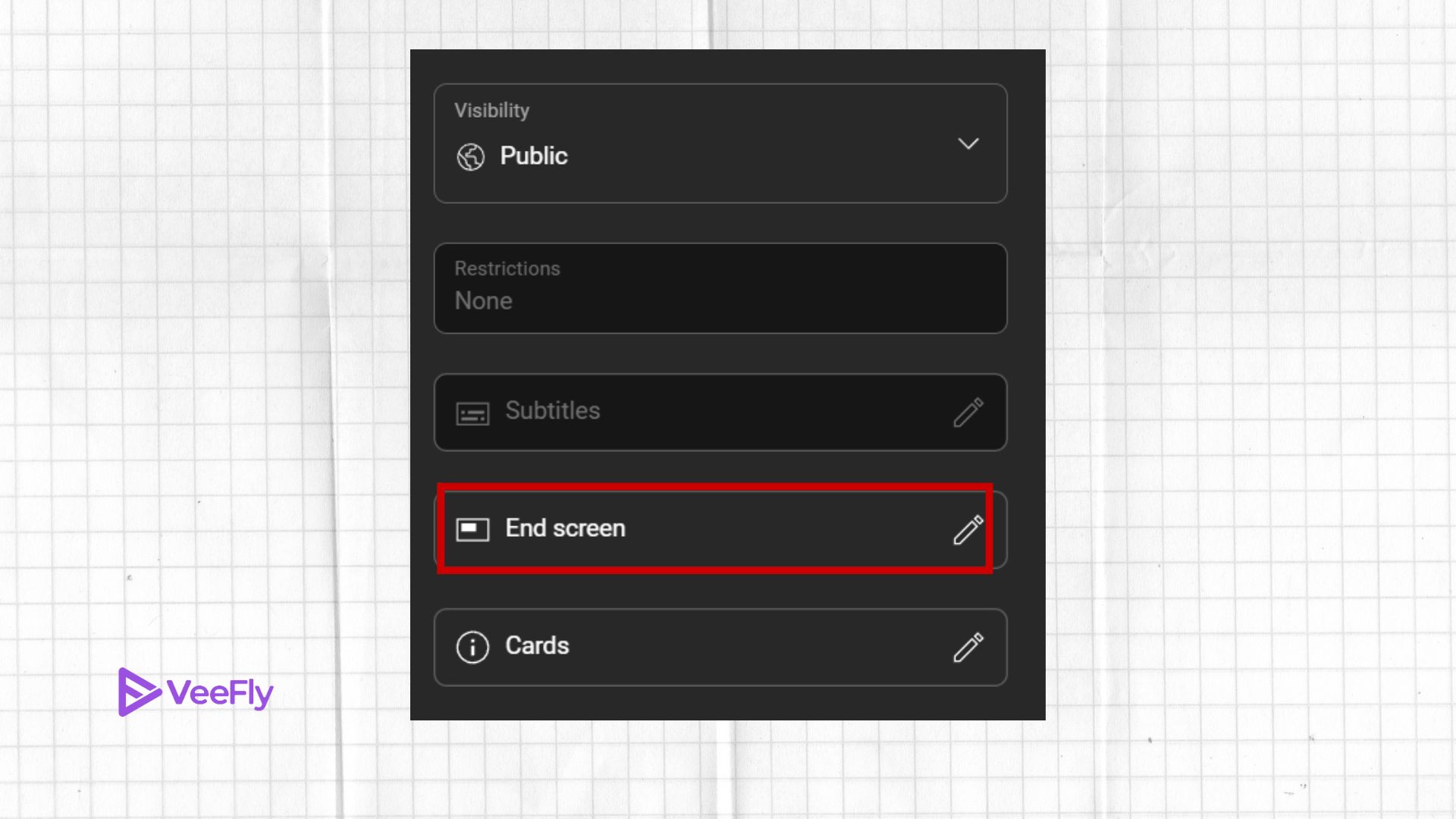
- Add elements. Here you will be presented with two options, select elements from the video itself or allow YT to choose the elements.
- By choosing Preview in the top left corner, you can see how the finished screen will look before saving it.

- Once done, click on save.
What Are The Guidelines To Create YouTube End Screen?
- Standard size and HD aspect ratio resolutions are 1280 by 720 pixels and 1920 by 1080 pixels, respectively.
- To add an end screen to your YT video, the video must be at least 25 seconds long.
- The end screen length can be around 5-20 seconds.
- If your YouTube channel is specifically made for kids, then YouTube will not allow you to add an end screen.
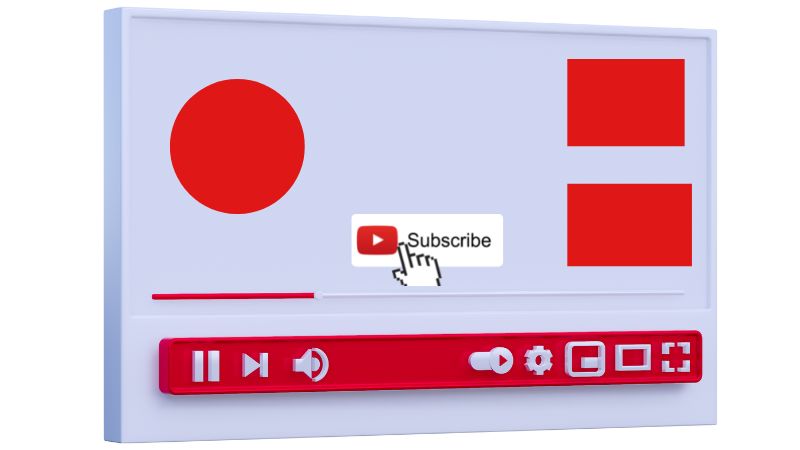
- You must pay attention to the specific ratios of each element size:
- The dimensions for the subscription are: 298 x298
- The video and playlist are as follows: 615 x345
- Link square: 294 x294
Understanding the End Screen YouTube Size and Dimensions
If you want your overlays to look neat and not cropped on mobile devices, it’s essential that you stick to the standard end screen YouTube size. YouTube has a 16:9 aspect ratio for widescreen videos. For high-definition videos, the end screen should be designed at a resolution of 1920 x 1080 pixels.
When designing custom backgrounds in tools like Canva or Adobe Express, ensure you leave “safe areas” around the edges. If you place your elements too close to the borders, they may overlap with the progress bar or other UI elements on mobile screens.
How Long is YouTube End Screen? Timing and Placement
One of the most common questions creators ask is: how long is youtube end screen? By platform rule, an end screen can last a minimum of 5 seconds and a maximum of 20 seconds.
However, the ideal youtube end screen length is typically around 10 to 12 seconds. Why? If it’s too short (5 seconds), the viewer doesn’t have enough time to process the options. If it’s the full 20 seconds, they might get bored and click away before the video actually ends, which can hurt your overall retention metrics.
Pro Tip: Stop saying “goodbye” or “thanks for watching” verbally. These phrases act as a psychological “exit cue.” Instead, bridge the gap by saying, “If you liked this, you’ll love this next video right here,” and point to where the end card will appear.
How to Make End Screen on YouTube: Step-by-Step
Learning how to make end screen on YouTube is straightforward within the YouTube Studio. Follow these steps:
1. Sign in to YouTube Studio: Go to the ‘Content’ tab and select the video you want to edit.
2. Open the Editor: On the left menu, click ‘Editor.’
3. Add Element: Click the ‘+’ icon next to ‘End Screen.’ You can choose from templates or add individual elements like a ‘Subscribe’ button, a specific ‘Video,’ or a ‘Playlist.’
4. Adjust Timing: Use the timeline at the bottom to drag the elements to your desired start and end times within the final 20 seconds.
5. Save: Once your layout is balanced and doesn’t cover important content, hit save.
Final Thoughts
Optimizing your YouTube end screens might not be the biggest change you make to your YouTube channel, but its impact on long-term growth can be massive. Mastering the YouTube end screen size and finding the perfect YouTube end screen length for your audience can help you create a self-sustaining loop that retains viewers on your channel. Be aware that in some cases, a single “Best for Viewer” video can be more effective than four. Also, find out the importance of the YT end screen and why you must use end screens.
The final five to twenty seconds of your videos are played on end screens. To optimize the impact of your end screen cards, encourage people to connect with your channel further, and increase views and engagement, ensure that the elements you decide to add create a lasting impact on the viewers, so they are hooked on the content. So, choose the element wisely.
Frequently Asked Questions
Q1. Can you add an end screen to a YouTube Shorts video?
No, you can only add an end screen to a standard video in widescreen format. YouTube Shorts have a different discovery model and do not support the addition of an end card overlay.
Q2. What is the minimum video length required to add an end screen to my video?
Your video needs to be at least 25 seconds long to add an end screen. If your video is less than 25 seconds, the “Add End Screen” button in the YouTube Studio editor will be grayed out.
Q3. How many elements can I add to my end screen?
You can add up to 4 elements. Common combinations include one ‘Subscribe’ button and one or two ‘Video’ recommendations to keep the interface clean and mobile-friendly.
Q4. Why isn’t my end screen showing up for some viewers?
End screens are not displayed in “Made for Kids” videos. End screens also won’t display if a viewer has chosen to turn off interactive features in their video player settings or if they are using older mobile browsers.
